 Connected Business Community
Let's Connect
Connected Business Community
Let's Connect
Revaluate Multicurrency Transactions
Multicurrency Transactions apply if you are trading with customers, suppliers and bank accounts with foreign currencies. This is also applicable when viewing or creating a period adjustment to check for gains or loses acquired or suffered based from the latest exchange rates in the market. Every transaction in the system has an original exchange rate to give us a base amount that was posted to the receivables control, payables control and bank control accounts (whichever is relevant).However, as the foreign exchange rates change over time, we need to compare the latest exchange rates to any oustanding transactions we may have in foreign currency to produce a provisional loss or gain.
In the system, only at allocation do we make an actual loss or gain so it is kept very clean and the provision can be run again and again within a period.
Steps
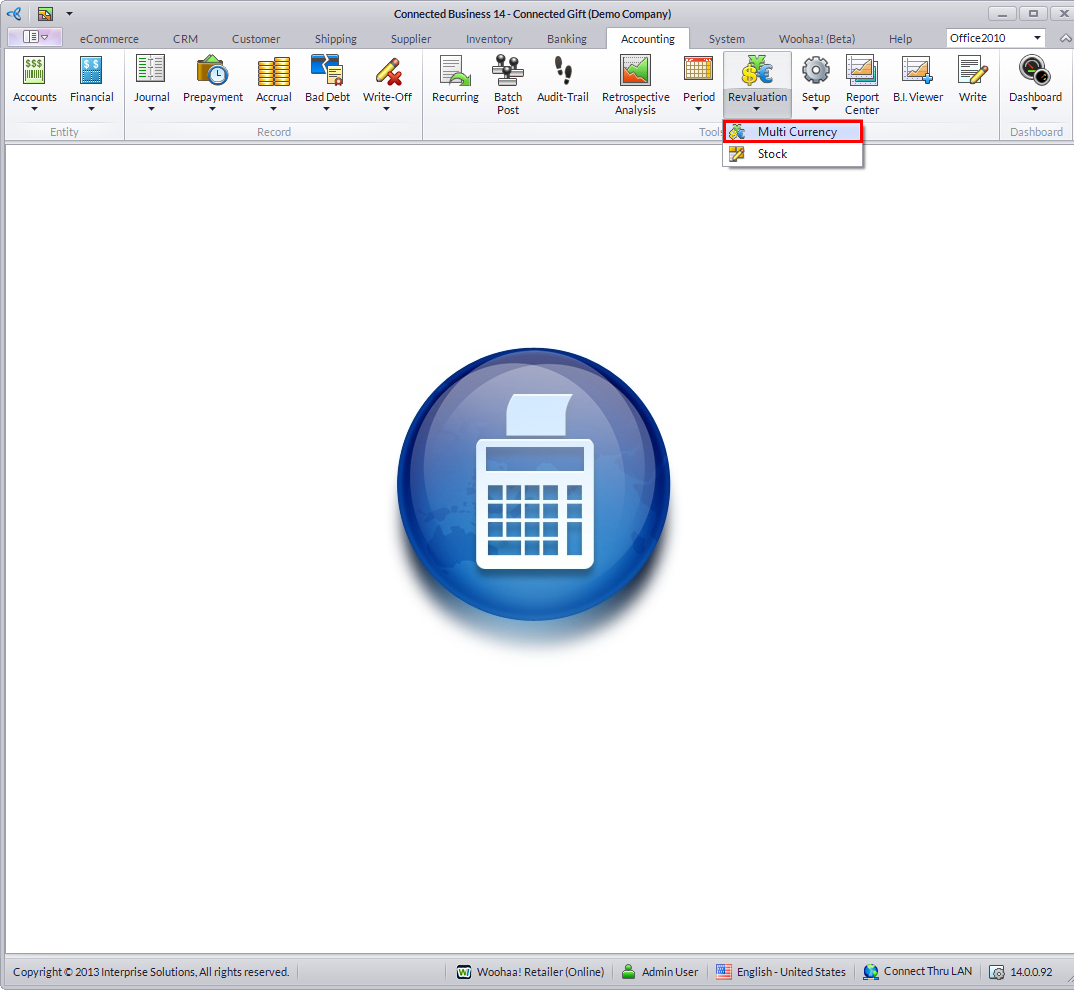
- From the Accounting module, select Revaluation > Multi Currency button from the menu options. The search screen of previous revaluations will be displayed.
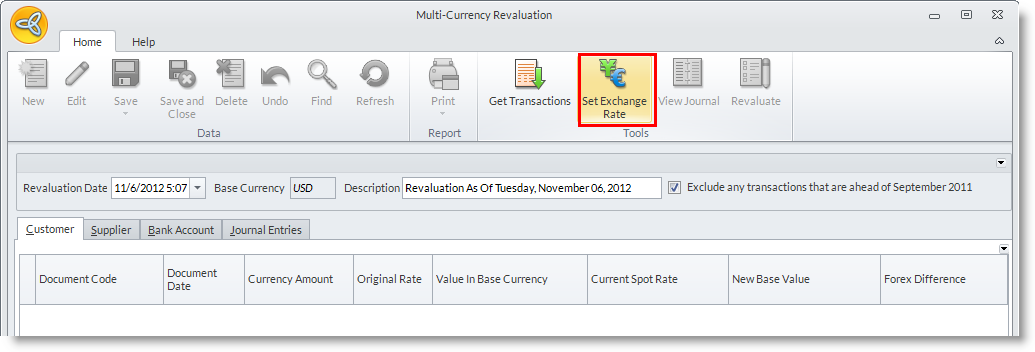
- Click on the New button from the search screen to display the Multicurrency Revaluation form.
- Click Set Exchange Rate button and the Multicurrency setup form will be displayed.
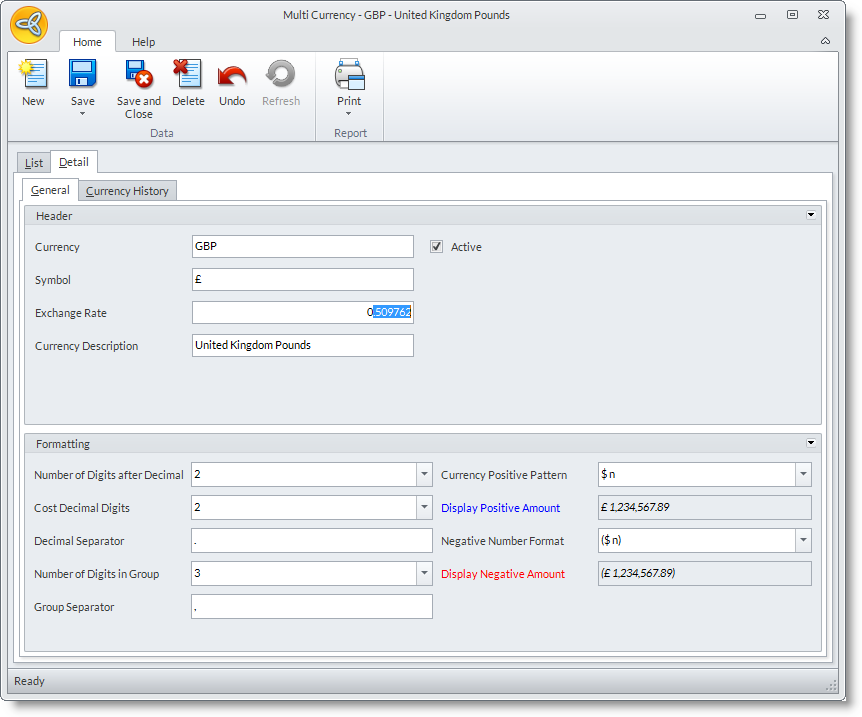
- Change the currency’s detail with the appropriate rate. The transactions will be automatically loaded once the exchange rates are set anew.

However, if you do not want to update the current exchange rates, you may click directly on the Get Transactions button in the menu options to display the transactions.
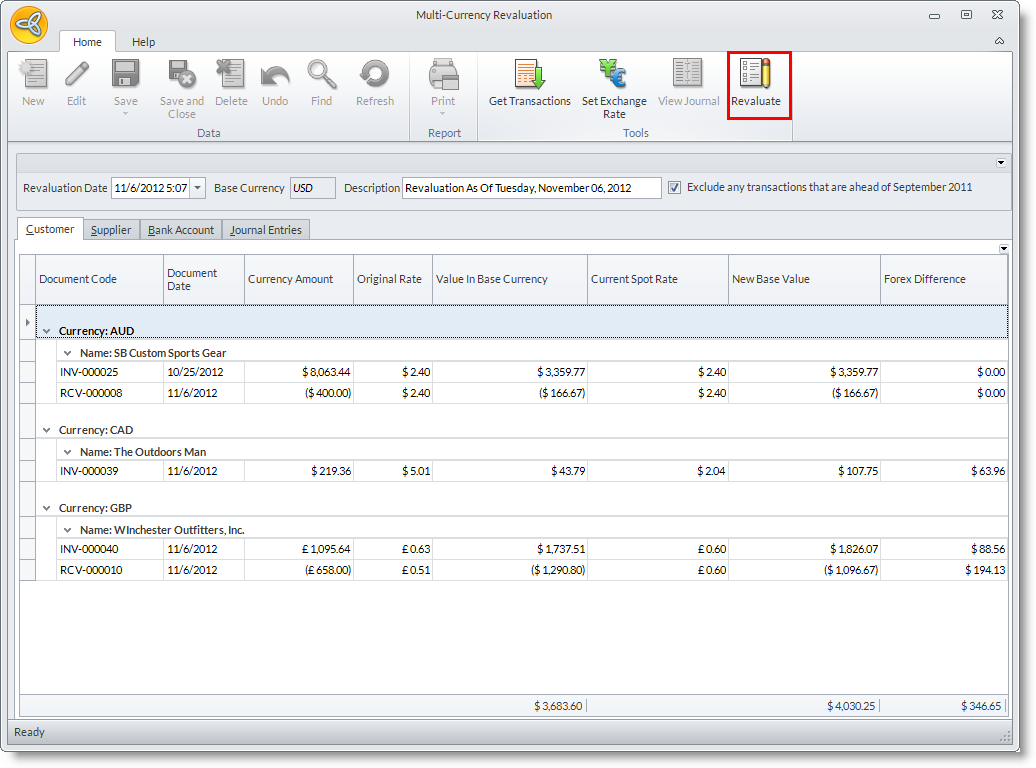
- Click Revaluate and the difference will display in the ForEx Difference column for each transaction.
- The Journal tab shows the exact journals that will be posted.
