 Connected Business Community
Let's Connect
Connected Business Community
Let's Connect
Payment Control
This section will discuss about supplier debts and payments, reviewing the outstanding balances as well as the overall aged debts.
Steps
REVIEW SUPPLIER DEBTS AND PAYMENTS
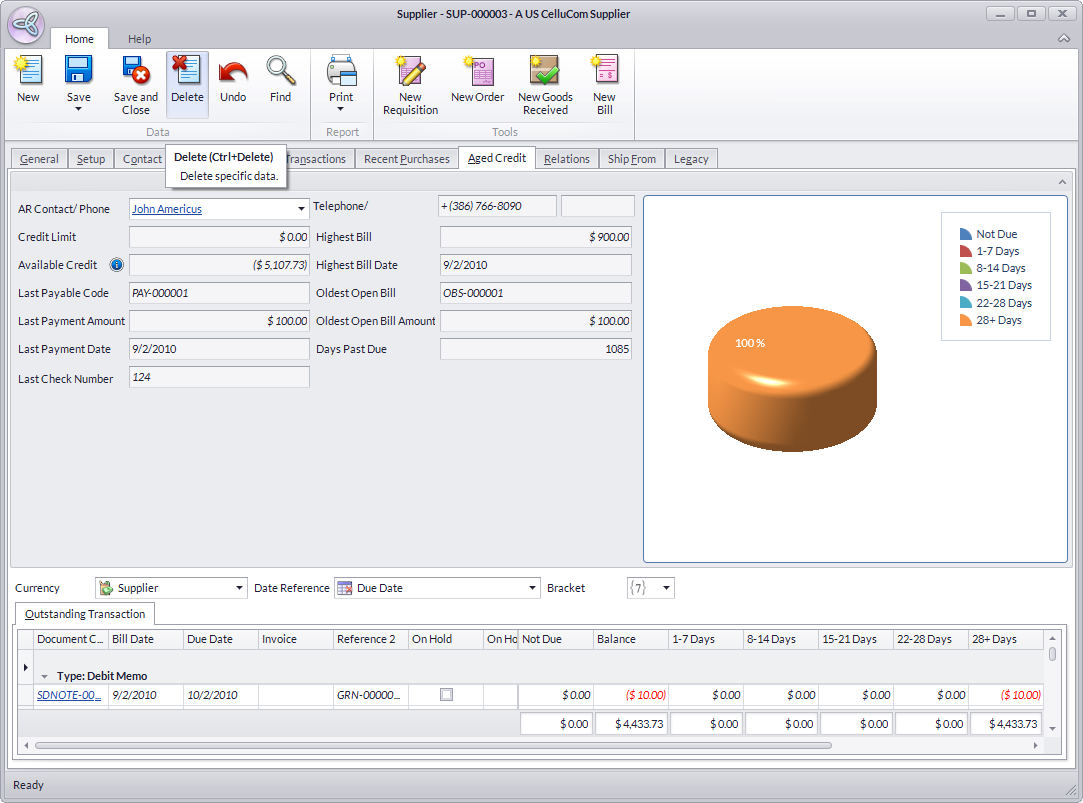
The Aged Debts tab of the Supplier detail form allows you to review the debts and payments to suppliers.
- From the Supplier module, select Supplier > Find Supplier button. The supplier search screen will display.
- Select a supplier in the list to display the Supplier detail form.
- Click on the Aged Credit tab.

VIEW OUTSTANDING BALANCES
The Outstanding Balance Analysis shows the top outstanding balances to the suppliers. The Graphical Charts represent the Overall Outstanding Balances to the supplier.
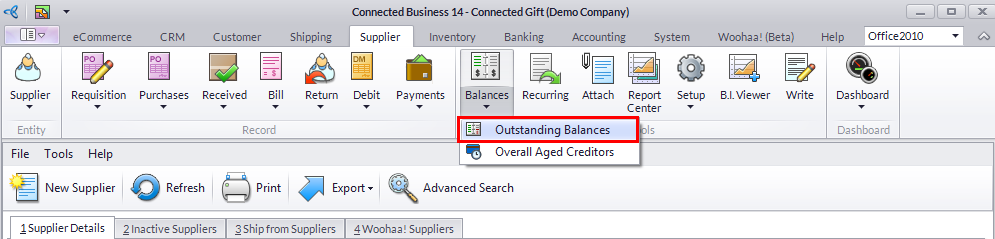
- Select Balances > Outstanding Balances. The Outstanding Balance analysis form will display.
- The sections of the Outstanding Balance analysis form is as follows:
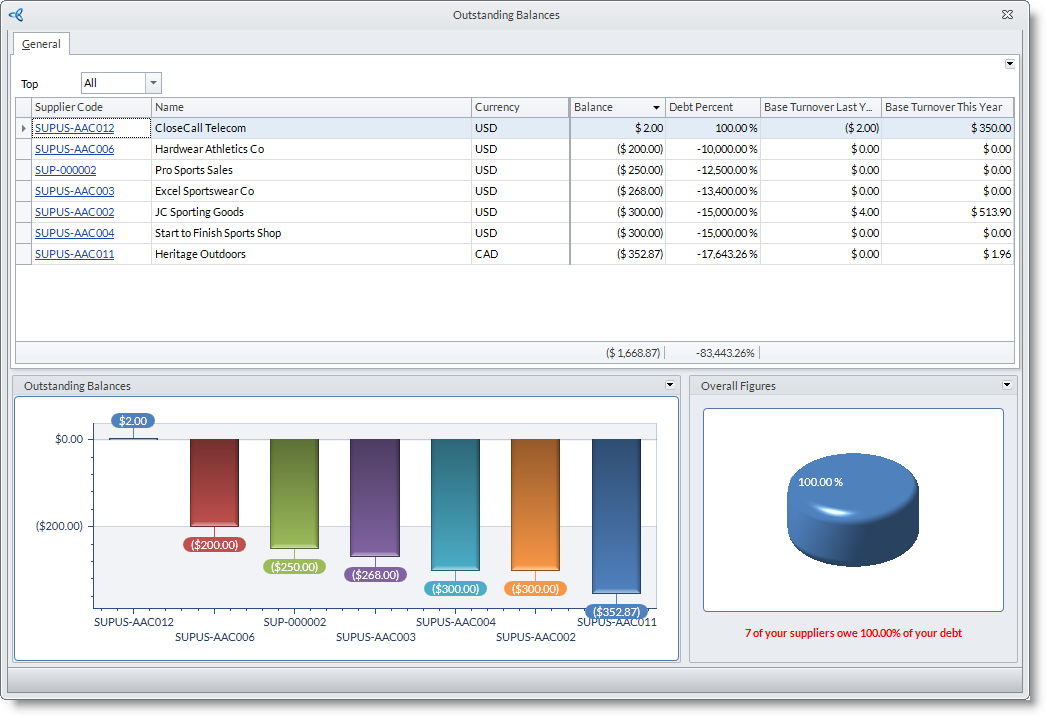
- The Filter section allows you to filter the outstanding balances by the recall date and the debt chaser assigned.
- The Details section shows the details of the outstanding balances according to the assigned filter.
- The Aged Analysis section displays a graph of the total outstanding balances by aging. The graph can be filtered according to date reference and bracket (by days).
- The Balance Represents section displays a graph showing the total outstanding balance representation.
VIEW OVERALL AGED DEBTS
The Overall Aged Creditors summarizes all aging debts of the firm to all its suppliers. Graphical Charts represent the figures of the aged debt transactions.
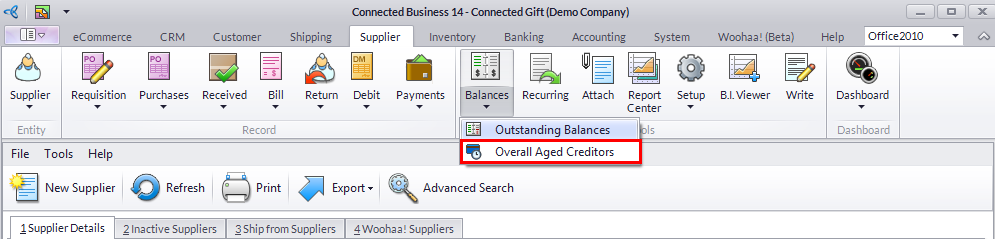
- From the Supplier Module, select Payment Control > Overall Aged Creditors. The Overall Aged Credit form will display.
- Here are the sections in the Overall Aged debt form and their descriptions:
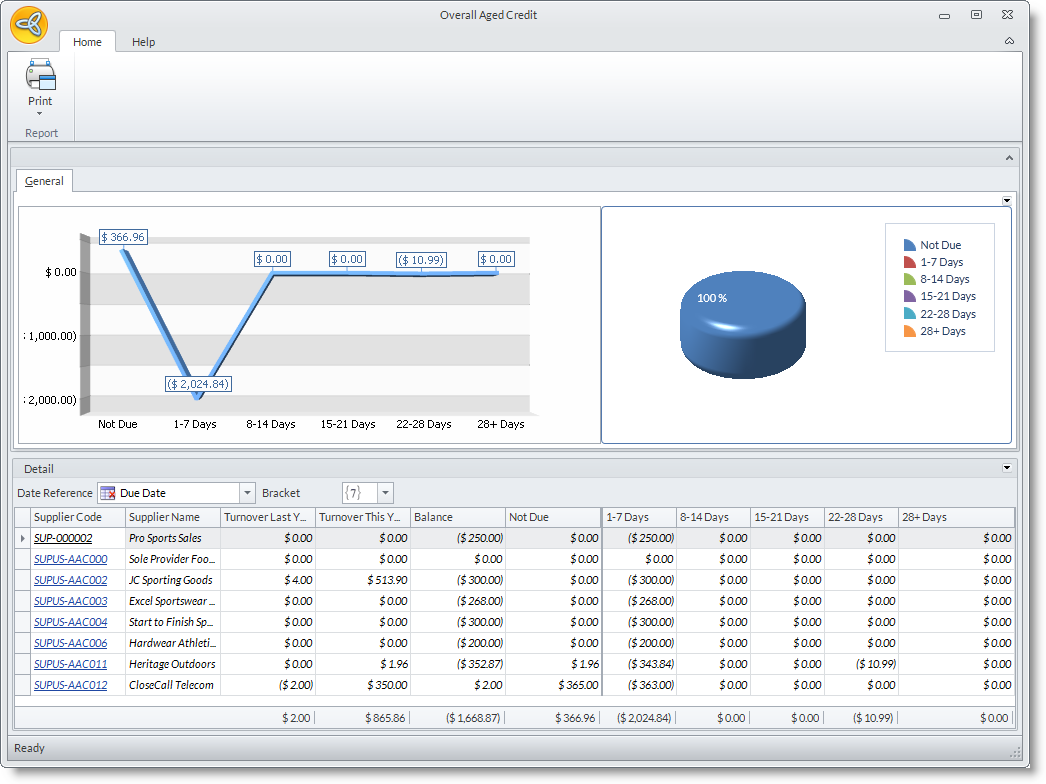
- The General tab of the Overall Aged Debt form shows a bar graph and a pie graph representing the aging of all outstanding balances.
- The Detail section shows the customer balances (from the last year to date turnover to the current year to date turnover) and the aging of all outstanding balances.