 Connected Business Community
Let's Connect
Connected Business Community
Let's Connect
Interprise Gateway v2.0
| Content |
|---|
Interprise Gateway v2.0 is the new default payment gateway used in Connected Business to facilitate easier and faster payment processing. If your database is using a version of Interprise Suite lower than v6.0.5, you can still use the Interprise Gateway.

Interprise Gateway v2.0 is NOT an upgraded version of Interprise Gateway.
Set Up Interprise Gateway v2.0
To set up Interprise Gateway,
Apply for an Interprise Gateway v2.0 Account
- To sign-up for an Interprise Gateway v2.0 account, you can call or send an email to:
PERRY TATOOLES, Director of External Sales / Corporate Training
TRANSNATIONAL BANKCARD, LLC
Phone: 1-847-655-1329
Email: This email address is being protected from spambots. You need JavaScript enabled to view it.
Set Up Interprise Gateway v2.0 in Connected Business
- Open the Connected Business application.
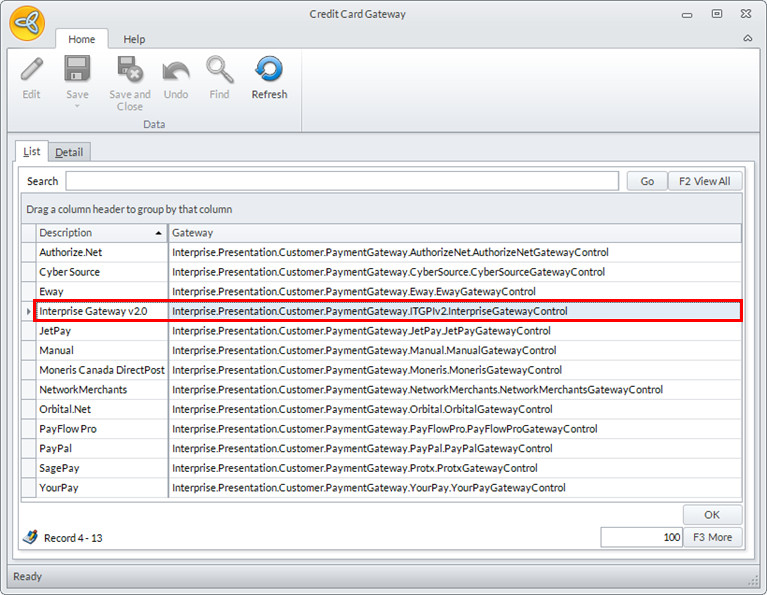
- Go to Banking > Setup and select Credit Card Gateway option.The list of supported credit card gateway will be displayed.
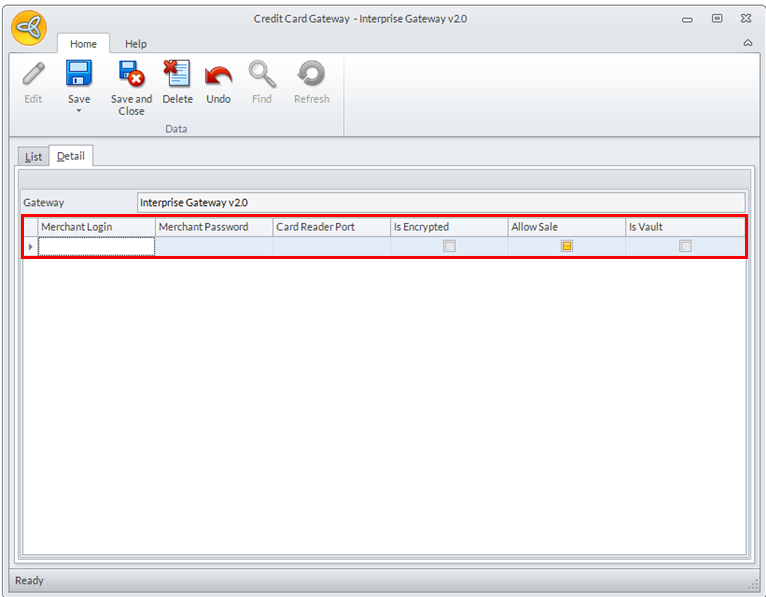
- Select Interprise Gateway v2.0 from the list and the gateway details will be displayed.
Click Image to Enlarge
Click Image to Enlarge
Enter the details for the following fields:
Field Description Merchant Login Merchant Password Card Reader Port You can select an available card reader port for your card reader. Applicable to unencrypted card reader. Is Encrypted If checked, the card reader port field is disabled and the card reader is encrypted making scanning data secured. Check this option if your card reader is encrypted. Allow Sale Is Vault By ticking Is Vault option in Banking > Setup > Credit Card Gateway >, user's merchant account will be used for credit card tokenization. For this to work, this vault option needs to be turned on thru Transnational
To activate Interprise Gateway v2.0 Vault option, you can call or send an email to:
- PERRY TATOOLES, Director of External Sales / Corporate Training
- TRANSNATIONAL BANKCARD, LLC
- Phone: 1-847-655-1329
- Email: This email address is being protected from spambots. You need JavaScript enabled to view it.
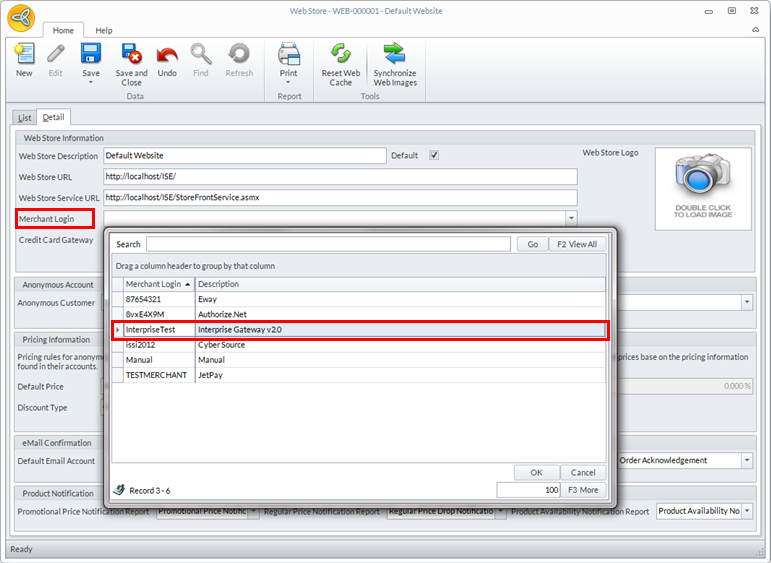
Click Save and Close to save your settings. - After setting the configurations for Interprise Gateway v2.0, set it as the payment gateway for the website. Go to eCommerce module > Webstore and the list of existing webstores will be displayed.
- Select the webstore where you want to use the gateway and the webstore details will be displayed.
- In the Merchant Login field, select Interprise Gateway v2.0 from the dropdown list.
Click Image to Enlarge
- Click Save and Close to save your settings.
The gateway setup only works in the website into which it was defined. You need to set up the gateway for every website you want to use it for.

Define Saving Credit Card Information For Interprise Gateway v2.0
You can enable auto-saving of credit card information for registered customers of your webstore by tweaking appconfig entries. The appconfig entries that enable this feature can only be used when Interprise Gateway v2is activated as the credit card gateway.
To perform this action,
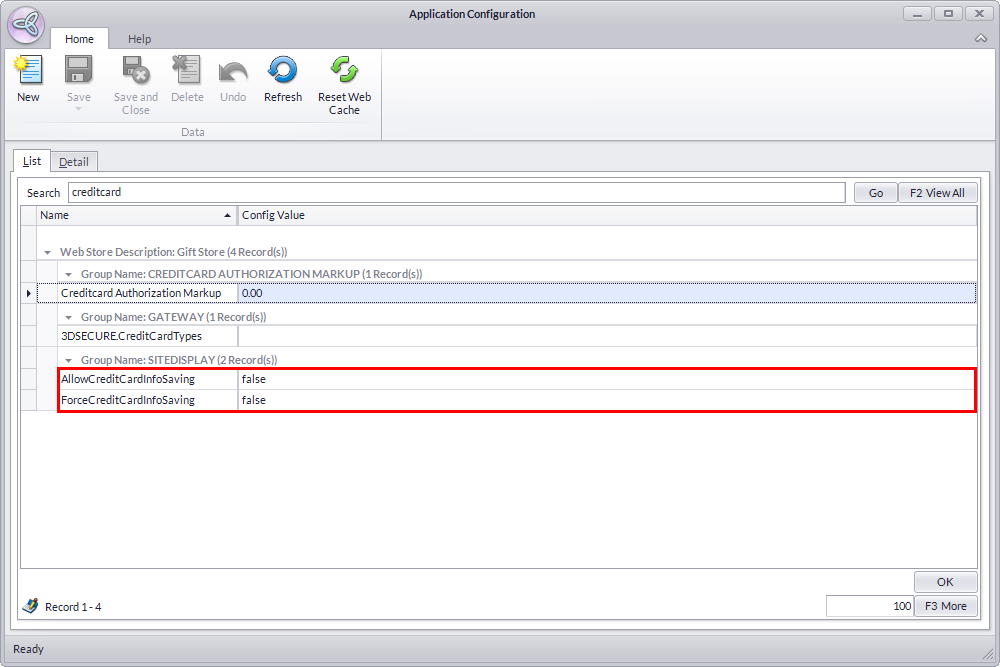
Access the Application Configuration (AppConfig) form from the eCommerce Module > Setup > Application Configuration.
The AppConfig list screen will be displayed. Input "creditcard" as your search keywords in the Search Bar
Click Image to Enlarge
Search results will include a couple more entries that you don't need to enable the feature. You only need two appconfigs entries: AllowCreditCardInfoSaving and ForceCreditCardInfoSaving.
Allow Credit Card Information Saving
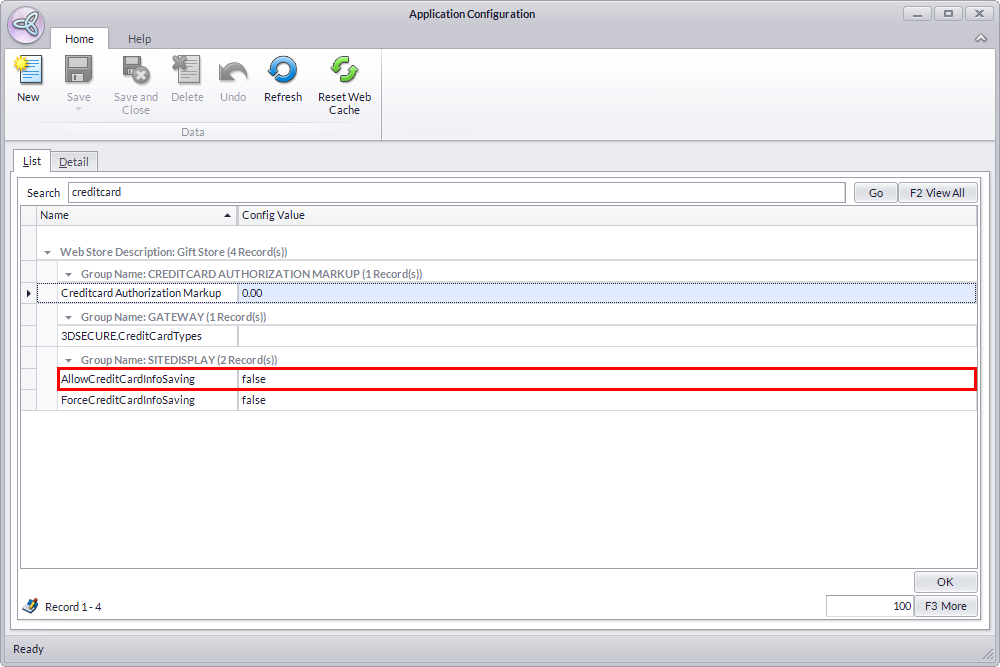
- From the AppConfig List screen, select AllowCreditCardInfoSaving. The Detail Tab for its appconfig properties will be displayed.
Click Image to Enlarge
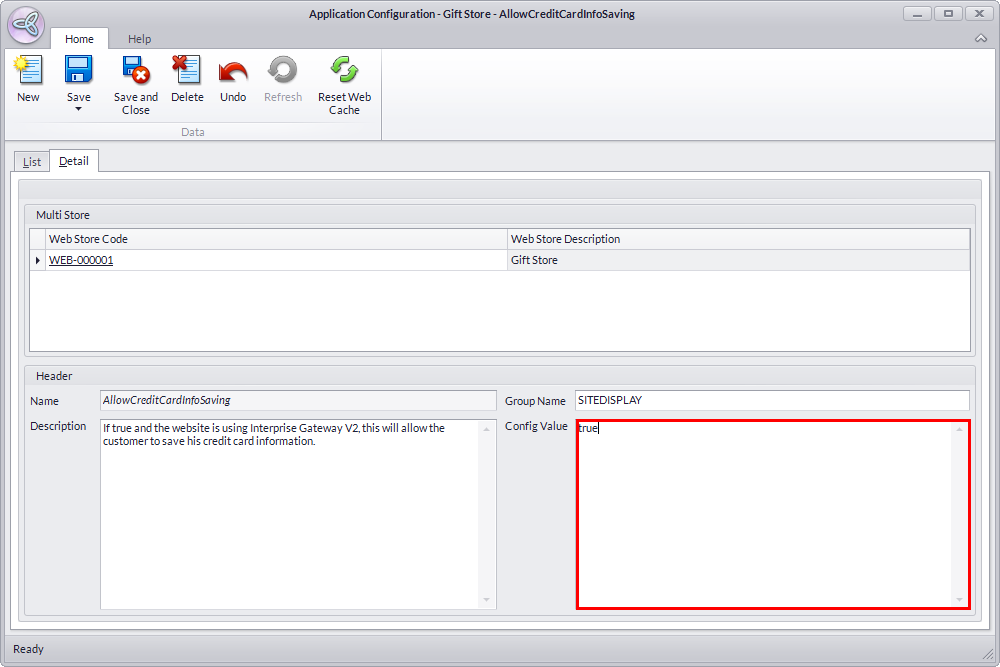
- Input "true" on the Config Value field to enable the appconfig property. When enabled, your webstore will give customers an option to save their credit card information. Click Save to apply your changes.
Click Image to Enlarge
Force Credit Card Information Saving
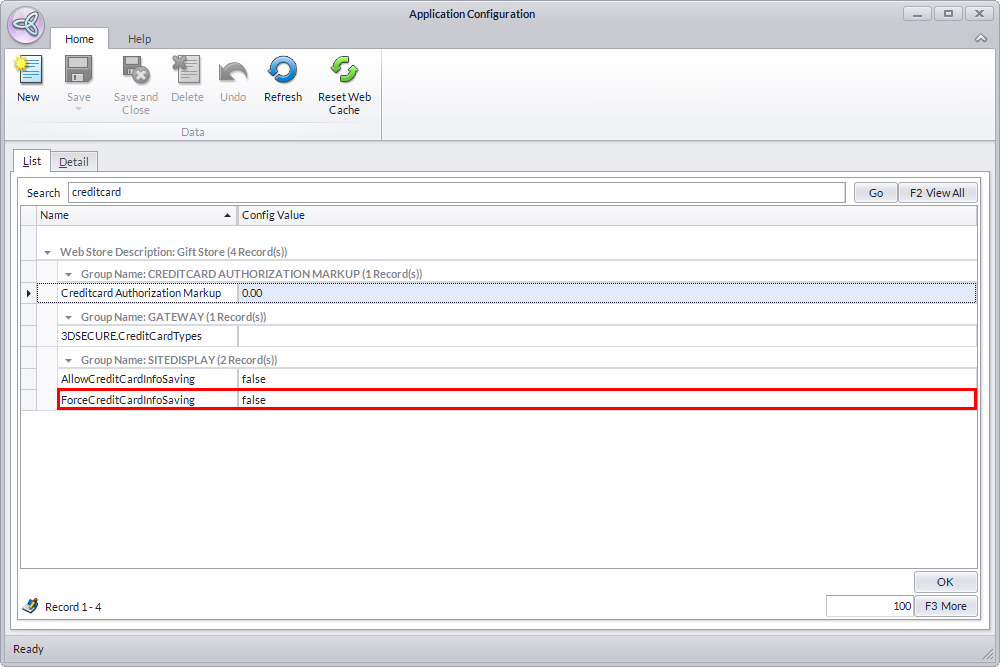
- From the AppConfig List screen, select ForceCreditCardInfoSaving. The Detail Tab for its appconfig properties will be displayed.
Click Image to Enlarge
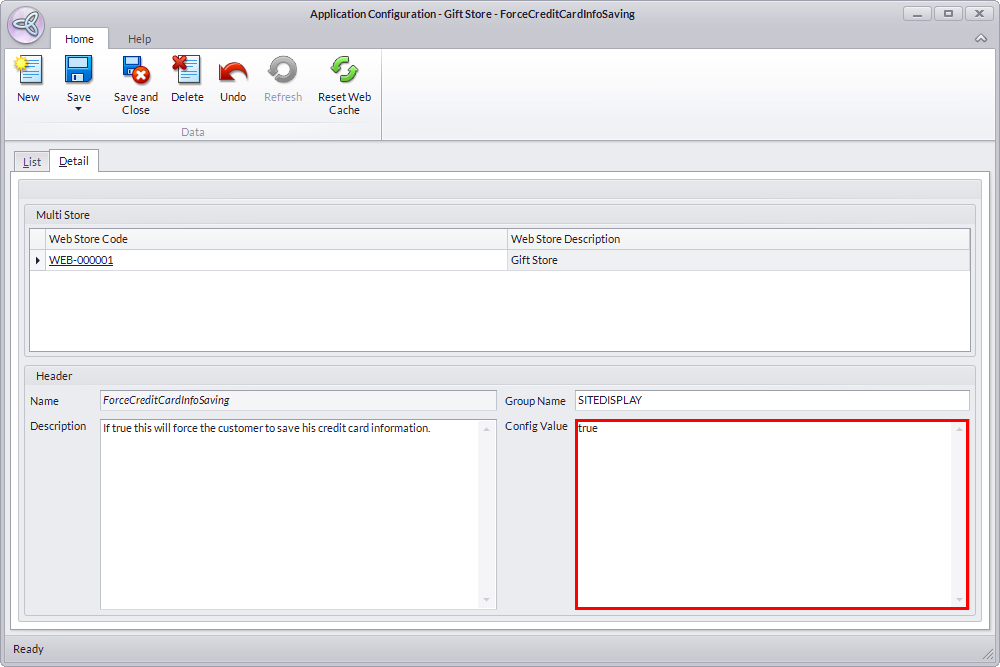
- Input "true" on the Config Value field to enable the appconfig property. When enabled, your webstore will automatically save credit card information inputted by customers checking out their shopping carts. Click Save to apply your changes.
Click Image to Enlarge