 Connected Business Community
Let's Connect
Connected Business Community
Let's Connect
How To Apply Customer Refund to Multiple Credits
In Connected Business 14, you can apply or allocate customer refunds to multiple credit transactions.

This feature is only available in Connected Business v14 and higher.
To do this,
- Go to Customer module > Receipts > Customer Refund. The list of Bill To Customers will be displayed.
- Select customer from the list. The Refund form will be displayed.
- Select the payment type for the refund from the Payment Type dropdown list.
- From the Credits tab, select the credit transactions. The amount to be refunded will be automatically indicated in the Amount Paid field as credit transactions are selected. Alternatively, you can enter the refund amount in the Amount Paid field then select the credit transaction where the refund will be allocated.
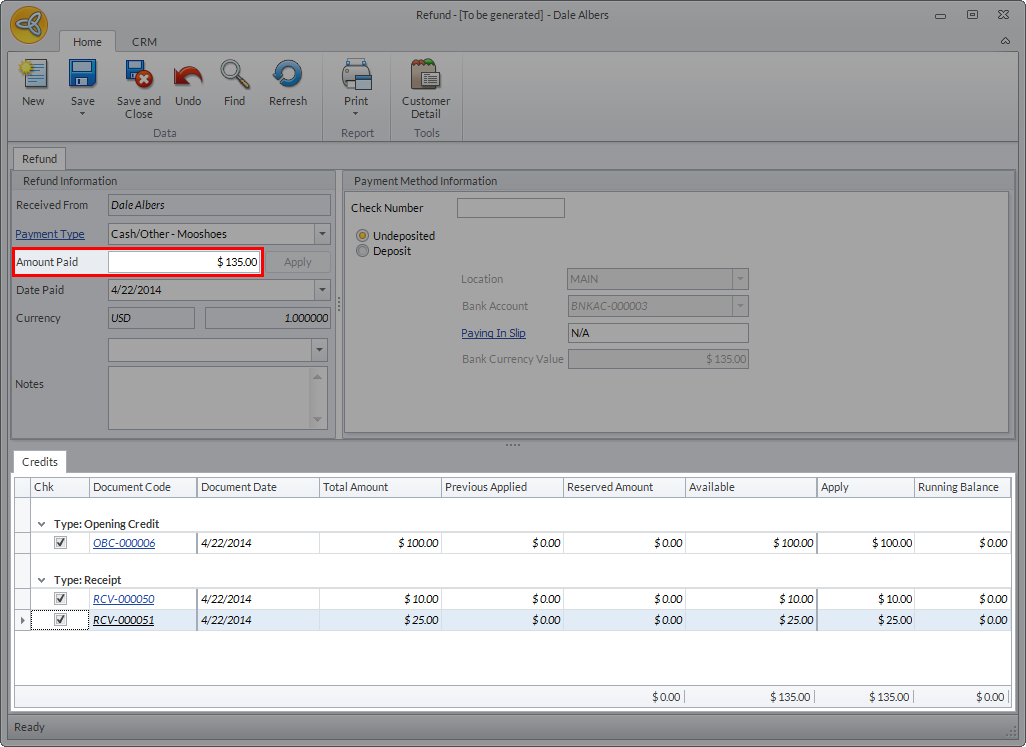
Click Image to Enlarge
- Click Save or Save and Close. A message prompt will be displayed indicating that multiple refund allocation has been created.
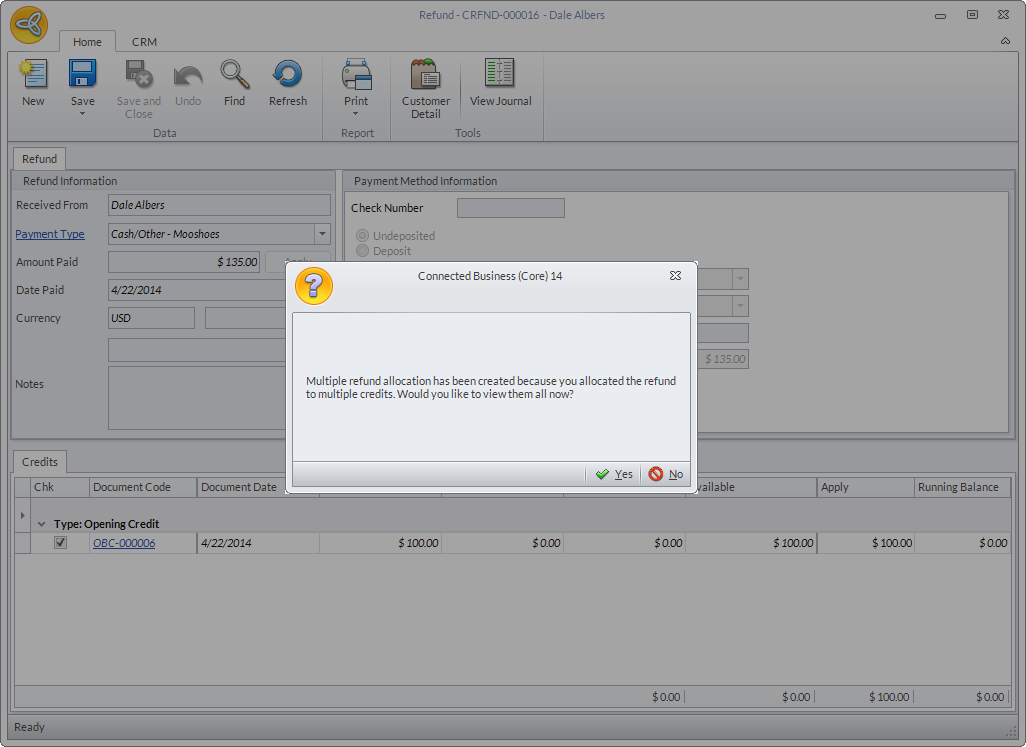
Click Image to Enlarge
Click Yes to view the refund allocation forms for the credit transactions selected.
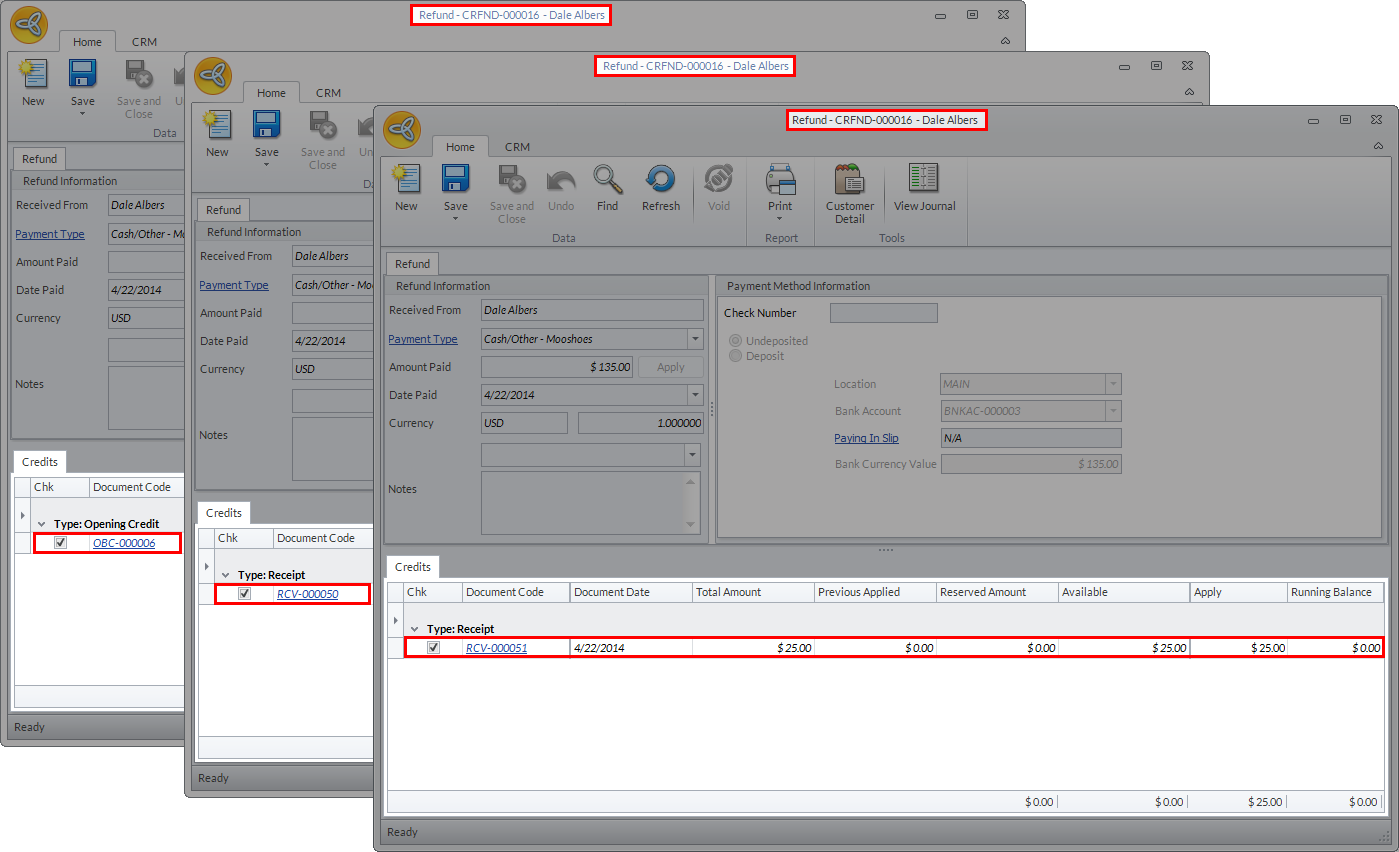
Click Image to Enlarge
You can view the refund allocation history from Customer module > Receipts > Customer Refund > Customer Refund History.
Only one refund allocation code will be generated for all allocations made in the same refund form.
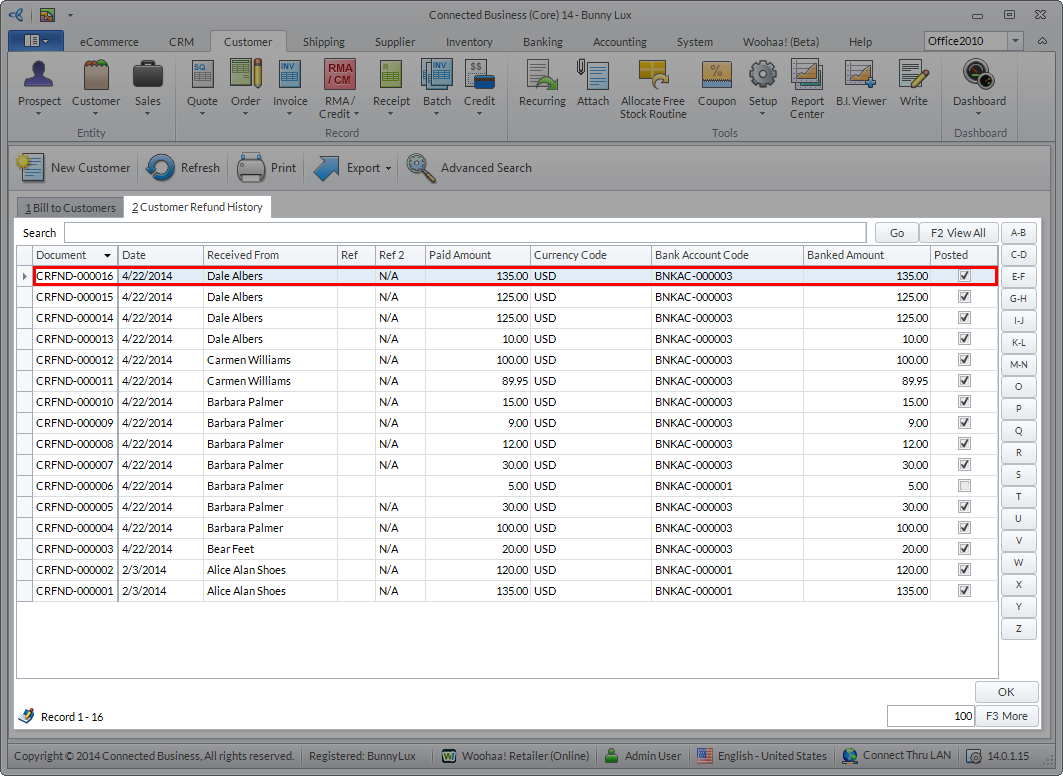
Click Image to Enlarge
Only the last credit transaction selected during allocation will be reflected in the form.
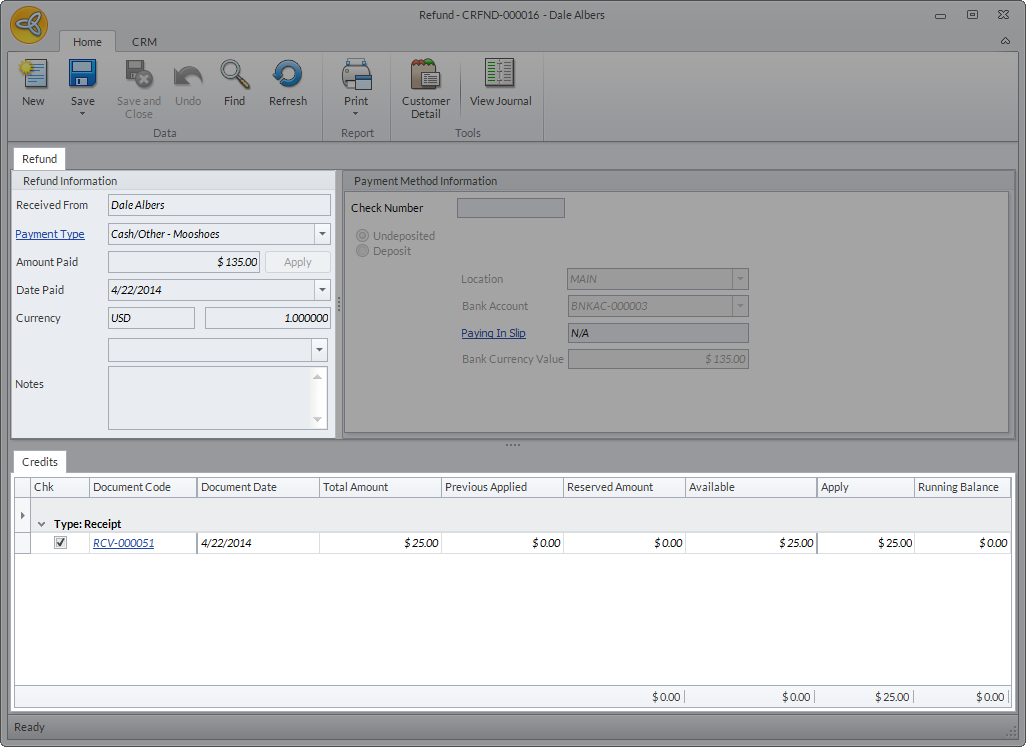
Click Image to Enlarge
You can check the allocation for the rest of the credit transactions from Receipts > Find Receipts > Customer Allocation.
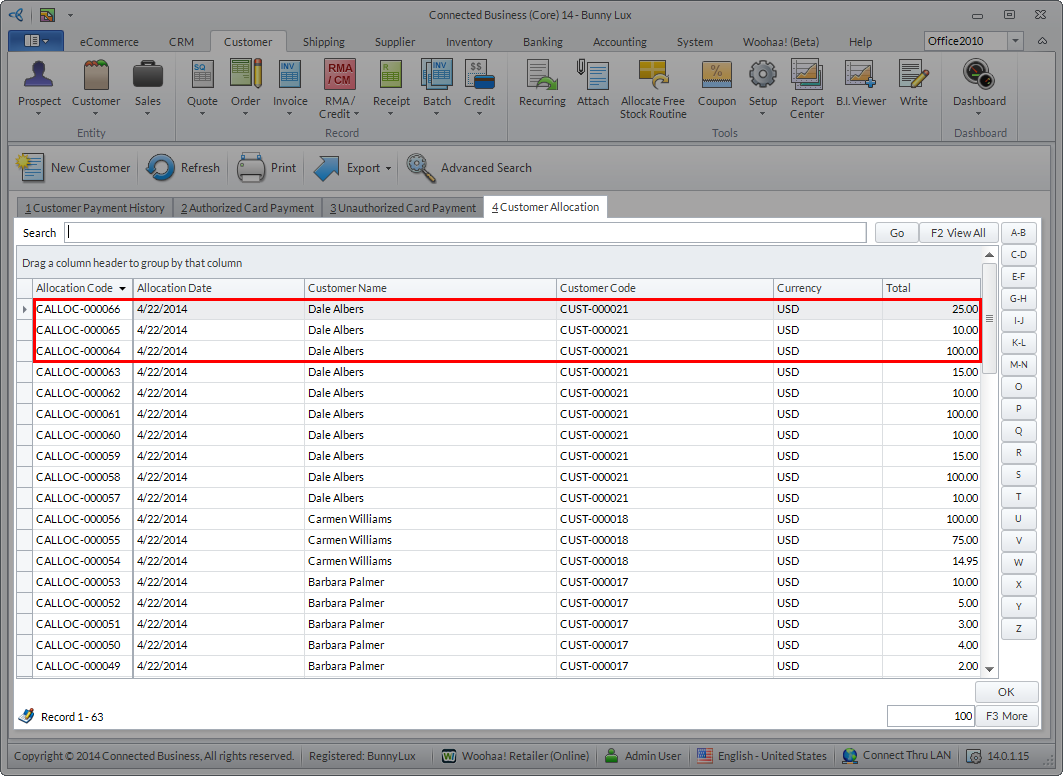
Click Image to Enlarge