 Connected Business Community
Let's Connect
Connected Business Community
Let's Connect
Duplicate Business Intelligence
Duplicate Business Intelligence Report is designed to identically copy an existing dashboard and create a new dashboard or edit an existing one.
When a report is shared to you by another user, one of the restrictions is that you cannot edit or change the look or design the dashboard. In order for the user to edit, you first have to duplicate the dashboard that was shared to you to modify the design of the business intelligence layout.
- Go to the module where the business intelligence was assigned to e.g. Inventory Module and access the Business Intelligence Viewer (B.I. Viewer).
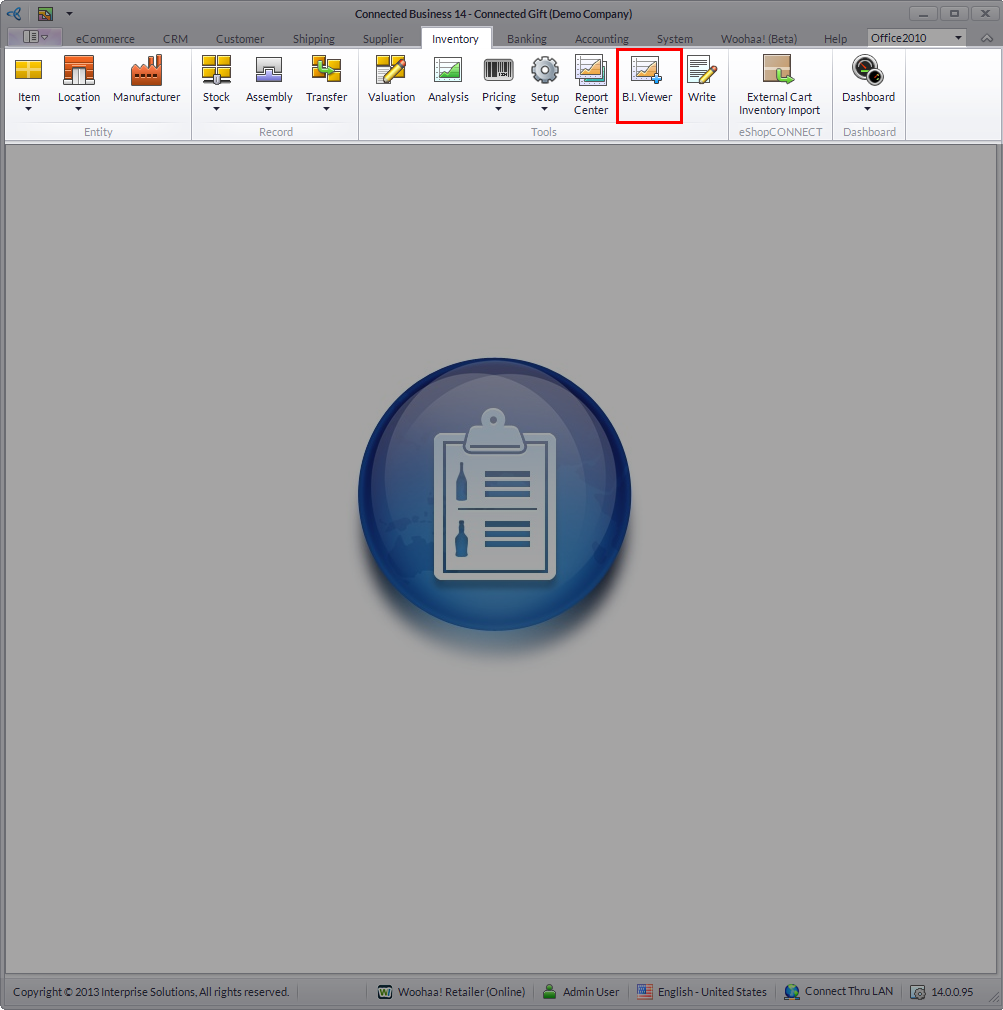
Click Image to Enlarge
- From the menu bar of the Business Intelligence Viewer, click on Duplicate.
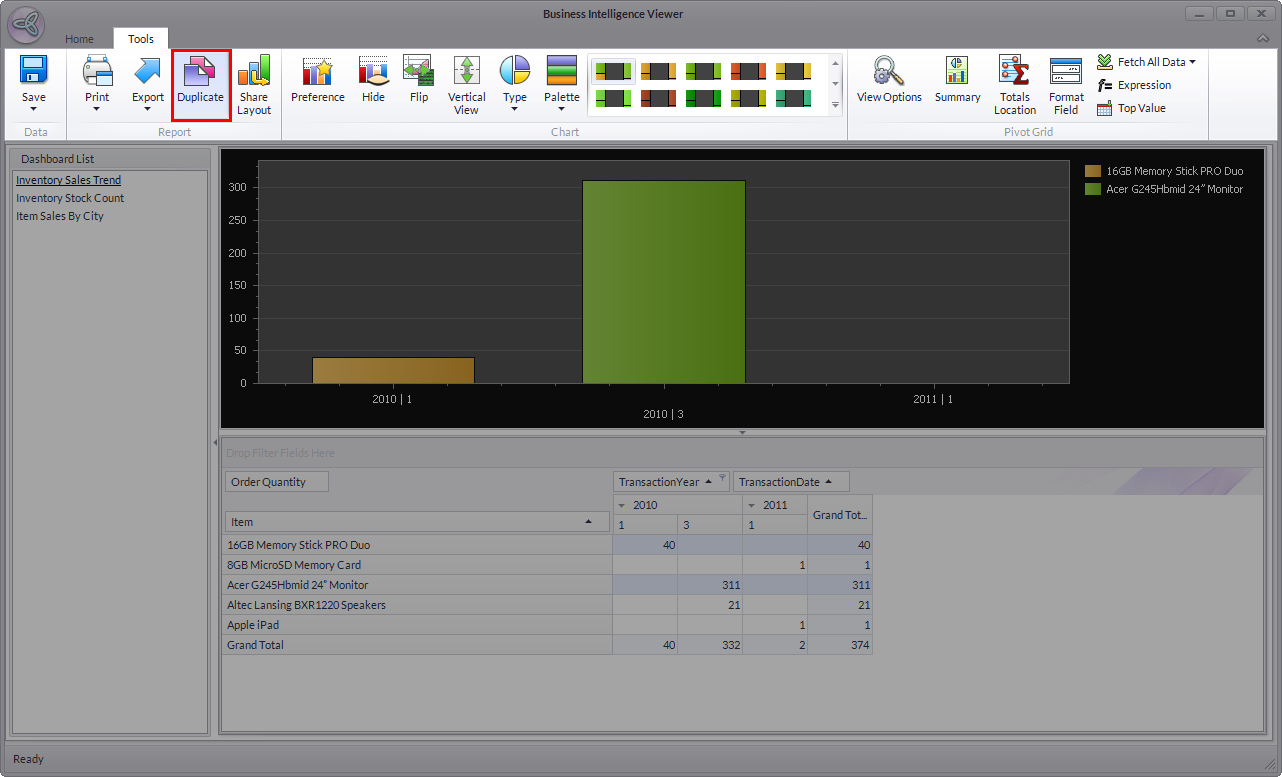
Click Image to Enlarge
A dialog box will prompt to save the current Business Intelligence before duplicating. - The Multi-lingual Description form will be displayed. Input a name and description for your duplicate business intelligence and click Save and Close to apply inputs.
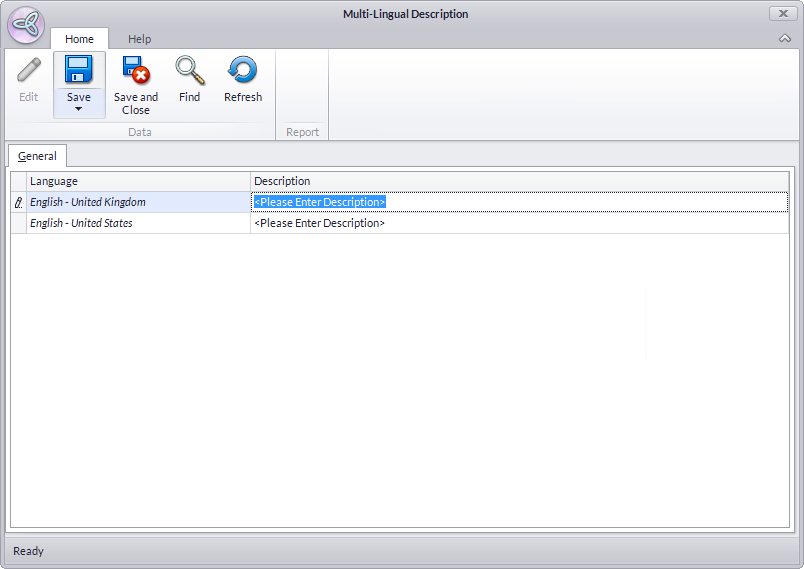
Click Image to Enlarge
- You may now look for your duplicate business intelligence from the list on the left side of the interface.
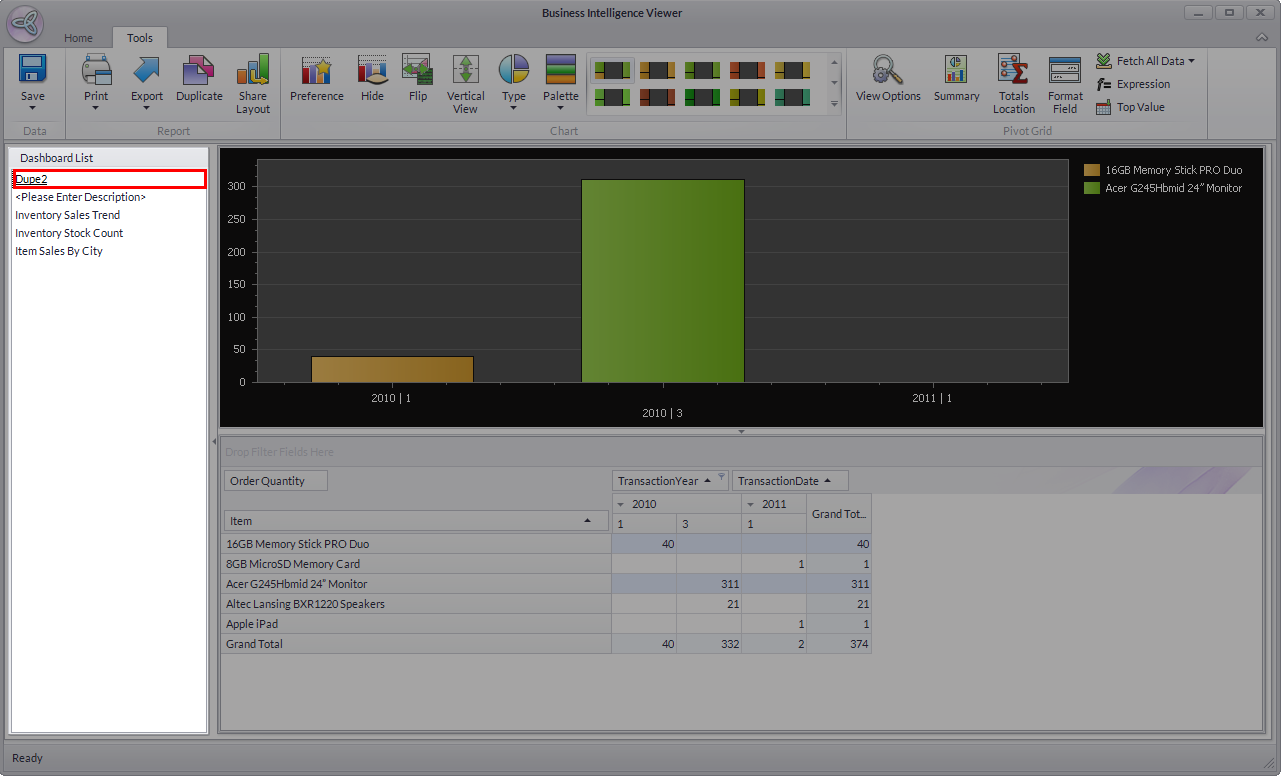
Click Image to Enlarge
