
Set Up Paypal Express Checkout
In previous versions, PayPal Express Checkout is shown only in the shopping cart page. In 6.0, Paypal payment option is now included in the payment info page and the payment type is changed from Cash/Other Transaction to Credit Card to make use of the Paypal Credit Card gateway.
Your company database should be registered/licensed to be able to set up and use PayPal Express Checkout.
To set up PayPal Express Gateway,
-
Create a merchant account through www.paypal.com. You can also create a test account through http://sandbox.paypal.com.
To learn more about Paypal Express Checkout, go to PayPal Documentation.
- Configure the details for the Paypal Credit Card gateway in the Connected Business application.
- Go to Customer > Setup > Credit Card > Credit Card Gateway option. The list of credit card gateways will be displayed. (You can also access the credit card gateway form from Banking > Setup > Credit Card Gateway.)
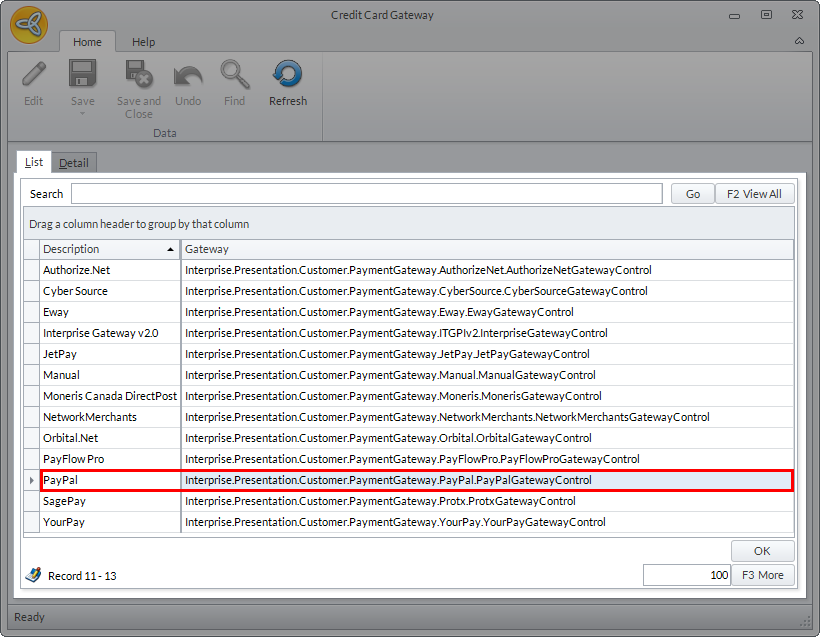
Click Image to Enlarge
- Select PayPal credit card gateway and click the Details tab. The gateway details for PayPal will be displayed.
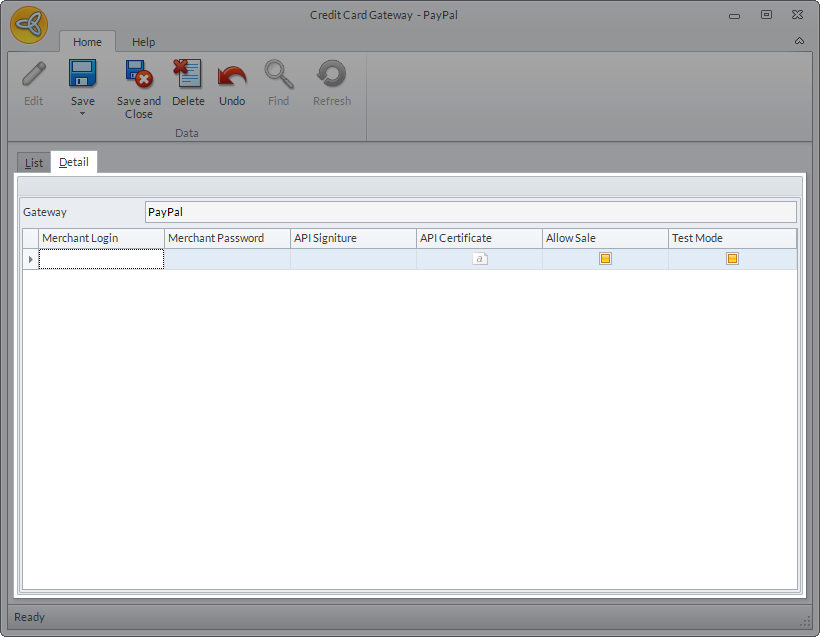
Click Image to Enlarge
Enter the details for the following:
- Merchant Login: Your PayPal account API Username.
- Merchant Password: Your PayPal account API Password
- API Signature / API Certificate: You can use either one.
- Allow Sale:
- Test Mode: Check this option if you are running a test for the gateway, otherwise, uncheck.
- Click Save and Close.
- Go to Customer > Setup > Credit Card > Credit Card Gateway option. The list of credit card gateways will be displayed. (You can also access the credit card gateway form from Banking > Setup > Credit Card Gateway.)
- Set up the application configurations for the PayPal Credit Card Gateway.
- Go to eCommerce > Setup > Application Configuration. The Application Configuration window will be displayed.
- Search for the following PayPal application configurations and set the corresponding value in the Config field. Click Save and Close after entering the value in each appconfigform.
PayPalCheckout.ShowOnCartPage - True
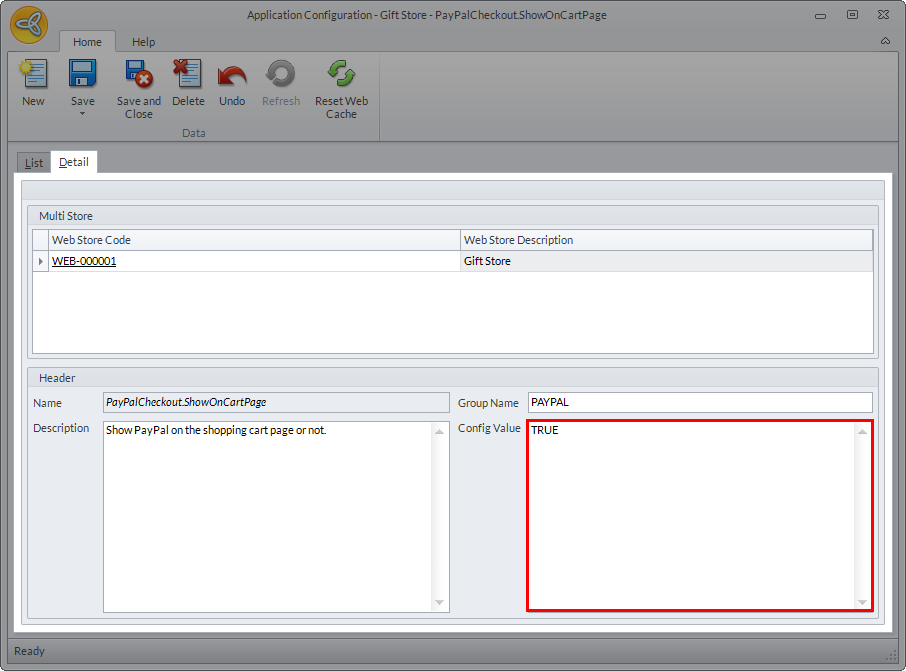
Click Image to Enlarge
PayPalCheckout.MerchantLogin - value is similar with the merchant login in PayPal Credit Card Gateway.
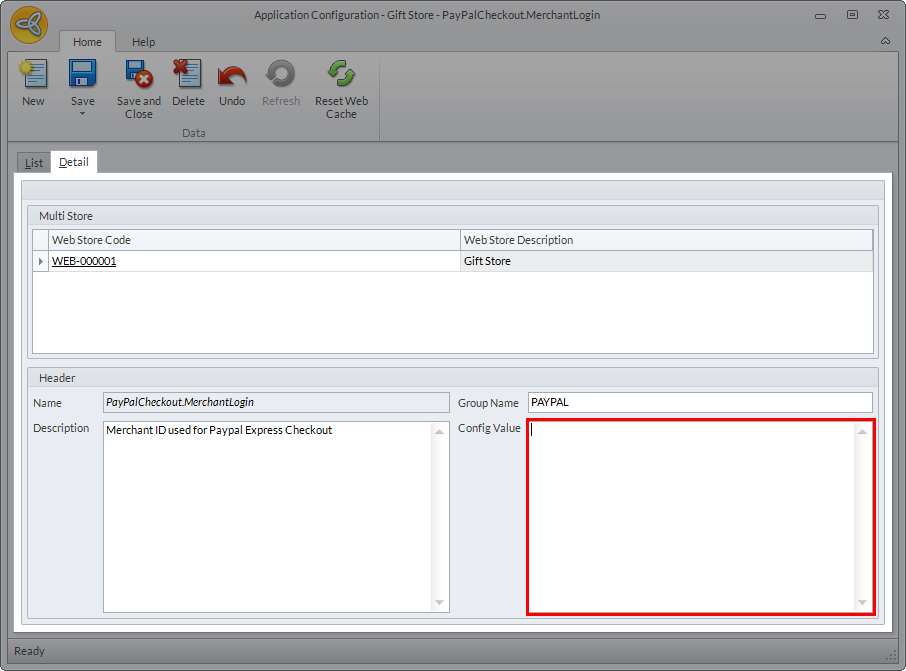
Click Image to Enlarge
You can also indicate the merchant account login directly from the webstore form. This will be automatically saved in the PayPalCheckout.MerchantLogin appconfig form.

Click Image to Enlarge
For a complete list of all related PayPal Express Checkout application configurations, see PayPal Express Checkout Related AppConfig Parameters.
For processing web orders paid thru PayPal Express Checkout, refer to Process Web Orders Paid Thru PayPal Express. - Go to eCommerce > Setup > Application Configuration. The Application Configuration window will be displayed.