
Install Connected Sale App for iPad
|
Content
|
|---|
In this process, you will be installing the Connected SaleApplication via AppStore of the iPad device.
Installing the Connected Sale Application
To get the Mobile Connected Sale app, you have two options to select for installation. Either you have to search it by categories or manually search the application on the App Store.

Connected Business' Mobile Connected Sale is designed only for Apple's iPad as an application in the AppStore. No application has been made for iPhone, Android smartphones or other tablets.
Search by Categories
- Go to the App Store > Categories > Business and look for Connected Sale Application.
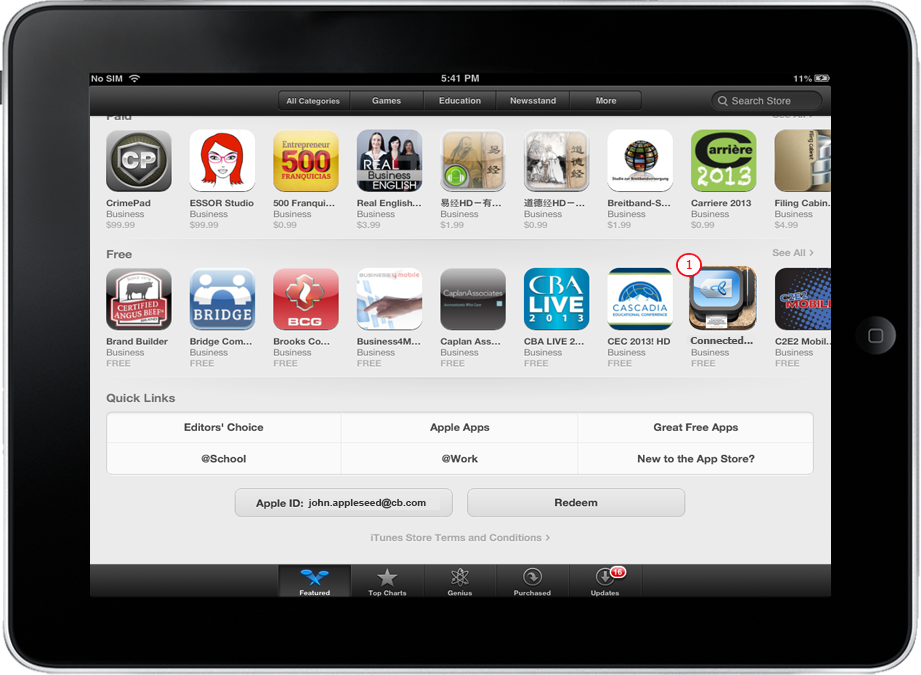
Click Image to Enlarge
- Tap Install App button to install application. Log in your Apple Account if asked.
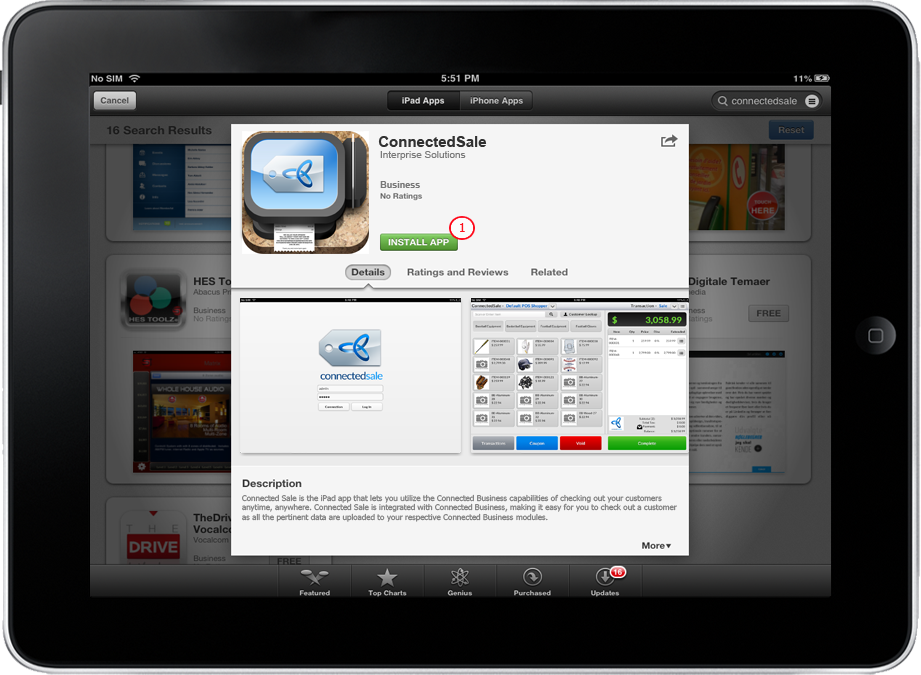
Click Image to Enlarge

Manual Search
Steps
- Go to the App Store and type Connected Sale to the Search Bar.
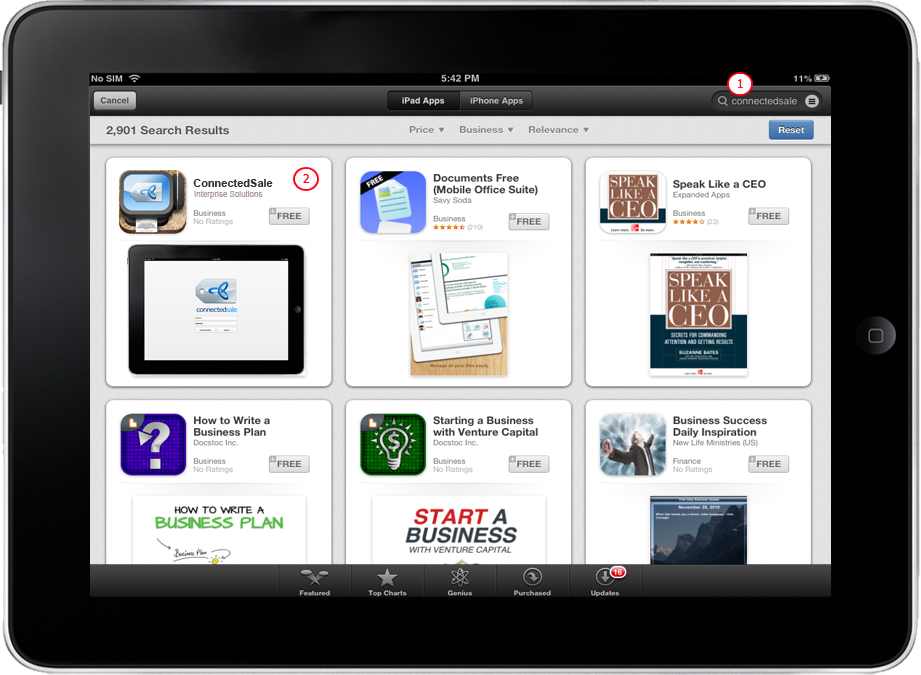
Click Image to Enlarge
- When search is done, look for Connected Sale on the list of returned results.
- Tap Connected Sale then tap Install App button.
- Log in Apple account if asked.
Click Image to Enlarge
Installing Connected Sale Web Service
The Web Service used by the Mobile Connectd Sale is exactly the same as that of the Desktop version. You may check through the POS Web Service to see the list of POS Rest Service API.