
How To Set Number of RMA Transactions Per Page
This article will demonstrate how to set the number of RMA transactions to be displayed per page in the webstore.

This feature is only available in Connected Business v14 and higher.
- Go to eCommerce module > Setup > Application Configuration. The Application Configuration form will be displayed.
- Search for the RMAPageSize appconfig. The RMAPageSize appconfig form will be displayed.
- Enter the preferred number of RMA transactions to be displayed per page in the Config Value field. By default, the value is set to 30.
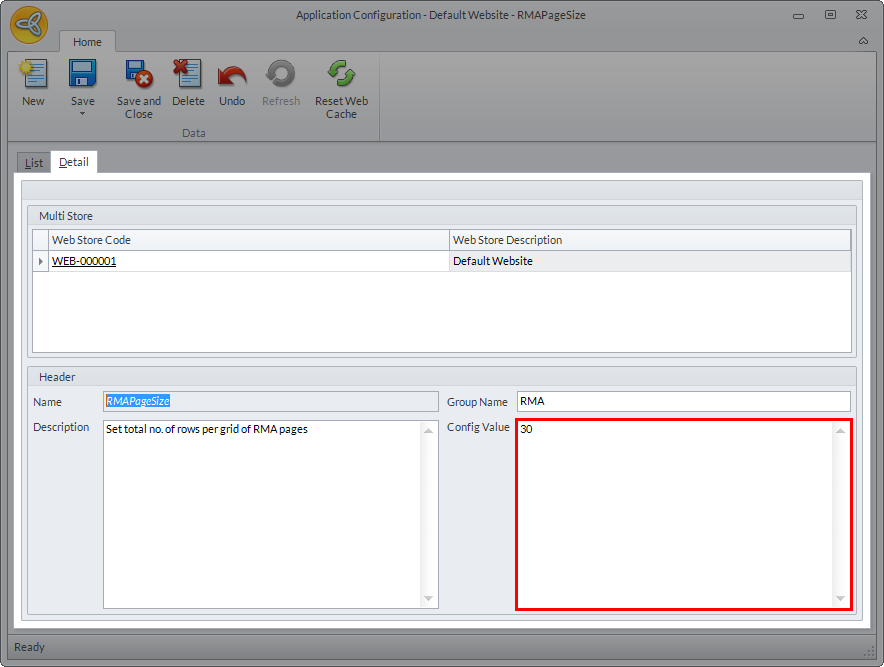
Click Image to Enlarge
- Click Save and Close.
For information on creating return request, refer to How to Create RMA in the Webstore.