
Write Off Outstanding Amounts
The Write off Wizard can also be used to write off any amount. This follows the same logic as the bad debt provision but it actually does write off the transactions from the ledger.
Steps
- From the Accounting module, select New Write Off > New New Write Off button from the menu options. The Write Off Wizard will display.

Step 1
Click Next button to start.
Step 2- Enter the document date for the write off in the Write Off Date field. By default, this is set to the current date.

- Filter the documents that will be written off. You could filter all customers that have any transactions with say, less than 2 cents outstanding. Due to system rounding off values, the customer may have paid you a cent less on his invoice.
- All Customer / Specific Customer – The options whether to choose all customers or specific customers to subject to write off.
- Less Than Amount – When checked, allows you to set the upper limit of the invoice amounts to be filtered.
- Only overdue invoices – When checked, allows you to set the overdue date from which overdue invoices will be filtered.
- Enter a Description for the write off. By default, this is set to "Write Off".
- Select the Expense Account Code for the write off. By default, this is set to the default Write Off account code.
- Click on the Next button to continue.
Step 3
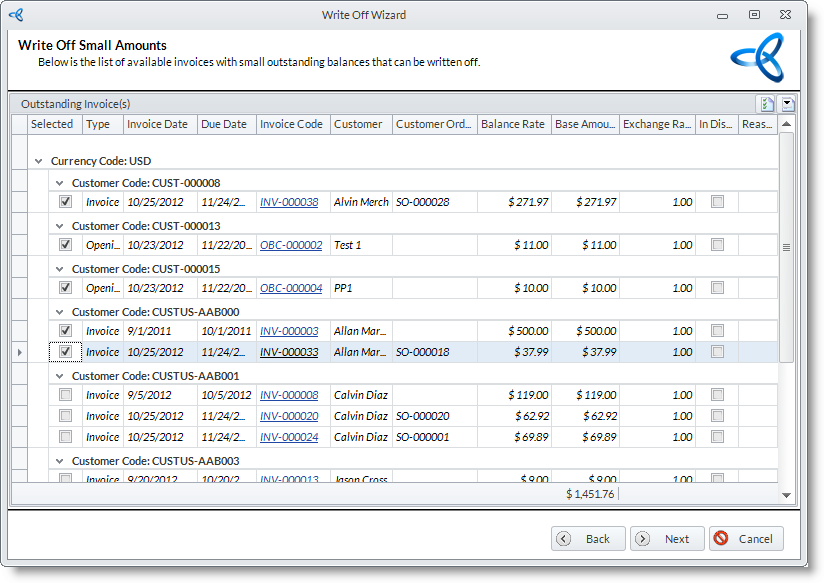
The filtered invoices with small outstanding amounts to be written off are listed. Select the invoices to process by checking the Selected checkbox of the appropriate document. Click Next to continue.
Step 4
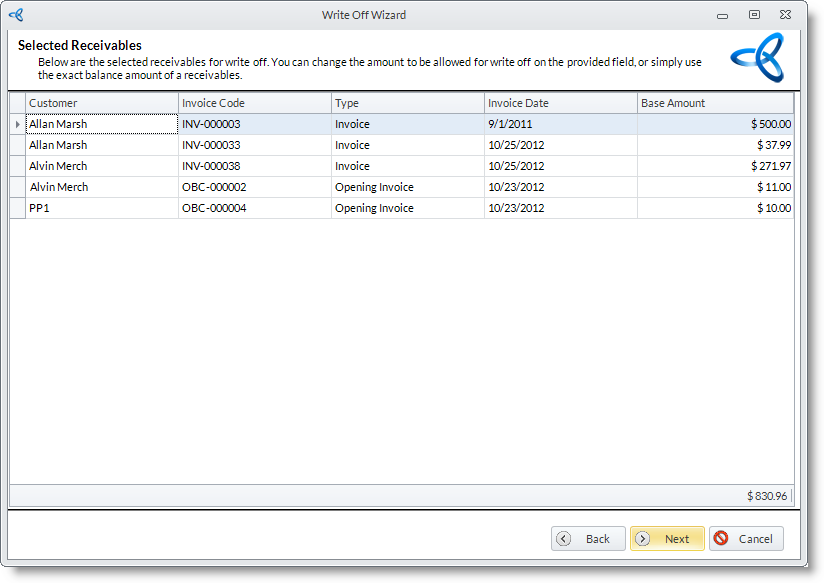
The selected receivables are then listed. Click Next button to continue.
Step 5
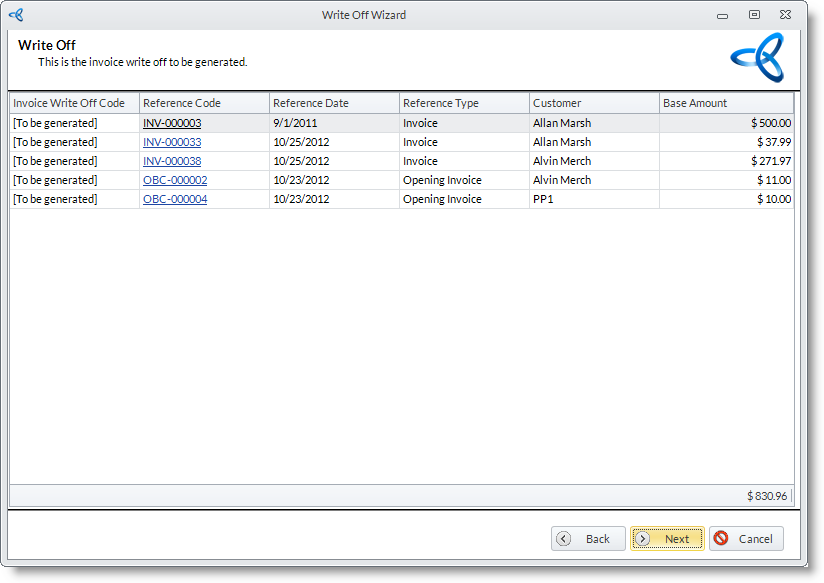
The invoice write offs to be created are then listed. Click Next button to continue.
Step 6
To close the wizard, click Finish button. - Enter the document date for the write off in the Write Off Date field. By default, this is set to the current date.

You can also write off an outstanding amount during payments through the Customer Payment form. Note though that the balance must not exceed the maximum amount to write off in the Customer Preferences.
