
Track Shipment
Once the shipment transaction is created, a unique tracking number will be automatically generated which you can use to trace or locate your shipment package. The Shipment Tracking option provides you with real-time status of your shipped package from the selected shipment carrier.

To use this feature, make sure that you have accounts or links (online tracking URL) with those shipping services for which you want to be able to get the real-time status of the package. Set this link in the Shipping Configuration under the Setup menu. To search, use the keyword OnlineTrackingURL.
Steps
To track a package,
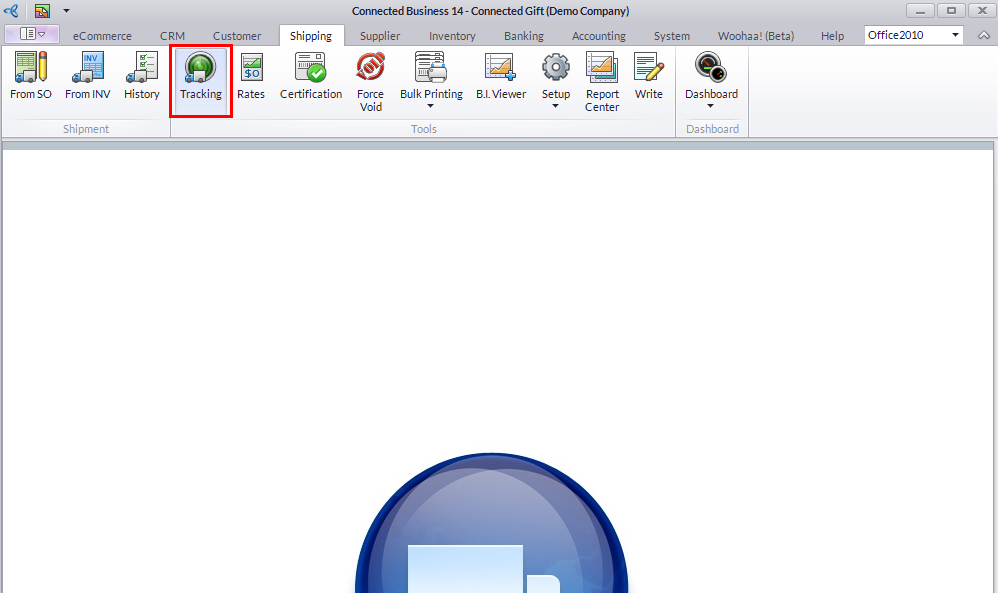
- Select Tracking button under the Tools menu page group. The Shipment Tracking form will be displayed.
- Select the Shipping Carrier from the Carrier dropdown list.
- Provide the tracking number on the Shipment ID field.
- Click the Track Shipment button to generate the package tracking information or status.

Or,
- From the Shipping module, click on History button. Select from the following tabs: Active Shipments,Completed Shipments or Cancelled Shipments. Select the transaction you want to track the status. The Shipment form will be displayed.
- Double click the tracking number hyperlink under the Packages section.

- The Shipment Tracking form will display the tracking information or status of your shipment package.
Or,
- Open the source Sales Order or Invoice under the Customer module. Select Order/Invoice > Find Order/Find Invoice.
- When the Sales Order or Invoice form is displayed, click the Shipment List tab.
- Double click the tracking number hyperlink on the Package tab.
- The Shipment Tracking form will display the tracking information or status of your shipment package.
