
The Privacy Policy Page
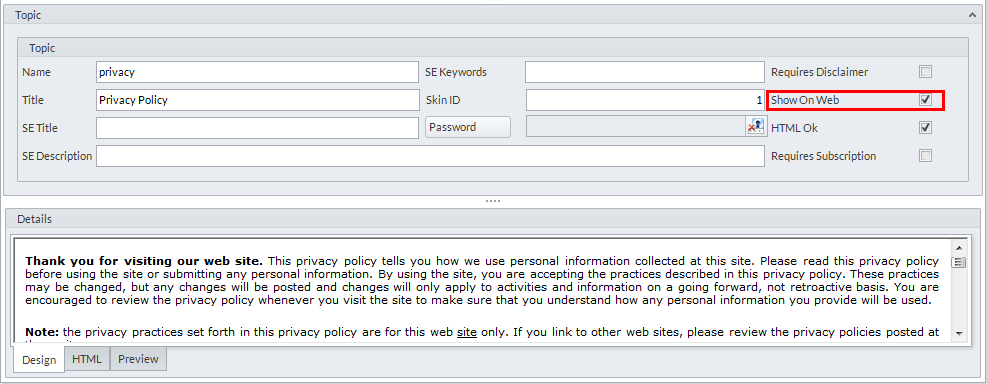
This section guides you in setting up a Privacy Policy page in your webstore. From here you can indicate clauses that notify the customers of how your webstore uses, stores and maintains customer data, and for the customer to be cleared from questions regarding data being inputted into the webstore during transactions. You can also opt for the page to be displayed on the webstore from the Show on Web option inside the Topic Form.
To set up the page,
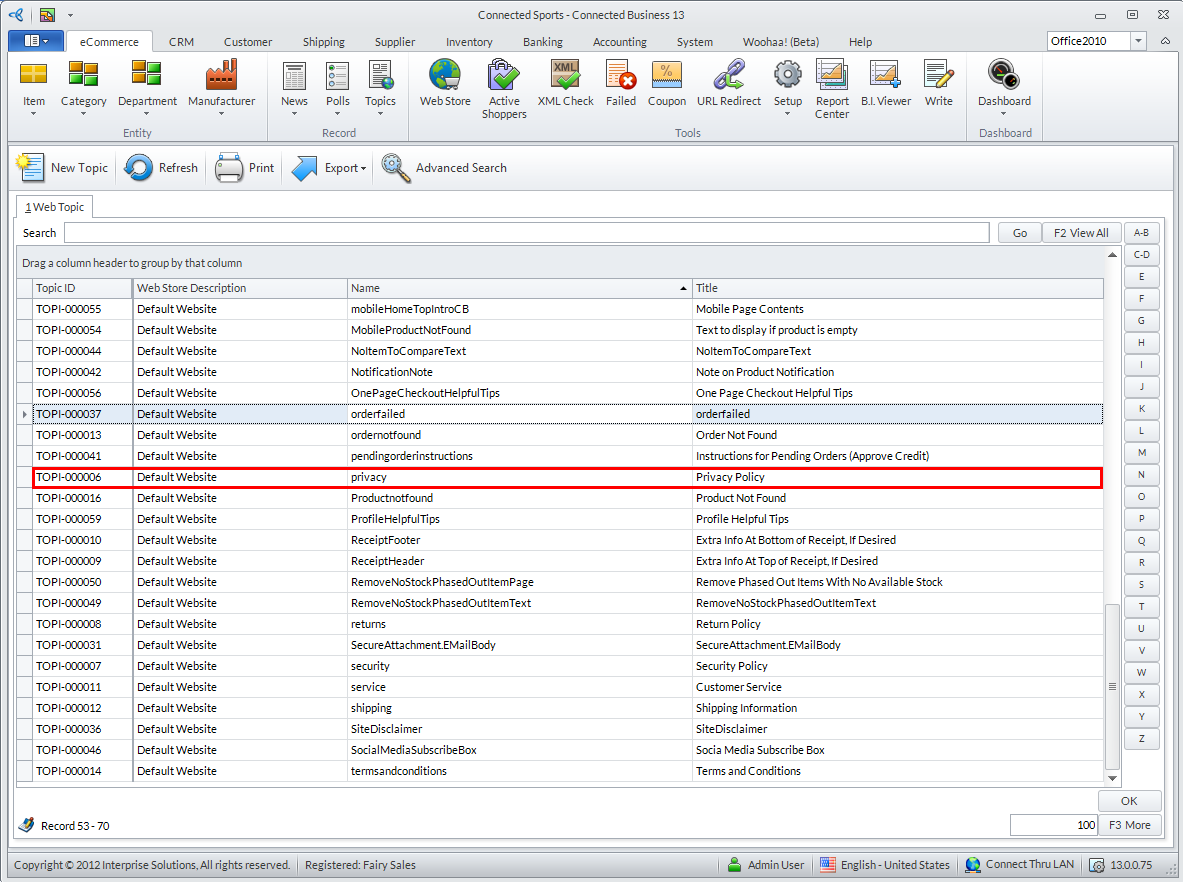
- From the eCommerce module > Topics > Find Topics. The Topics list screen will be displayed. From here you can choose the web topic you want to modify. Select the Privacy Policy page to modify its contents.
Click Image to Enlarge

If you cannot initally view your preferred page in the Topics List screen (in this case, the Privacy Policy page), you may search its keyword from the search bar.
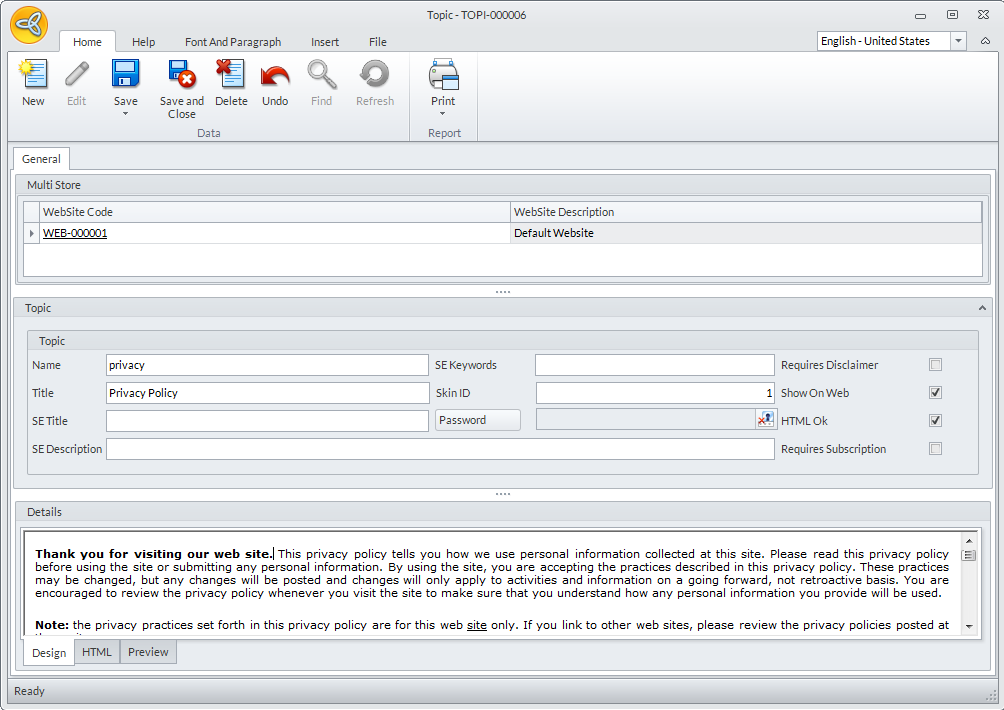
- The Topic Form will be displayed. Each web topic has its respective Topic Forms from which you can edit its properties, content, etc.
Click Image to Enlarge
- From the Topic section of the Topic Form, you can do various modifications on its content. Check the Show on Web checkbox for the page to appear on your webstore.
Click Image to Enlarge
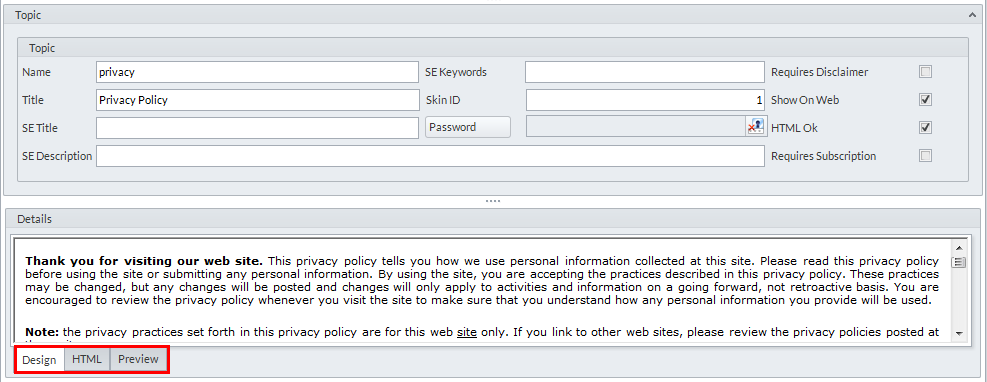
You may edit the contents of the page from the Topic Form's various views. Use the HTML view to input codes to design and personify the webstore to your business sense.
Click Image to Enlarge
- Click on Save and Close for your modifications to be applied. You can check the webstore site to see how the Privacy Policy page is displayed. You can make further modifications to the page from the Topic Form.
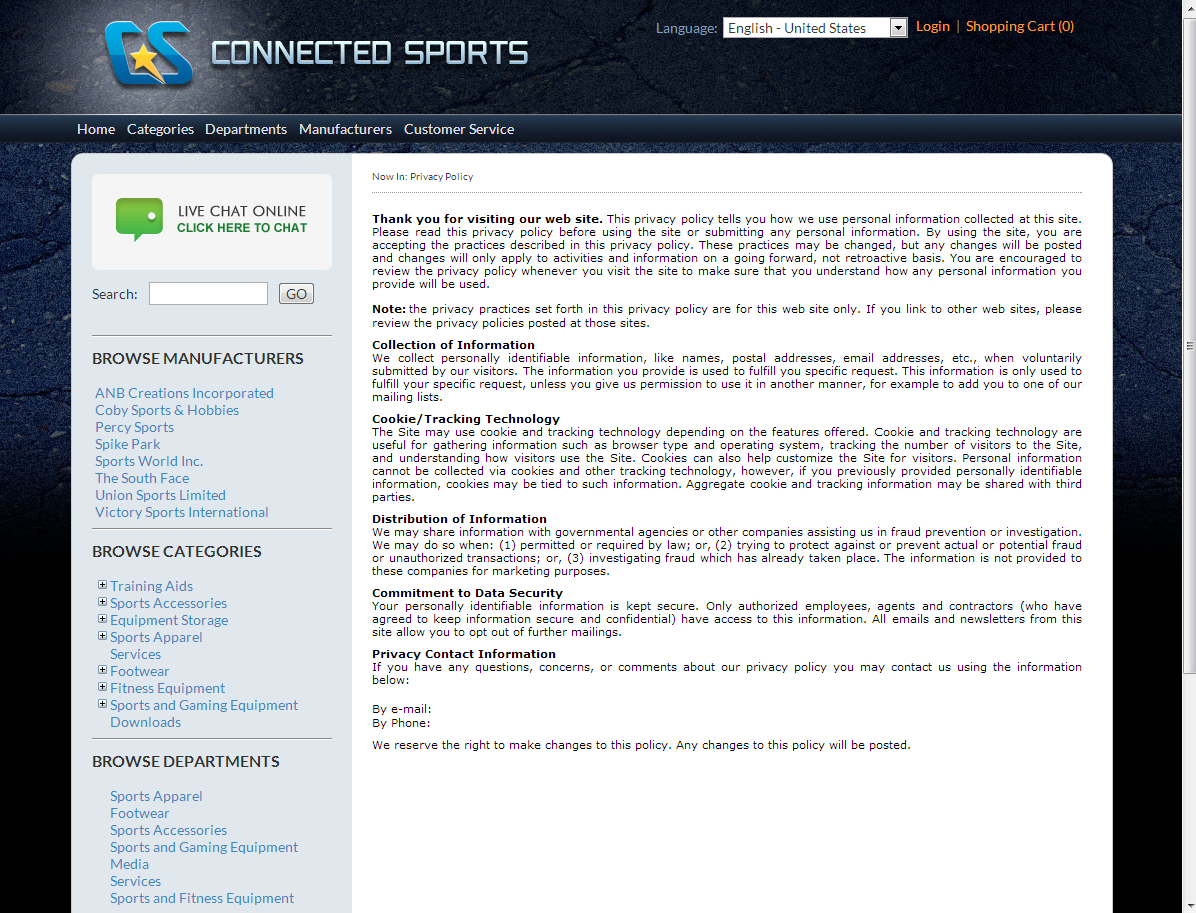
Click Image to Enlarge