
The About Us Page
This section guides you in setting up an About Us page in your webstore. From here you can input a primary description and background of your company.
To set up the About Us page,
- From the eCommerce module > Topics > Find Topics. The Topics list screen will be displayed. From here you can choose the web topic you want to modify. Select the About Us page to modify its contents.
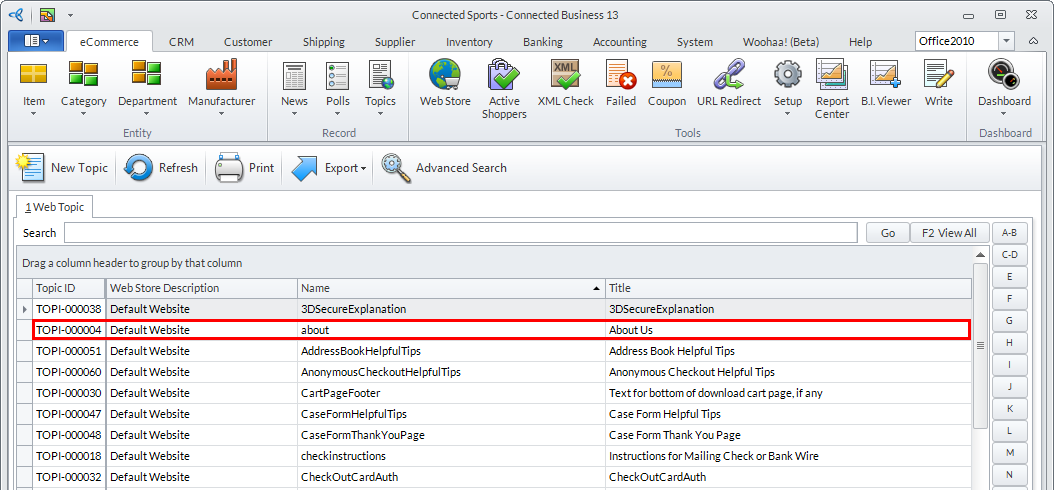
Click Image to Enlarge
- The Topic Form will be displayed. Each web topic has its respective Topic Form from which you can edit its properties, content, etc.
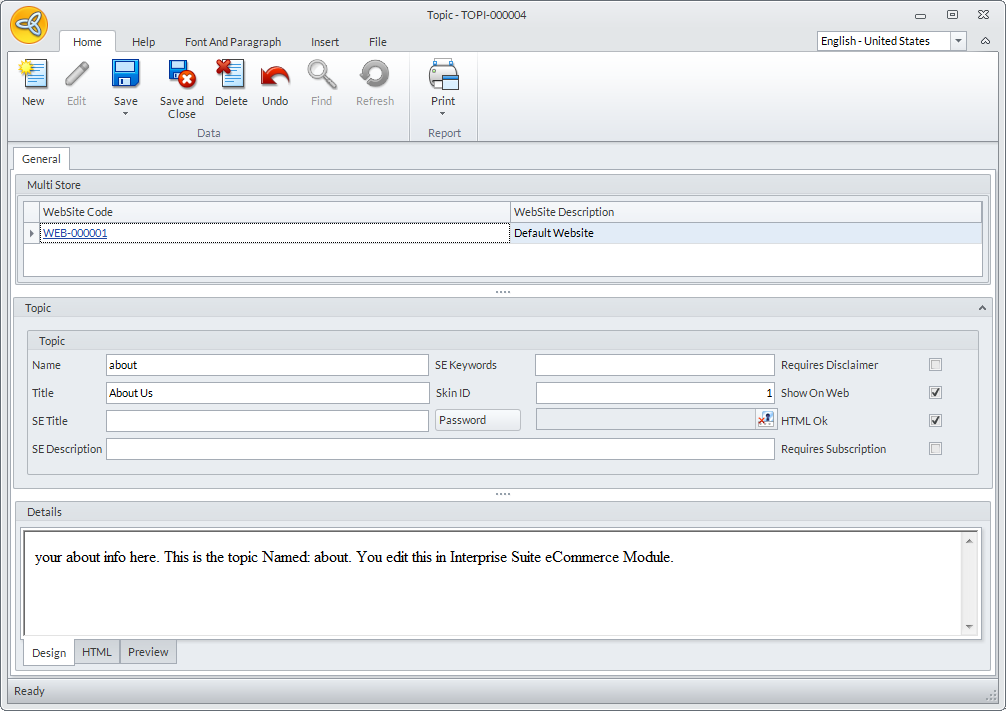
Click Image to Enlarge
- From the Topic section of the Topic Form, you can do various modifications on its content. Check the Show on Web checkbox for the page to appear on your webstore.
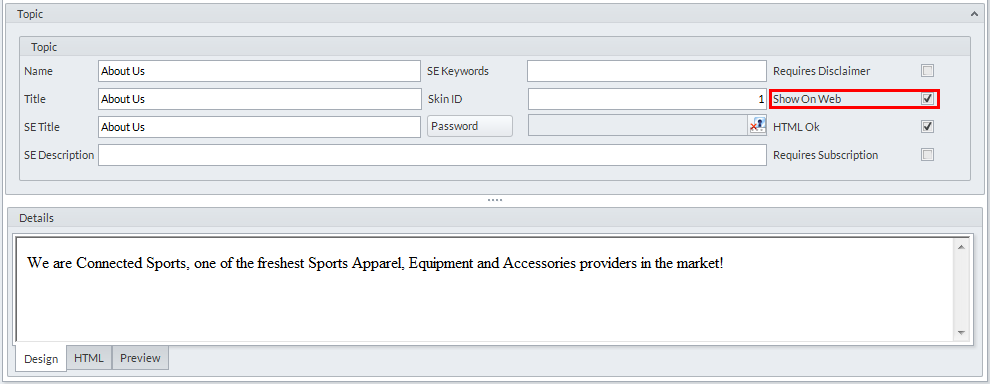
Click Image to Enlarge
- Click on Save and Close for your modifications to be applied. You should be able to see the About Us link at the footer area links of the webstore.