
Ship To List Section
Ship To List tab is a portion in Customer form where all shipping information is defined. It is also here where the information can be created or modified as needed.
To do so,
- From the Customer Module > Customer > Find Customer. The Customer list will be displayed.
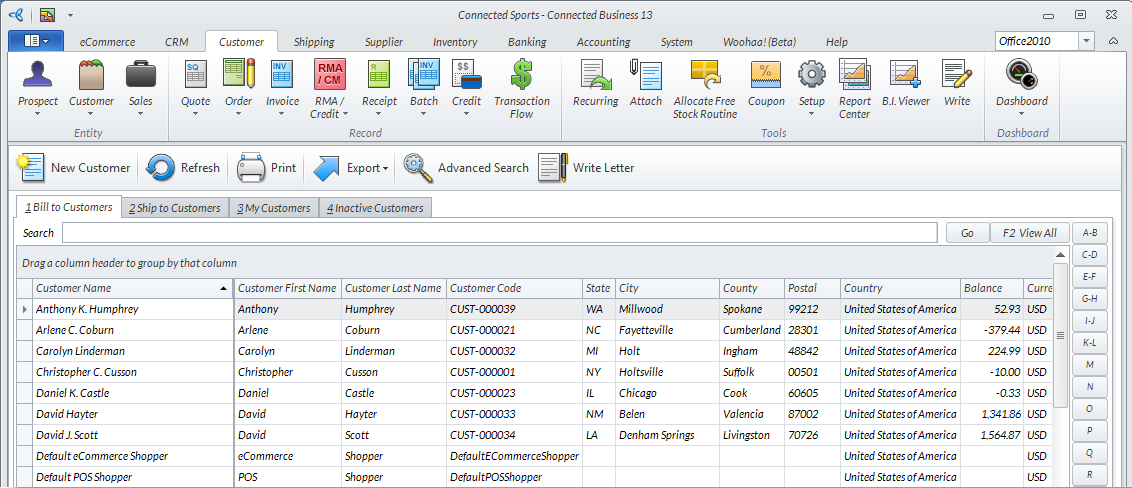
Click Image to Enlarge
- Select a customer from the list. The corresponding Customer form will be displayed.
- Access the Ship To List tab then switch the the Ship to tab in the ribbon menu. Click New Ship To. The New Customer Wizard's Shipping Information will be displayed.
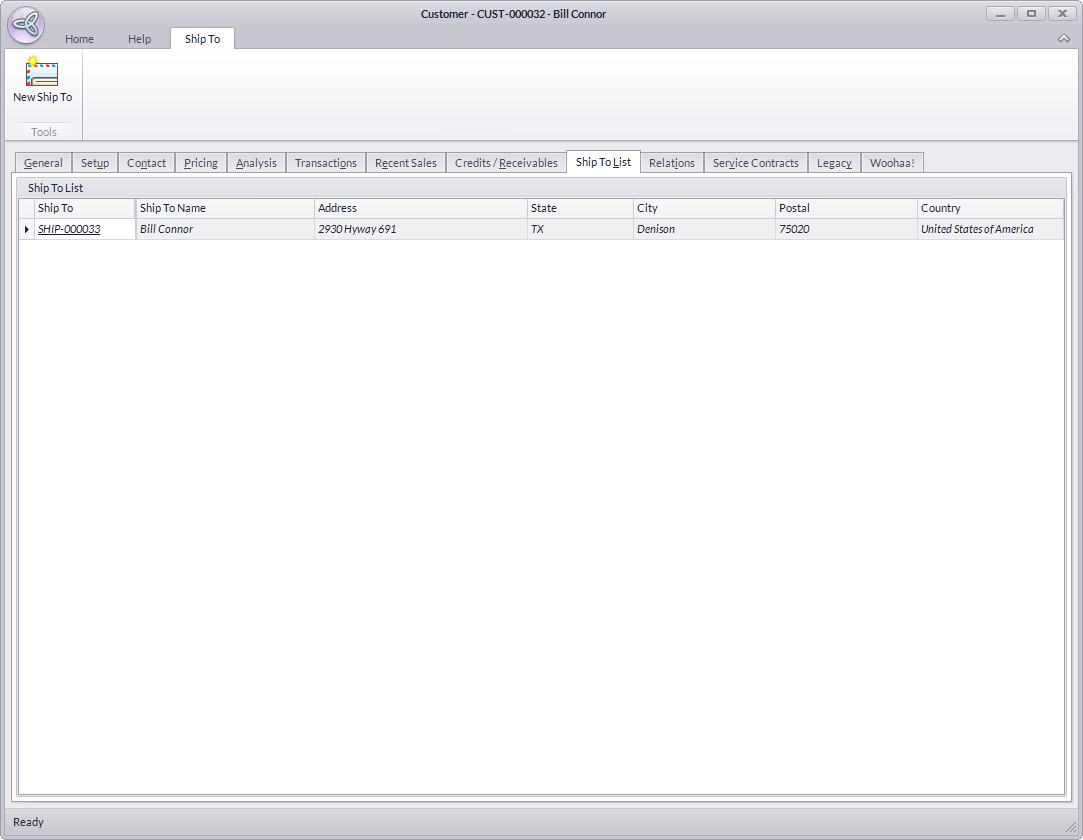
Click Image to Enlarge
- Enter all the necessary information in the two available tabs.
The Setup tab:
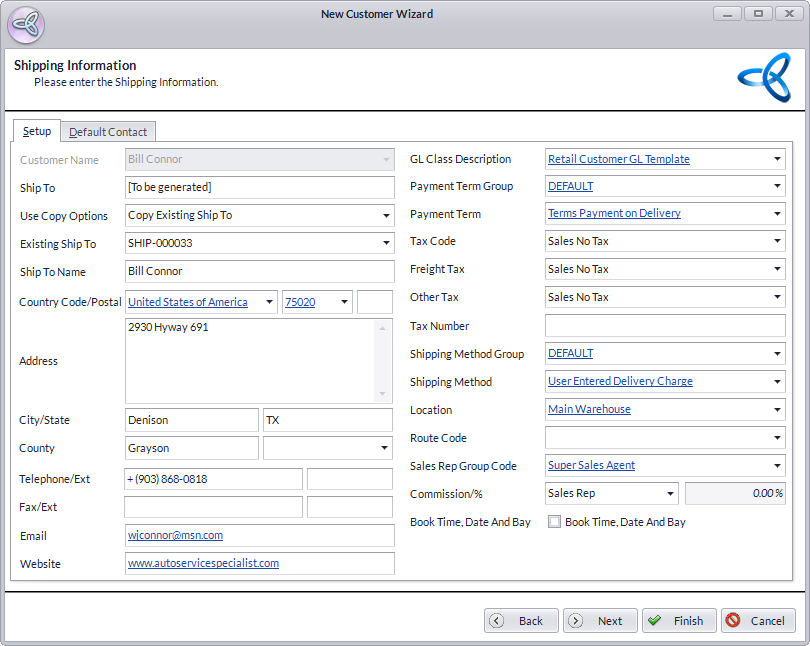
Click Image to Enlarge
The Default Contact tab:
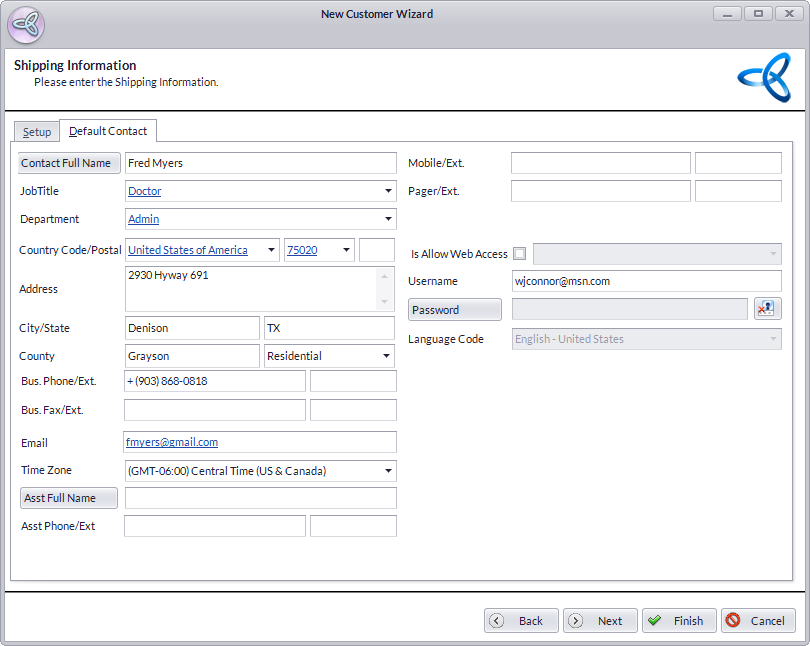
Click Image to Enlarge
Click Finish to exit the wizard.
- Save and Close the Customer form to apply changes.