
Setup Section
From the Customer Module, you can manage customer information through the Set Up tab. This part of the Customer module allows you to modify such things as the default settings for currency, credit limit, payment terms and tax description.
To do so,
- From the Customer Module, go to Customer > Find Customer. The Customer list will be displayed.
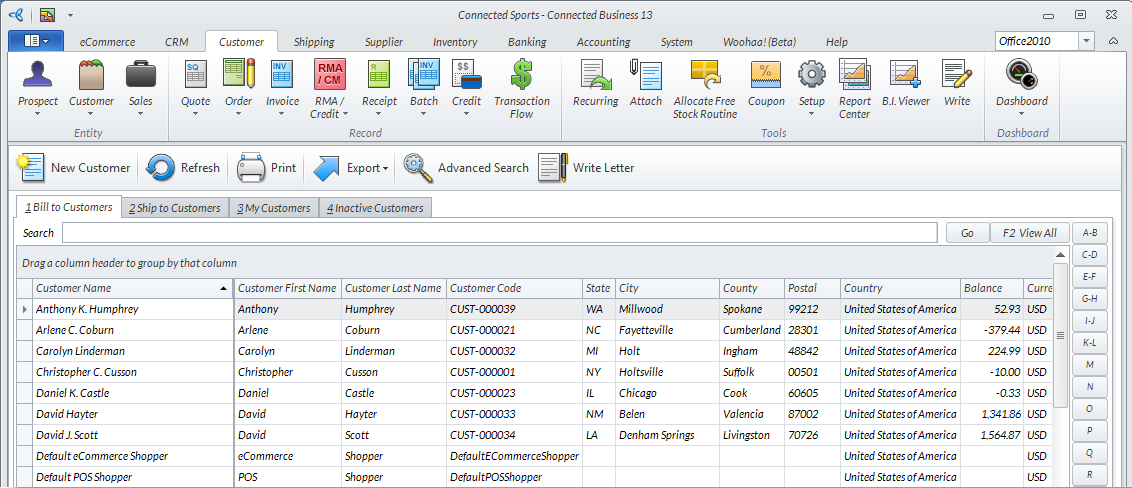
Click Image to Enlarge
- Select a customer from the list. The corresponding Customer form will be displayed.
- Go to the Set Up Tab then enter or modify the relevant information fields.

Click Image to Enlarge
The fields are as follows:
Set Up Section Fields
Fields
Value
Specifications
Currency Code 3-letter code, based on the appropriate currency for the country given by the customer Default value from Customer Class Template. Necessary changes can be made by choosing the appropriate Currency Code from the selection drop down box.
Source Description Default value from Customer Class Template Default value from Customer Class Template Necessary changes can be made by choosing the appropriate Tax Description from the selection drop down box.
Assigned To Default value from Customer Class Template Default value from Customer Class Template For shipping concerns, please refer to the Ship To List tab.
Default Ship To Name Default value from Customer Class Template Default value from Customer Class Template For shipping concerns, please refer to the Ship To List tab.
Default Contact Default value from Customer Class Template Default value from Customer Class Template For shipping concerns, please refer to the Ship To List tab.
Default AP Contact Default value from Customer Class Template Default value from Customer Class Template For shipping concerns, please refer to the Ship To List tab.
Default Contract Code Default value from Customer Class Template Default value from Customer Class Template For shipping concerns, please refer to the Ship To List tab.
Credit Card Selection from dropdown menu Alphanumeric data to represent credit card information
Sales Rep Group Selection from dropdown menu Information available from Sales Rep Group entries.
Commission/% Selection from dropdown menu Select from Sales Rep, Customer and Default. When Customer is selected, you may modify the corresponding percentage commission field beside the dropdown menu.
Head Office Selection from dropdown menu Select from registered customers.
Tax Number/ Business License Blank, modifiable field Alphanumeric characters
Rank/ Last Rank Calculated Blank, modifable field Numeric characters
Product Filter Selection from dropdown menu Alphanumeric characters to represent product filters entered.
Territory Selection from dropdown menu Select from Eastern, Global or Southern territories entered in the CRM Module
Team Selection from dropdown menu Select from teams entered in the CRM module.
Customer Type Dropdown list Select from customer types available
Blind Ship Checkbox When checked, this customer consents blind shipping from retailers/suppliers
- Click Save and Close to apply changes.