
Set Up Upsell Products
We all know that marketing strategies are very important aspect in putting up a business. A good businessman should have a bird’s eye view on how he can effectively advertise his product in order to get the attention not only of his existing clients but also the potential ones.
In our present generation, we have lots of options to make our advertisement more appealing to our customers. One is what we call “Up-selling”.
As a general term, “Up-selling” is a sales technique, where a salesman attempts to have the consumer purchase more expensive items, upgrades, or other add-ons in an attempt to make a better sale. Up-selling usually involves marketing more profitable services or products, but up-selling can also be simply exposing the customer to other options he may not have considered previously.
Accessory
- It is a subordinate or supplementary item; an adjunct.
- It is something nonessential but desirable that contributes to an effect or result.

Matrix group, matrix item, bundle and kit item types are not supported as accessory items on Connected Business eCommerce Module.
Substitute
- One that takes the place of another; a replacement.
You can set-up accessory and substitute items from the eCommerce Module's integration with your inventory items available for your webstore.
To do so,
- From the eCommerce Module > Item > Find Item. The Item list will be displayed.
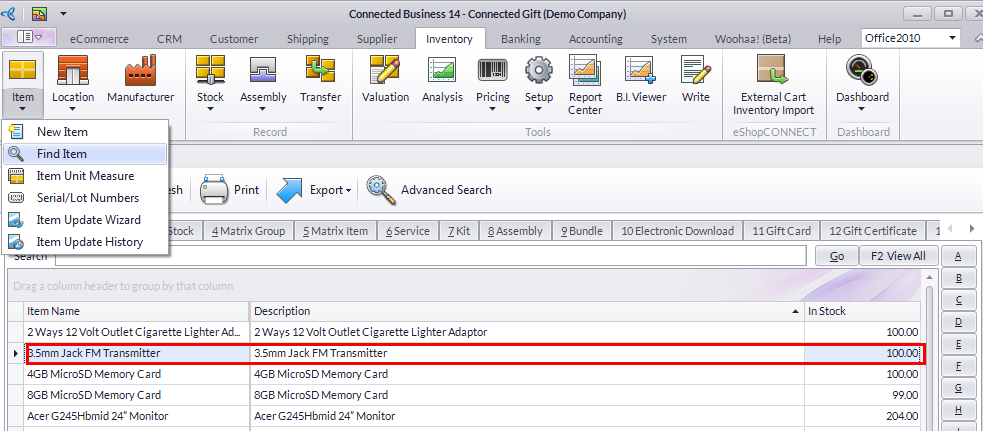
Click Image to Enlarge
- Select an item from the list. The corresponding Item form will be displayed.
- Access the Setup tab, look for the Accessory and Substitute Items section then assign items to each section by clicking in each respective Accessory and Substitute Name field dropdown lists.
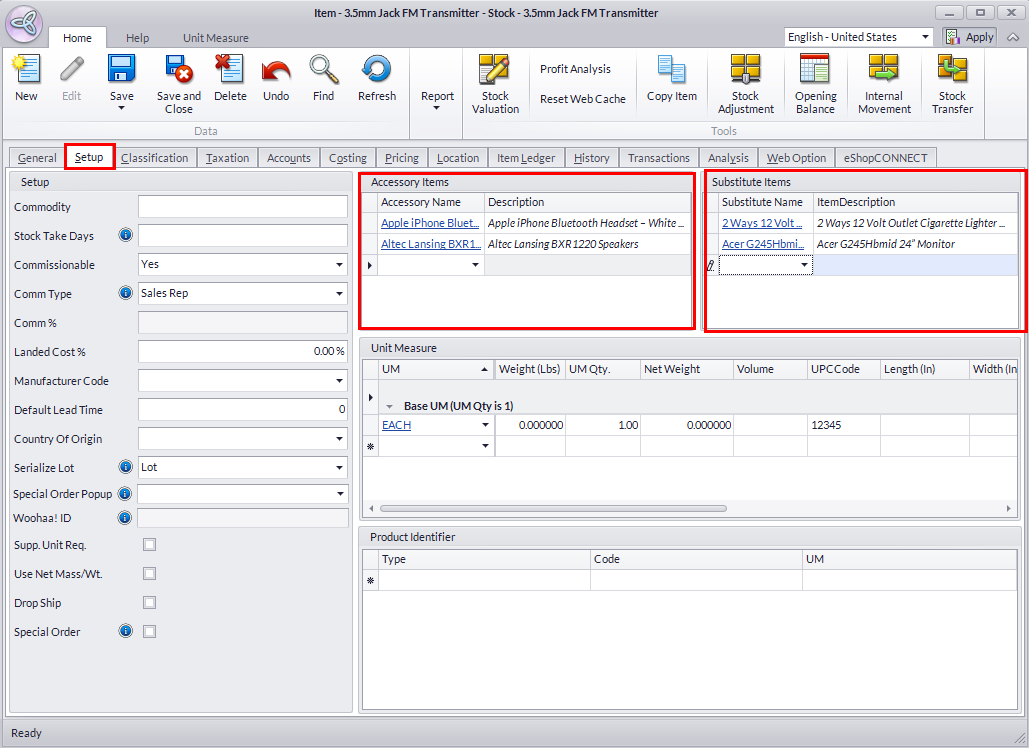
Click Image to Enlarge
- Once done, Save and Close the form to apply your changes.
- You should be able to see your changes applied in your webstore upon your next visit.
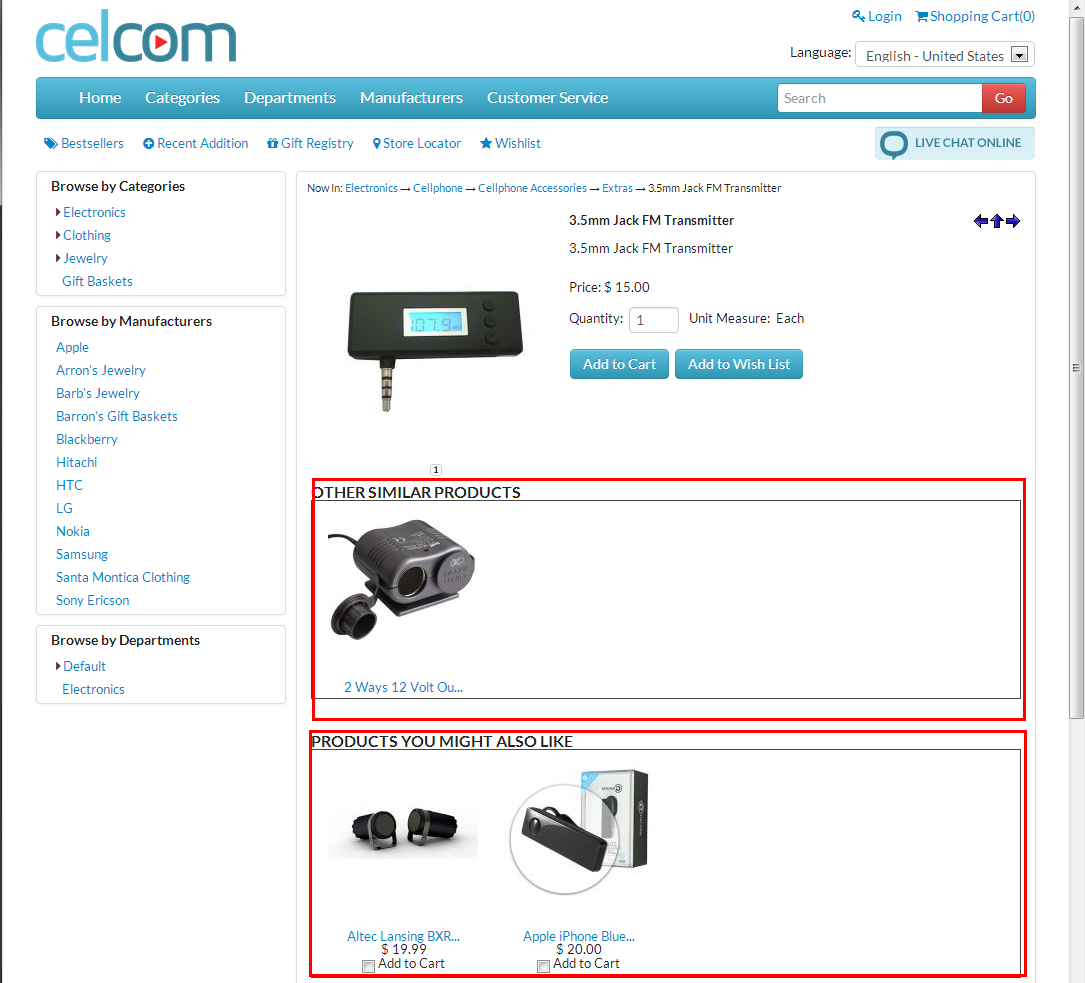
Click Image to Enlarge