
Set Up Topics
Topics are usually user generated web pages or specific set of pages that defines the website. Good examples are the About Us, FAQ, and Contact pages.
This article will describe how Topics are created, as well as provide a list of those already present in Connected Business.
Create Topic from Scratch
To create a topic,
- Go to Inventory or eCommerce module. Click Topic ► New Topic. The Topic form will be displayed.
- Supply the fields on the Topic section:
Fields
Description
Name Specifies the name of the topic. This is what is being referenced whenever this topic is being accessed.
Title Specifies the page title of this topic.
SE Title The most important factor when you want your website to increase its rankings in any search engines. Titles basically appear on the seach engine result page(SERP). SE Keywords These are list of keywords that provides additional information about your website for crawler-based search engines. Keywords are treated as the least important factor on any search engines. Skin ID Indicates the Skin ID into which this topic will show. Acceptable values for this is any integer typed value depending on the available skins in the system. By default eCommerce comes with 1 skin design. Password Restrict viewing a topic by setting a password. You may delete or remove the password by clicking on the  button.
Requires Disclaimer When enabled, this shows a Disclaimer Statement by the user should agree upon before accessing a certain topic or section of the store site. This is necessary especially for those sites that offer sensitive information or government restricted contents.
Enter the contents of the Disclaimer Statement page by setting this in the SiteDisclaimer topic.Show on Web If checked, this makes the topic available in the store. HTML OK Indicates whether the topic is OK for HTML format. Requires Subscription If checked, this topic requires for a valid subscription to view it. The user must log in to the website to be able to view the topic.
This option, when enabled in a certain topic, limits it accessibility to those users that has a valid subscription to the store site. This a necessity for those stores that caters web contents to its customers. - On the Details section, start designing the topic by selecting which tab to use. You have the preference to perform this in Design mode or HTML codes.
- Design
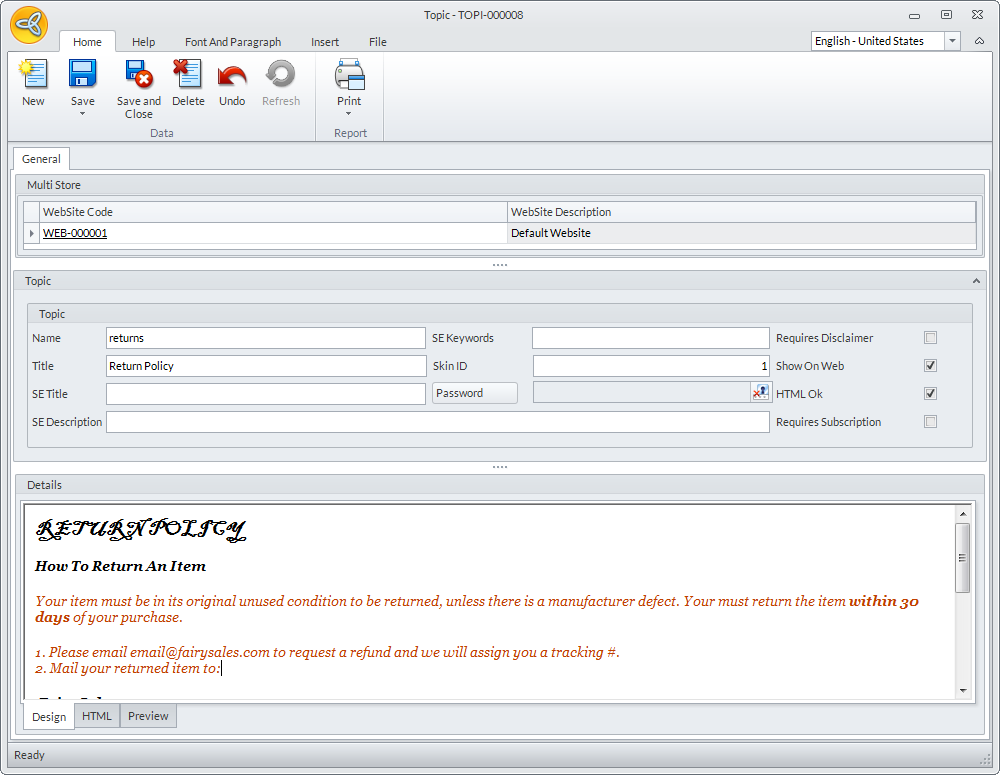
The Design tab is useful when you already have a ready made design that you want to enter on a topic. When in design mode, what you can do is either open an html file or copy and paste a design from your website.
You can also add tables, hyperlink, edit the look of the text or save the file from options menu.
Sample Design (copy and pasted into the Design Tab):
Click Image to Enlarge
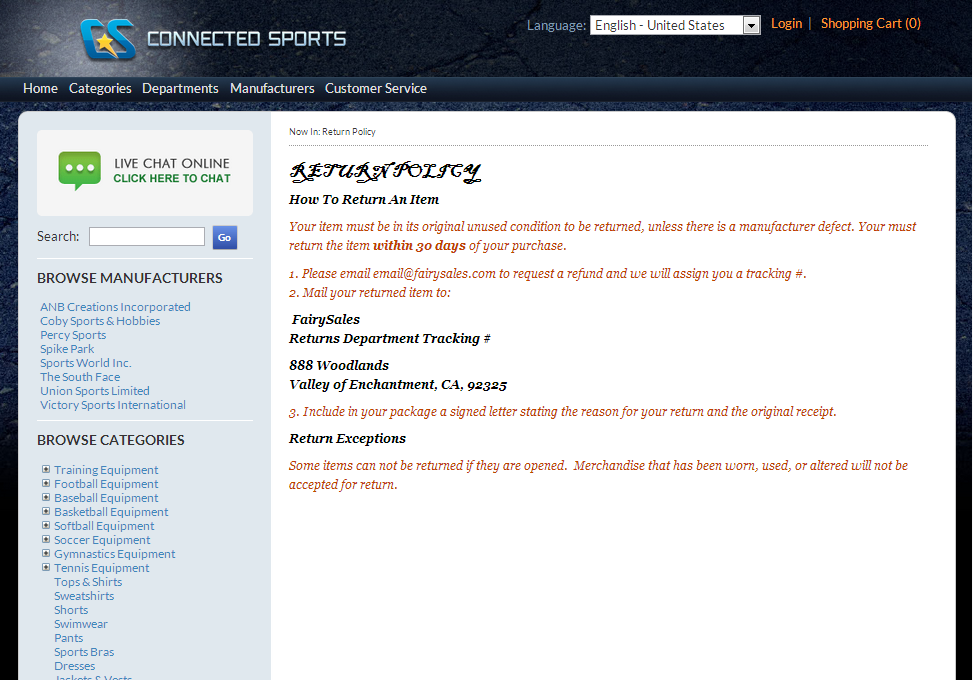
Result of the copied design will resemble closely to that of the source website:
Click Image to Enlarge
- HTML
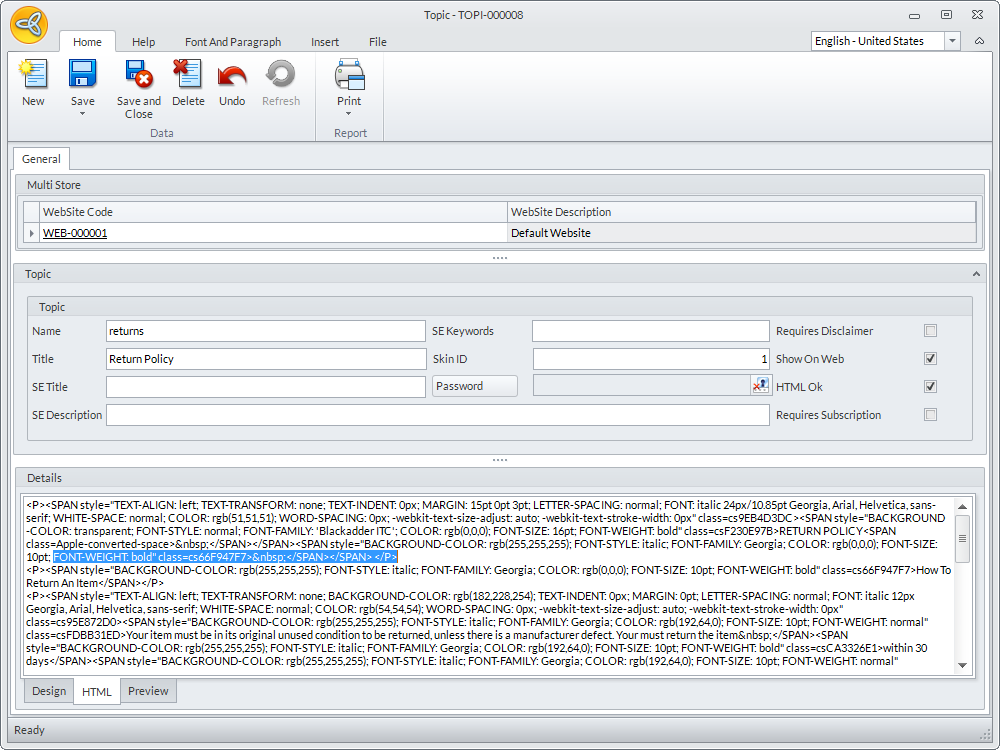
The HTML tab allows you to design the content of the topic by using html codes. When you open an html file, you can then edit the codes on the HTML tab and view the result on the preview tab or on the website.
Click Image to Enlarge
- Click Save and Close when you're done designing the topic.

List of Topics
The table below shows the complete list of built-in topics in Connected Business eCommerce. Note that each of these topics are present for each webstore created.
|
Topic Name |
Description |
| 3DSecureExplanation |
3DSecureExplanation |
| About |
Content on the About Us Page |
| Address Book Helpful Tips | Address Book Helpful Tips |
| AnonymousCheckoutHelpfulTips | Anonymous Checkout Helpful Tips |
| CartPageFooter | Text for bottom of download cart page, if any |
| CaseFormHelpfulTips | Case Form Helpful Tips |
| CaseFormThankYouPage | Case Form Thank You Page |
| checkinstructions | Instructions for Mailing Check or Bank Wire |
| CheckOutCardAuth | CheckOutCardAuth |
| checkouttermsandconditions | Terms and Conditions |
| codinstructions | Instructions for Payment By C.O.D. |
| ComparePageText | Text for the Compare Page |
| contact | Content on the Contact Us Page |
| ContactUsFormHelpFulTips | Contact Us Form Helpful Tips |
| ContactUsFormThankYouPage | Content on the Thank You Page |
| copyright | Content for the Copyright Notice |
| CreateAccountHelpfulTips | Content for the Create Account Helpful Tips page. |
| CustomerServiceTreeMenu | CustomerServiceTreeMenu |
| DownloadFooter | Text for bottom of download e-mail |
| EmptyAttributeText | Content to display on the page if an attribute is empty. |
| EmptyCartText | Content to display on the page if a cart is empty. |
| EmptyCategoryText | Content to display on the page if a category is empty. |
| EmptyDepartmentText | Content to display on the page if a department is empty. |
| EmptyDistributorText | Content to display on the page if a distributor is empty. |
| EmptyGiftRegistryText | Content to display on the page if a gift registry is empty. |
| EmptyLibraryText | Content to display on the page if a library is empty. |
| EmptyManufacturerText | Content to display on the page if a manufacturer is empty. |
| EmptyWishListText | Content to display on the page if a wish list is empty. |
| Error404 | Content to display if a page cannot be found. |
| faq | Content to display for Frequently Asked Questions. |
| FormError | Content to display on the page if a form encounters an error. |
| GiftRegistry.EmptyCartInstruction | Content to display on the page if a gift registry cart instruction is empty. |
| GoogleTrackingCode | Content to display for google tracking code. |
| helpbox | HelpBox on theLeft Column |
| hometopintro | Home Page Contents |
| hometopintrocb | Home Page Contents |
| LeadFormHelpfulTips | Lead Form Helpful Tips |
| LeadFormThankYouPage | Content to display on the lead form thank you page. |
| mailfooter | Content to display on the footer on all e-mails |
| MobileEmptyAttributeText | Content to display on a mobile page if an attribute is empty. |
| MobileEmptyCartText | Content to display on a mobile page if a cart is empty. |
| MobileEmptyCategoryText | Content to display on a mobile page if a category is empty. |
| MobileEmptyDepartmentText | Content to display on a mobile page if an department is empty. |
| MobileEmptyDistributorText | Content to display on a mobile page if a distributor is empty. |
| MobileEmptyLibraryText | Content to display on a mobile page if an library is empty. |
| MobileEmptyManufacturerText | Content to display on a mobile page if an manufacturer is empty. |
| MobileEmptyWishListText | Content to display on a mobile page if a wish list is empty. |
| mobilehomeintro | Mobile Page Contents |
| mobilehometopintro | Mobile Page Contents |
| mobileHomeTopIntroCB | Mobile Page Contents |
| MobileProductNotFound | Content to display on a mobile page if a product cannot be found. |
| NoItemToCompareText | Content to display on the page if no products to compare. |
| NotificationNote | Note on Product Notification |
| OnePageCheckoutHelpfulTips | Content to display on the One Page Checkout Helpful Tips. |
| orderfailed | Content to display on the page for every failed orders. |
| ordernotfound | Content to display on the page if an order cannot be found. |
| pendingorderinstructions | Instructions for Pending Orders (Approve Credit) |
| privacy | Content to display on the Privacy page. |
| Productnotfound | Content to display on the page if a product cannot be found. |
| ProfileHelpfulTips | Content to display the Profile Helpful Tips page. |
| ReceiptFooter | Extra Info At Bottom of Receipt, If Desired |
| ReceiptHeader | Extra Info At Top of Receipt, If Desired |
| RemoveNoStockPhasedOutItemPage | Remove Phased Out Items With No Available Stock |
| RemoveNoStockPhasedOutItemText | RemoveNoStockPhasedOutItemText |
| returns | Return Policy |
| SecureAttachment.EMailBody | SecureAttachment.EMailBody |
| security | Security Policy |
| service | Customer Service |
| shipping | Shipping Information |
| SiteDisclaimer | Content to display on the SiteDisclaimer page. |
| SocialMediaSubscribeBox | Content to display on the Socia Media Subscribe Box. |
| termsandconditions | Content to display on the Terms and Conditions page. |