
Set Up Promotional Pricing Feature
Setting up promos in your webstore can be a viable marketing strategy to attract more customers to particular products and to your webstore as a whole. You can set up promotional pricing schemes from the eCommerce module.
To do so,
- From the eCommerce Module > Item > Find Item. The Item list will be displayed.
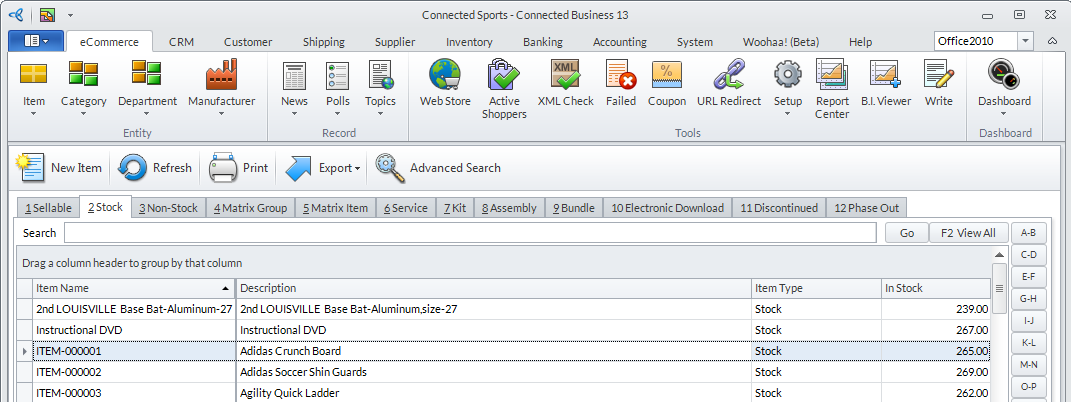
Click Image to Enlarge
- Select an item from the list. The corresponding Item form will be displayed.
- Open the Pricing tab and switch to the Promotional Pricing sub-tab.
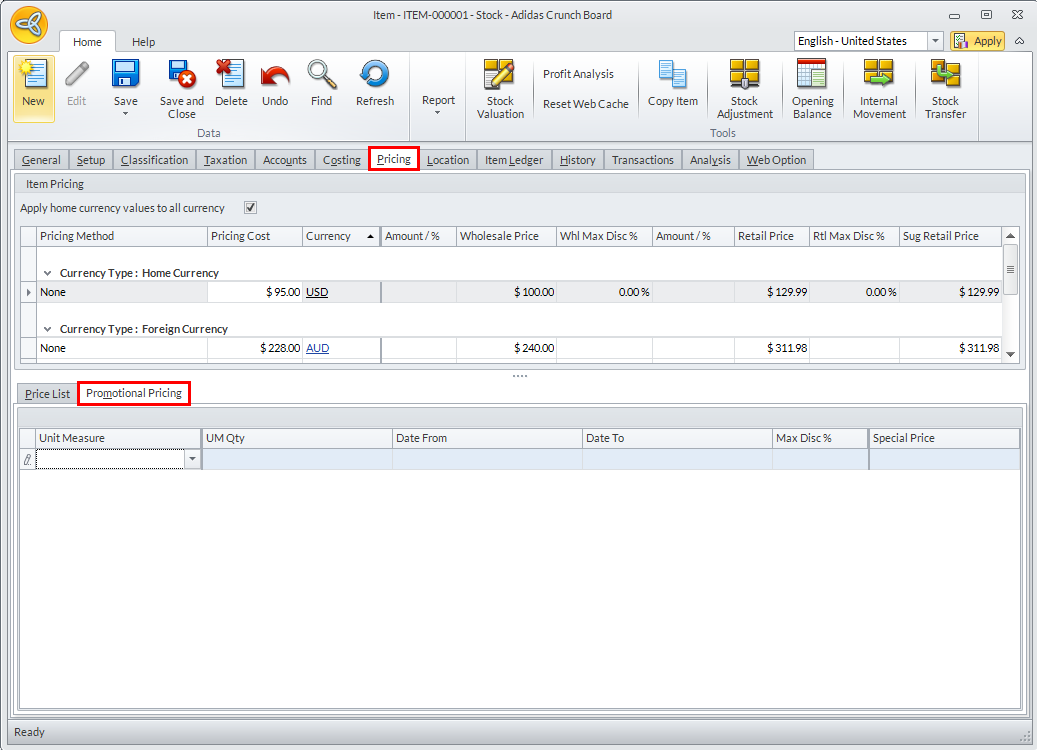
Click Image to Enlarge
Set Unit Measures in the Unit Measure field and the special price per unit measure in the Special Price field.
- Save and Close the form to apply your changes.