
Set Up Product Shipping Date
For some businesses though, the idea of declaring the shipment of the order at the same time it was processed is not very practical, since these has to undergo further procedures for its deployment.
This article will help you define the shipping date of shipments.
Convert Sales Orders to Sales Invoices
A web order, once placed is considered to be sales order at the back office; thus it should be converted to sales invoice if you want to set the final shipping date for it to be delivered to your customer.
To do the conversion,
- From the Customer Module > Order > Find Order.
- The Find Order list screen will be displayed.
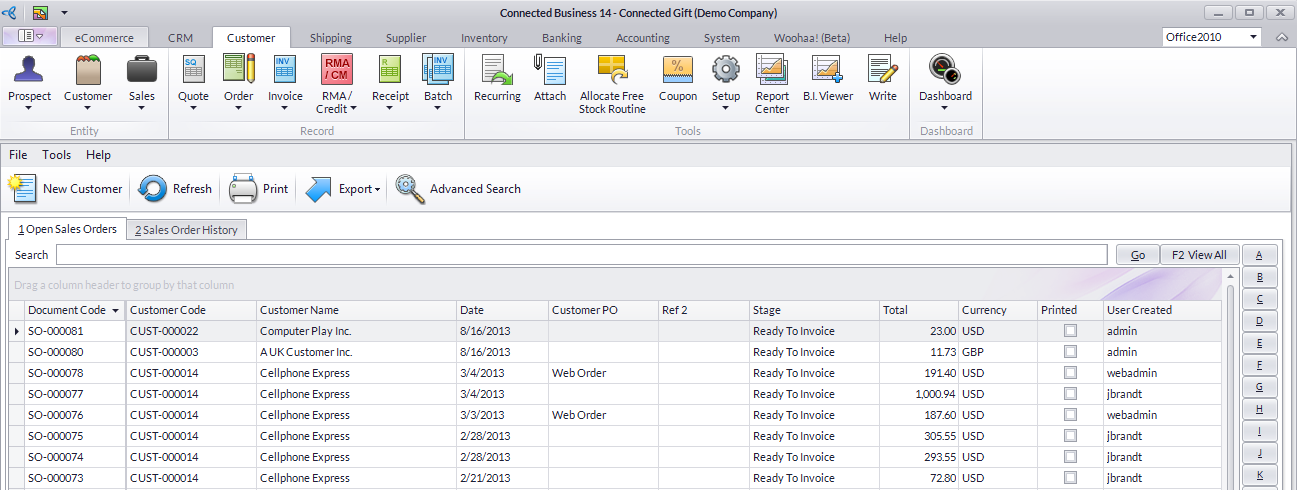
Click Image to Enlarge
- Select the sales order you want to convert and the Sales Order form will be displayed.
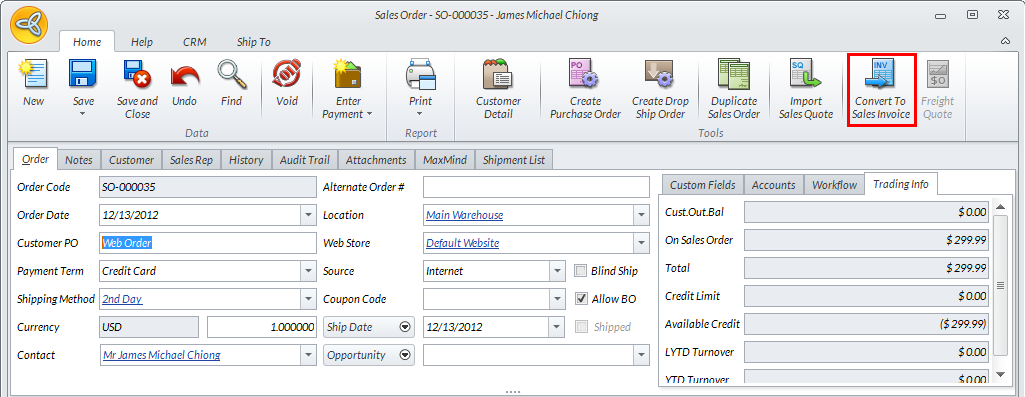
Click Image to Enlarge
- From the menu bar click on the Convert to Sales Invoice button. You may find the converted sales invoice by going to the Invoice > Find Invoice.

Set Shipping Dates of Products
To set the shipping dates,
- From the Customer Module > Invoice > Find Invoice.
- The Find Invoice list screen will be displayed.
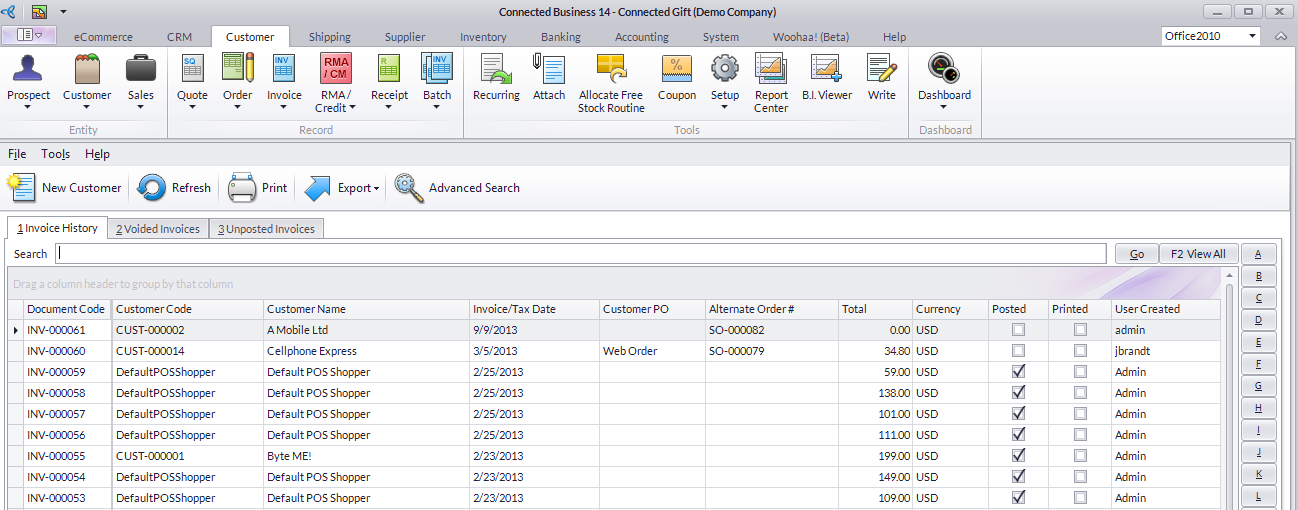
Click Image to Enlarge
Select the sales invoice you want to alter the shipping date.
- The Sales Invoice form will be displayed. Click on the Shipping Date dropdown list and select the Date Shipped option.
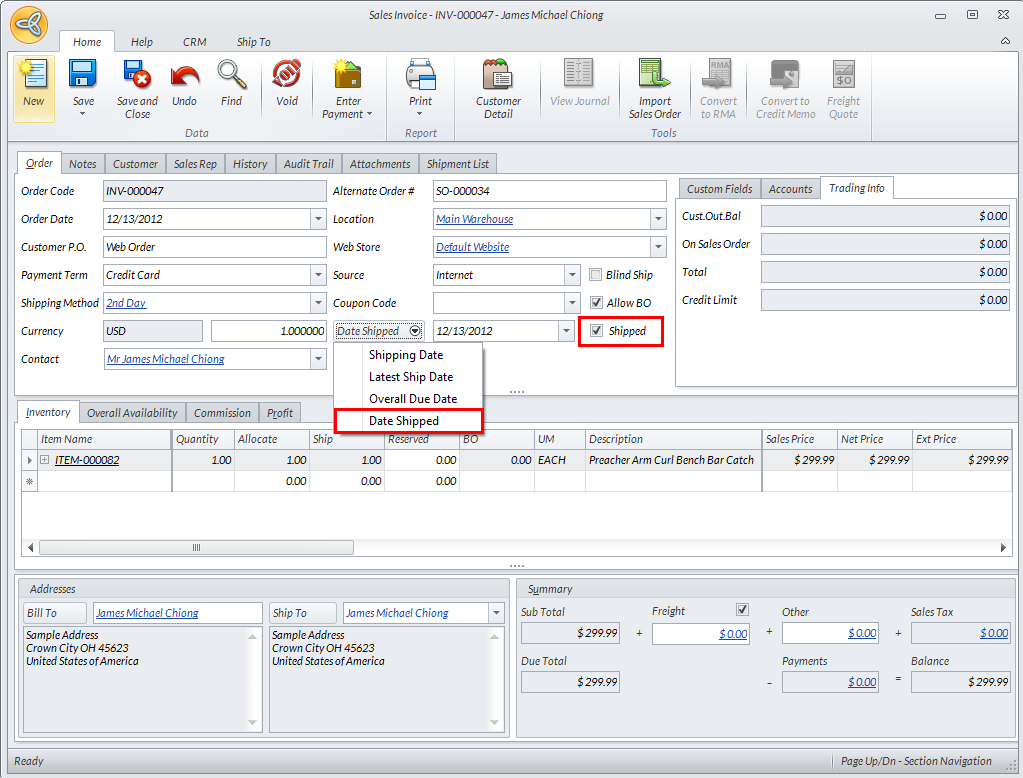
Click Image to Enlarge
Put also a check mark on the Shipped check box for this product to be acknowledged as shipped.
- Click Save and Close to apply changes.
- Checking the Customer’s Account in the online store will show this order to be shipped on the date as set in the Sales Invoice window.
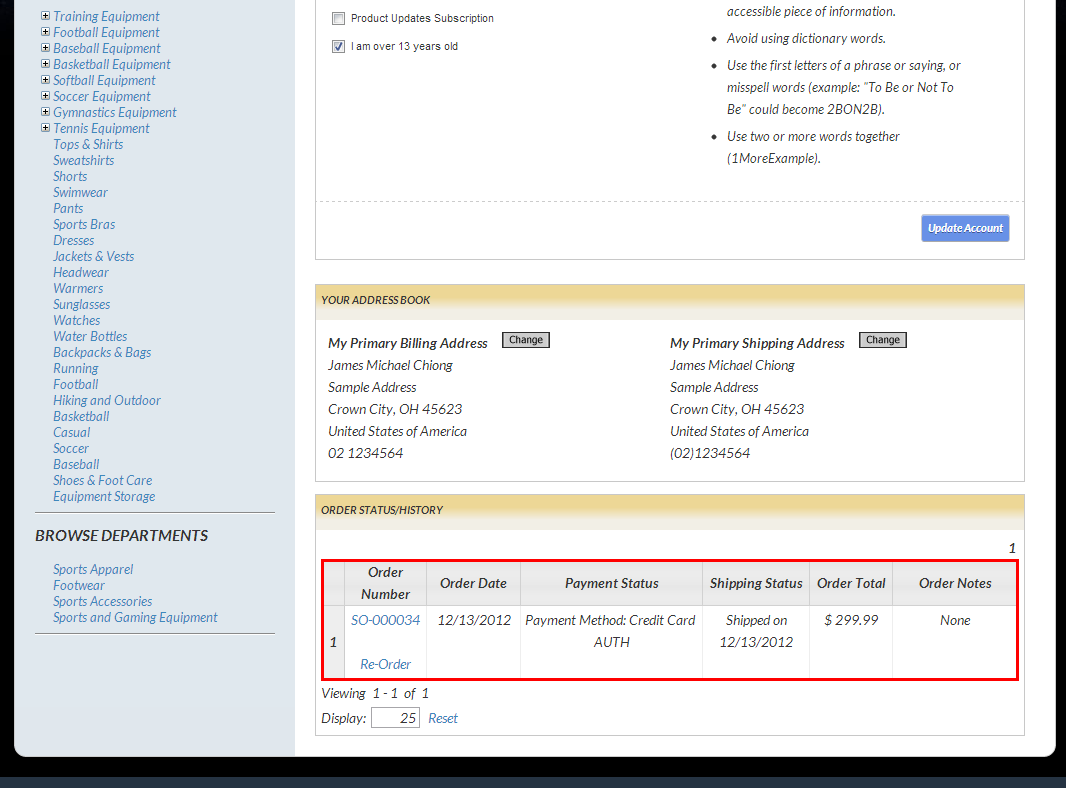
Click Image to Enlarge