
Set Up Password-Protected Products
Setting up Password-Protected Products is implemented if users and store owners want to restrict the accessibility of unregistered customers on selected items in the webstore. This allows webstore owners to limit the activity of anonymous customers, as they will be required to create an account or sign in to view the details of the item.
To set an item to require registration for anonymous customers:
- Go to eCommerce module > Item > Find Item then select the item from the list. The Item formwill be displayed.

Alternatively, you may access the Item form by going to Inventory module > Item > Find Item.
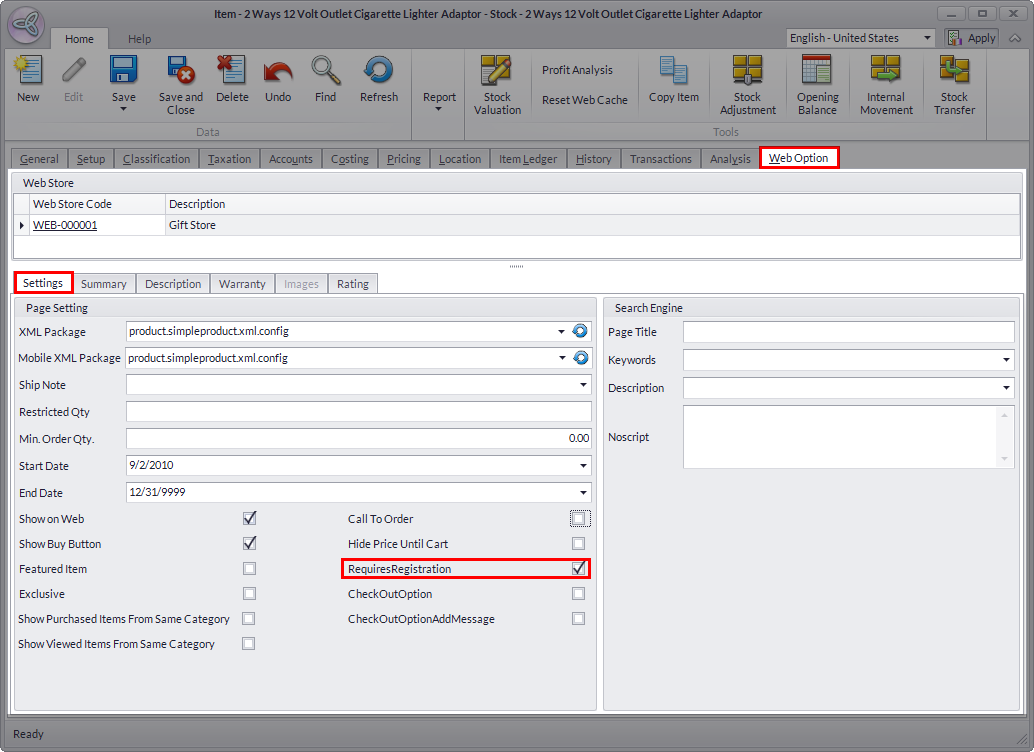
- Switch to Web Options tab > Settings tab and tick the Requires Registration checkbox.
Click Image to Enlarge
- Click Save and Close to apply changes.
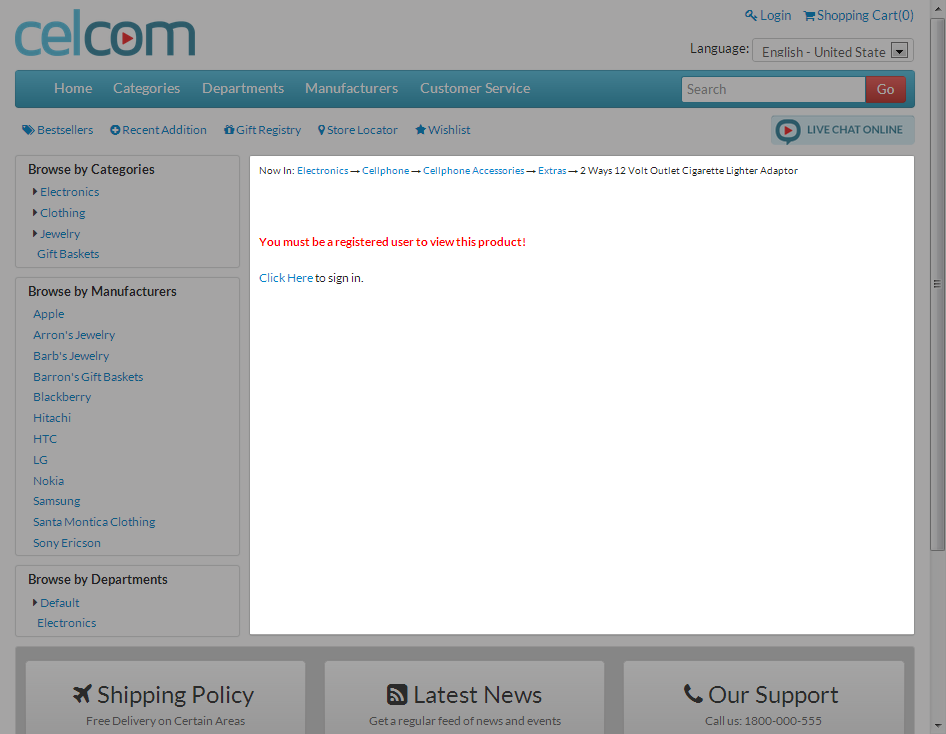
Go back to the webstore and search the item as an anonymous user. Notice that a prompt message will be displayed, instructing you to register to your account to view the product.
Click Image to Enlarge
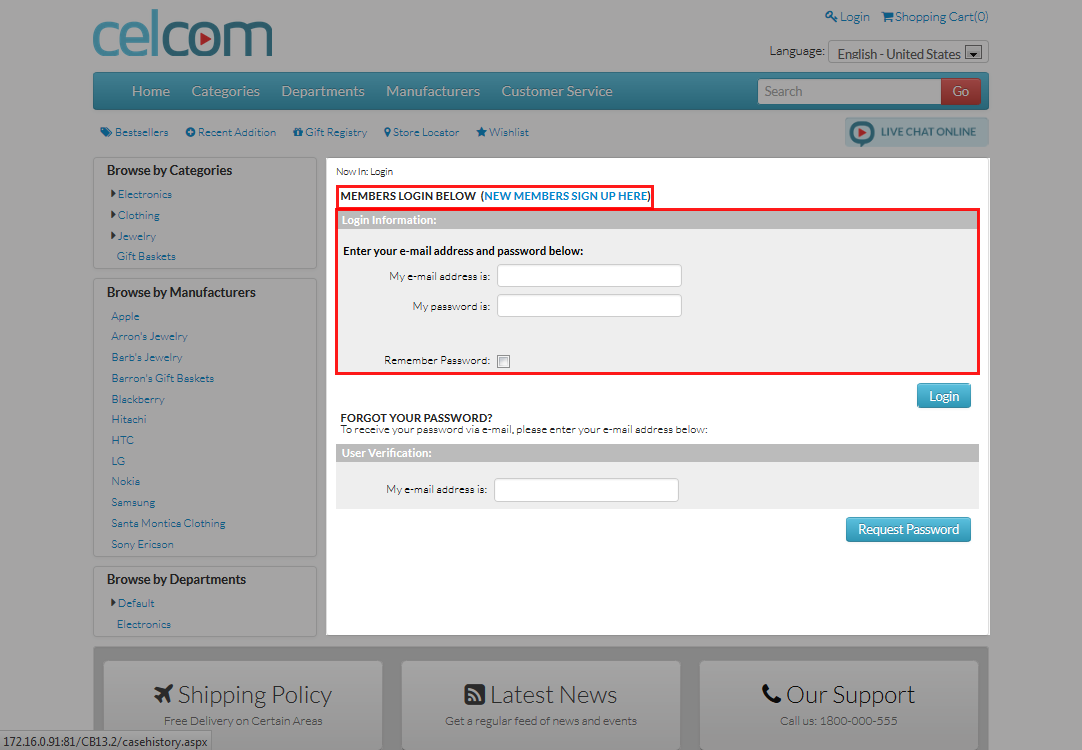
Hit the Click Here link to be redirected to the Account Registration page to sign up and/or sign in.
Click Image to Enlarge