
Set Up Multicurrency Feature
Your Connected Business eCommerce webstore can accommodate more than one currency setting, hence the Multi-currency feature. You may set your webstore to cater to more than one currency so you can accommodate more market niches.
The process is two-tiered: The first is activating currencies in the Multi-currency feature from the Accounting Module. The second one requires setting your Selling Currencies from the Inventory Module.
- To set up the Multicurrency feature, see more: Multicurrency.
- The second step requires you to set your Selling Languages.
From the Inventory Module > Setup > Selling > Currency.
- From the Selling Currency form, make sure your preferred currency unit/s are included by putting checks on their corresponding checkboxes under the Include column.
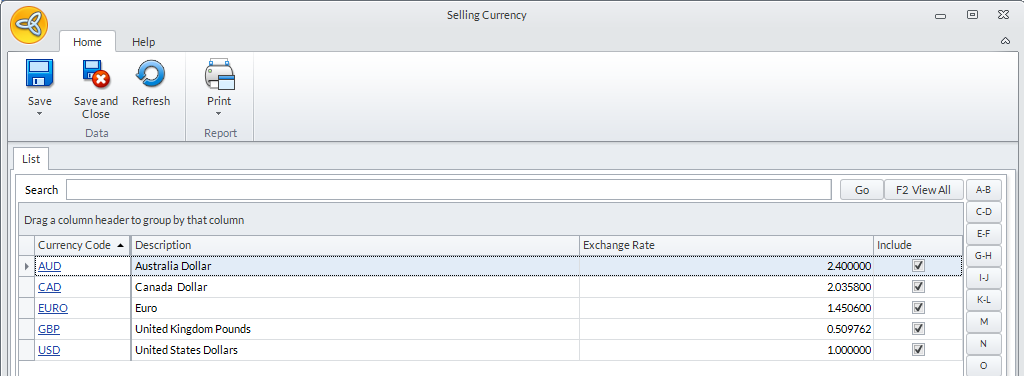
Click Image to Enlarge