
Set Up Item Orderable by Phone
Items on your webstore can be set to be ordered via phone call. This is ideal when some details of an item, such as inclusions, usage, warranty, and shipping arrangements, are easier to be described and elaborated through phone.
In addition, users will have a greater chance of meeting their market through direct interaction. This gives way in grabbing the opportunity to build good relationship and strong rapport with the customers through quality service and caring attitude.
To set items orderable by phone:
- Go to Inventory Module > Item > Find Item. From the Item list, select the item you wish to set the Order by Phone option to.
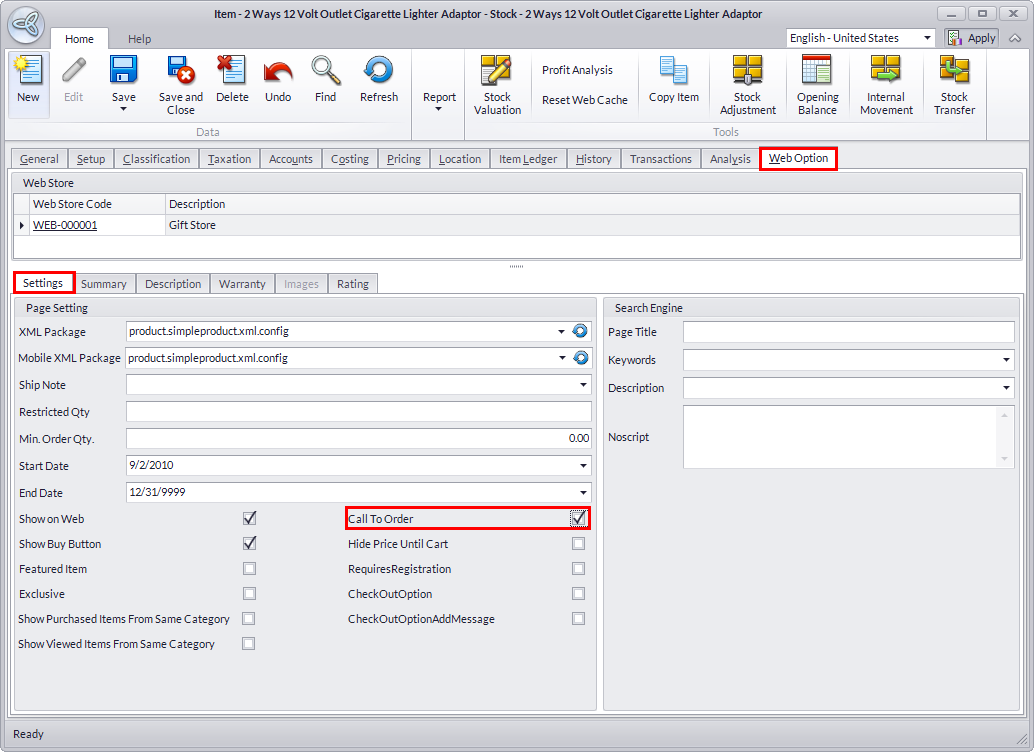
- From the Item form, go to Web Options > Settings tab. Tick the Call To Order checkbox.
Click Image to Enlarge
- Click Save and Close the form to apply changes.
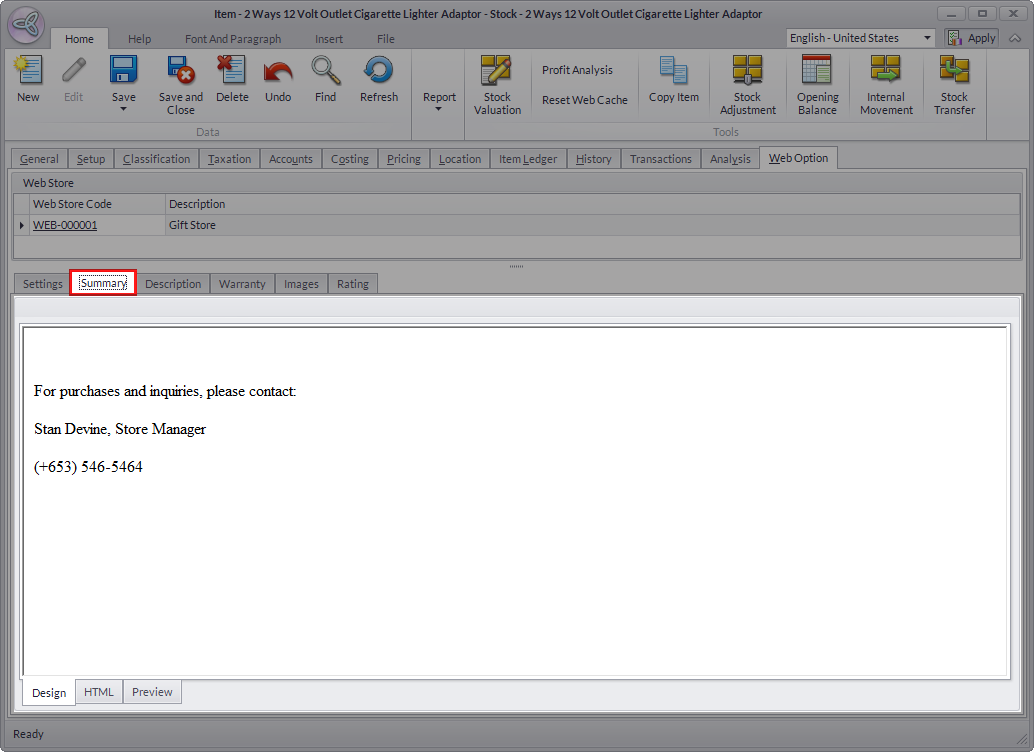
- You may also indicate the contact information and other details for phone orders in the summary tab.
Click Image to Enlarge
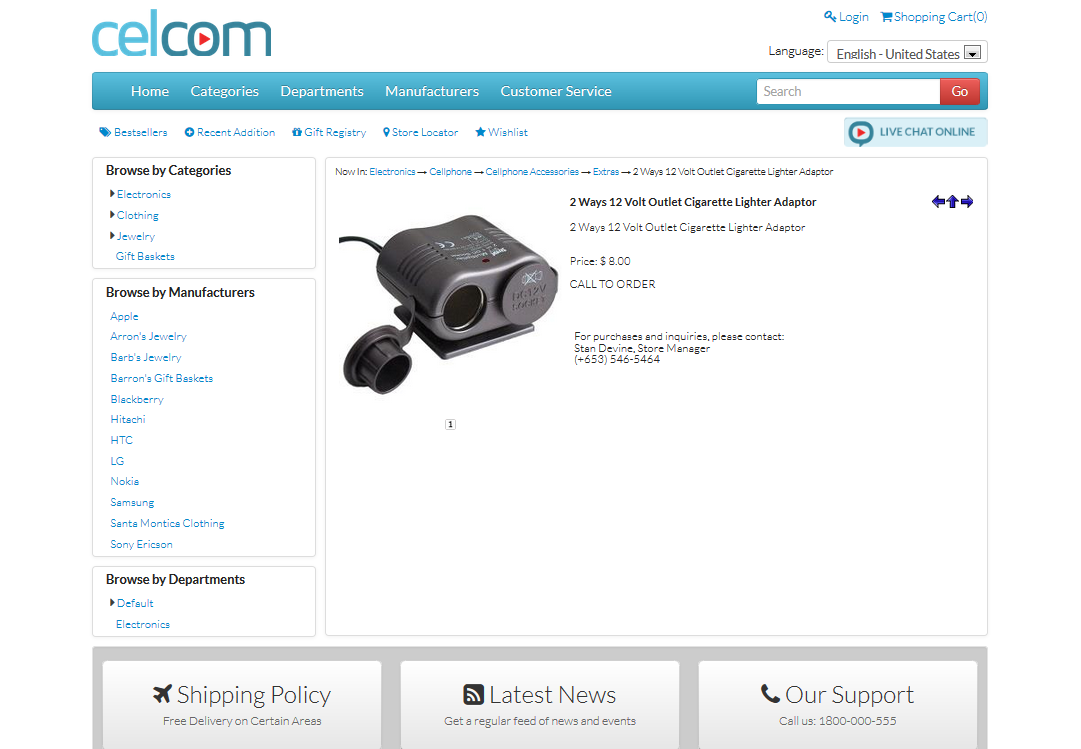
Go back to the webstore. Notice that the Call to Order text, along with the contact information of the store is displayed in the product detail.
Click Image to Enlarge