
Set Up Customer For Real Time Shipping
This article talks about setting up customer to use real time shipping..
Real Time Shipping is the charging of actual shipping cost from the shipping carrier to the customer for the services used in delivering the products. If you want to use real time shipping for your customers, the shipping method assigned to the customer must be configured to use real time shipping. Refer to Set Up Shipping Methods For Real Time Shipping.
Aside from setting up real time shipping, make sure that the carrier accounts are set up correctly to get accurate rates from the shipping carriers’ database. Refer to Carrier Setup.
Assign Real Time Shipping to Customer
To set up a customer to use real time shipping,
- Go to Customer module > Customer > Find Customer. The list of active customers will be displayed.
- Select a customer from the list to open the Customer Detail form.
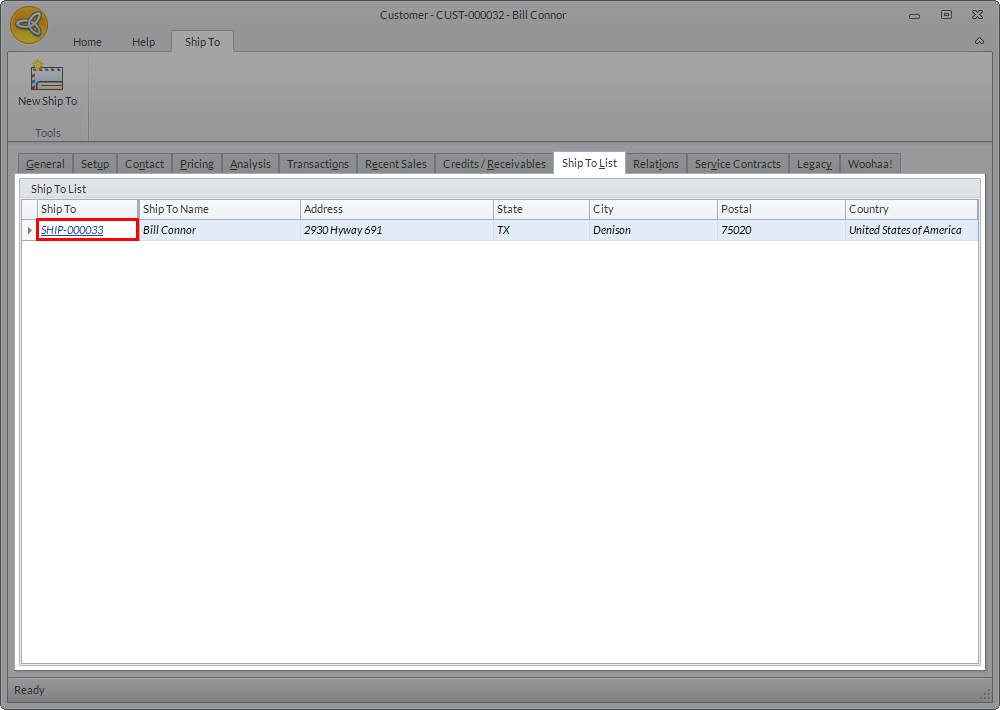
- From the Customer Detail form, go to the Ship To List tab and click the Ship To Code. The Ship To form will be displayed.
Click Image to Enlarge
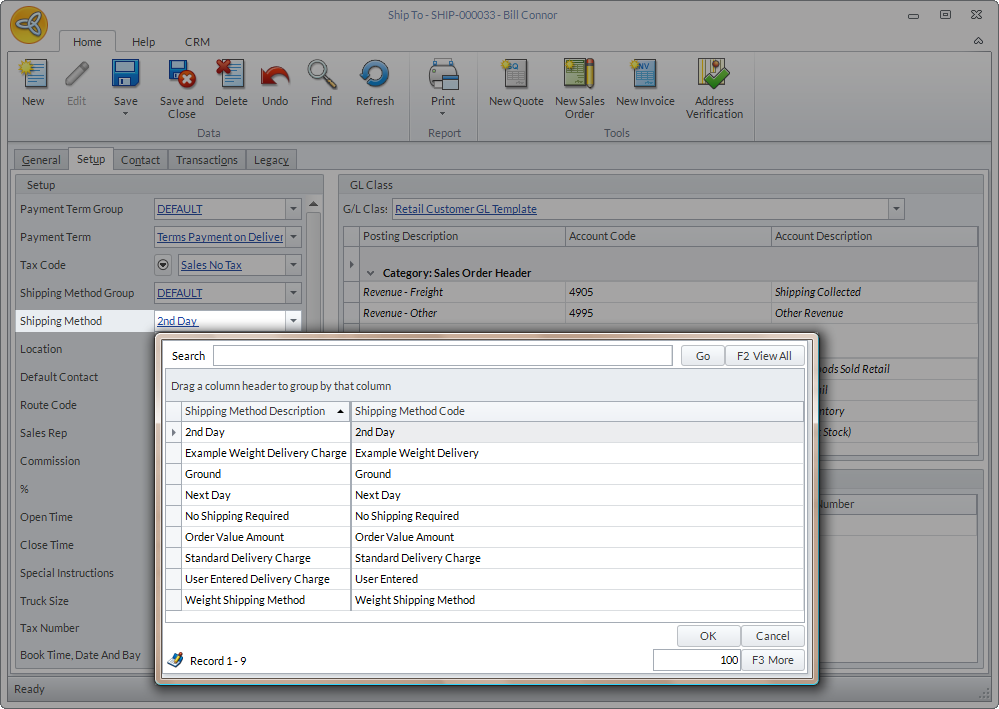
- From the Ship To form, go to the Setup tab > Shipping Method field and select the shipping method configured to use real time shipping.
Click Image to Enlarge

Make sure that the shipping method selected belongs to the shipping method group assigned to the customer.
- Click Save and Close to apply changes in the Ship To form.

Set Shipping Address Type
Shipping rates may vary depending on the address type of the customer. Thus, it is important to set the correct shipping address type for each customer to get accurate rates from shipping carriers.
To set the address type of the shipping method assigned to the customer,
- Go to the Shipping module > Setup> Shipping > Shipping Method. The list of existing shipping methods will be displayed.
- Select the shipping method to be modified from the list. You will be directed to the Shipping Method Detail section.
- Click the Carrier Detail tab to view the carrier details.
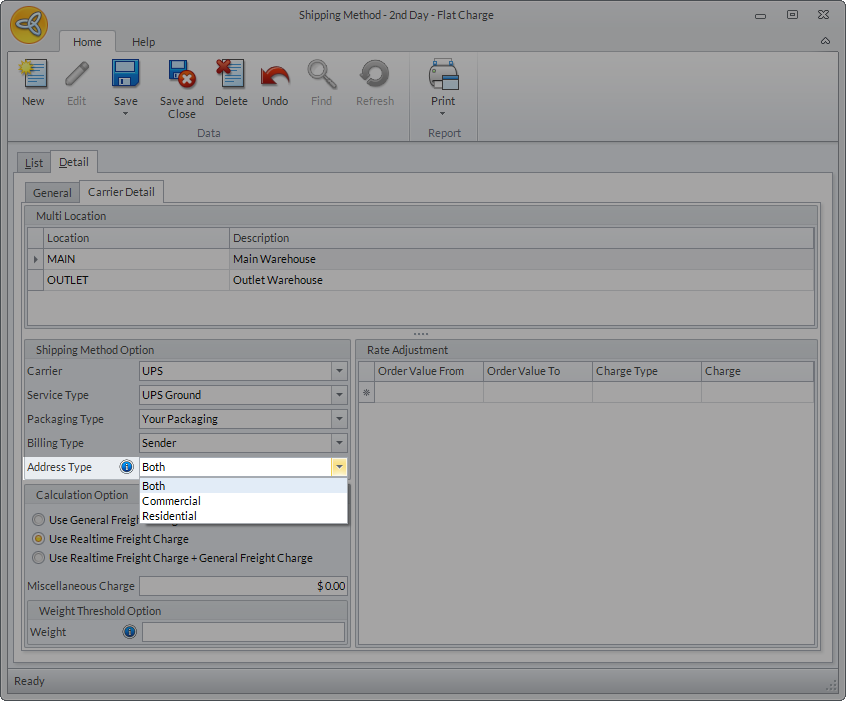
- In the Shipping Method Option > Address Type, select the preferred address type from the dropdown list. You can choose from Residential, Commercial, or Both.
Click Image to Enlarge
For the shipping options to be visible in the website, make sure that the real time shipping address type of the shipping method for the selected carrier should be the same as the address type of the customer. It is recommended to set the address type to “Both” so that the shipping options will be visible to all customers regardless of the address type.
- After setting the address type, click Save and Close to apply changes.
To get real time rates from the shipping carrier, make sure that the calculation option for the shipping method is set to Use Realtime Freight Charge.