
Set Shipment Weight Threshold
The Weight Threshold Option gives you the ability to enter a maximum weight threshold for shipment transactions and split the shipment into packages according to the defined maximum weight. In this process, the system automatically creates another package for items that exceed the maximum weight limit and realtime shipping rates will also be applied to each of the package included in the shipment.
With this feature, you can restrict and manage packages and packages’ weights for every shipment transaction.
For the system to accurately calculate the freight based on the items’ accumulated weight, you need to have the following set up first:- Make sure that you have the carrier account set up correctly. Refer Carrier Setup for more information.
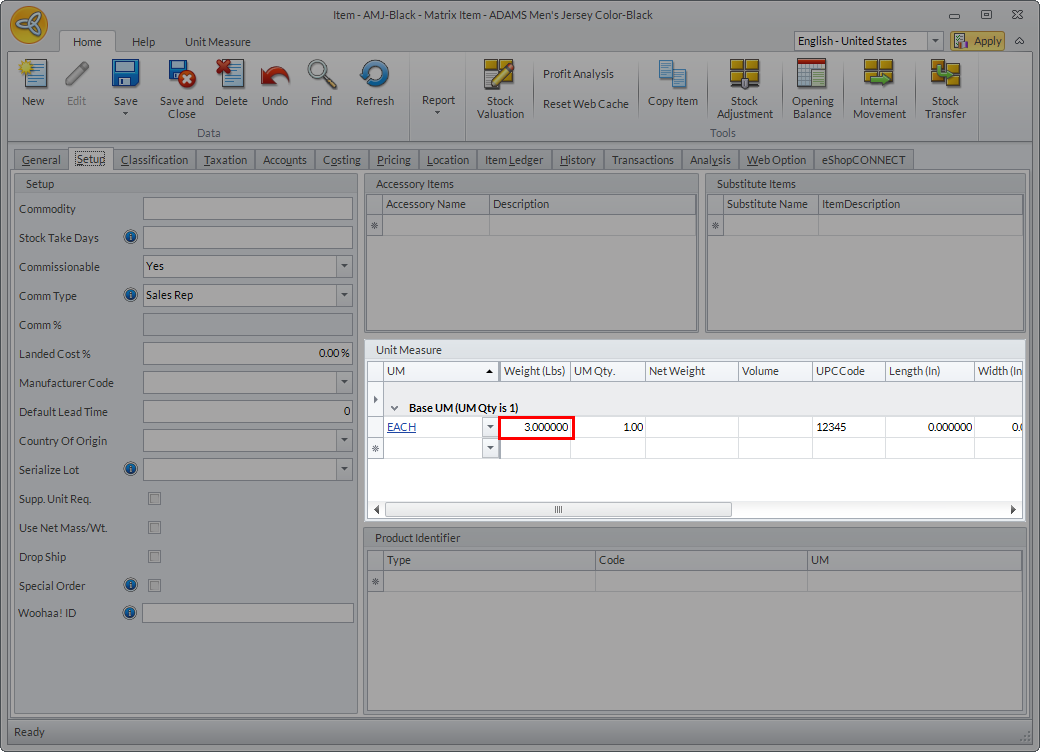
- Make sure that the item has an indicated weight. You can set the item weight by going to Inventory ► Find Item► Item Detail form ► Setup ► Unit Measure section and indicate the weight of the item.
Click Image to Enlarge

You can also change the type of system measurement to use by going to System Manager ► Account ► My Account. In the My Account form ► System Measurement field, select between Metric (weight in Kg) or English (weight in lbs).
Set Weight Threshold
To set the weight threshold for shipment transactions,
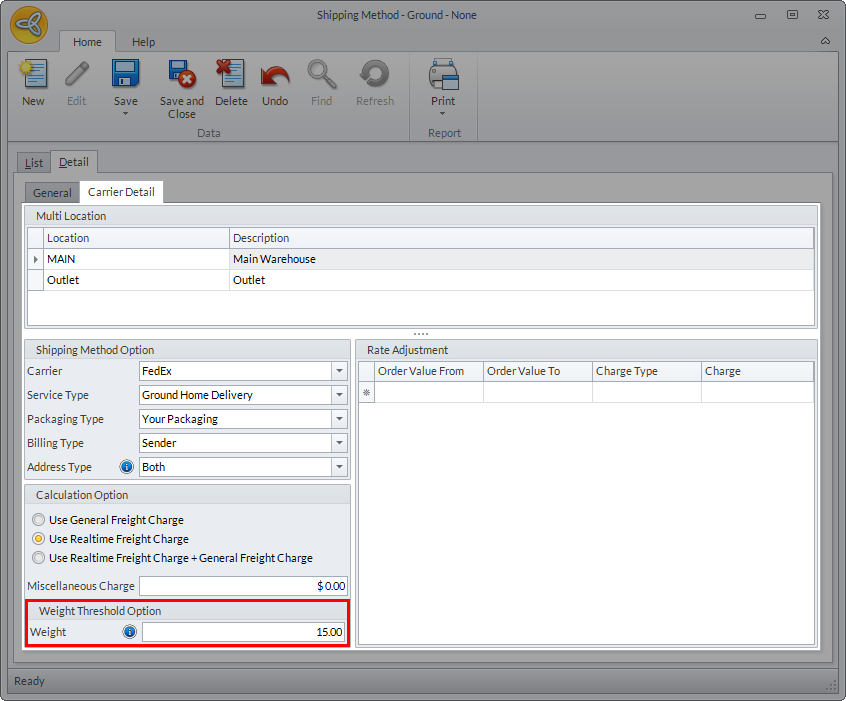
- Go to Shipping module► Setup ► Shipping Method and select the shipping method where you want to set the maximum weight threshold.
- In the Detail ► Carrier Detail tab of the shipping method selected, enter the weight in the Weight field of the Weight Threshold Option section.
Click Image to Enlarge
- Click Save and Close to apply changes.
- You can do the same procedure to all existing shipping method in the system if preferred.
Make sure that the shipping method selected is included in the default shipping method group used in Connected Business.
Apply Weight Threshold
To check if the weight threshold is applied,
- Create an order/invoice with items that has weight.
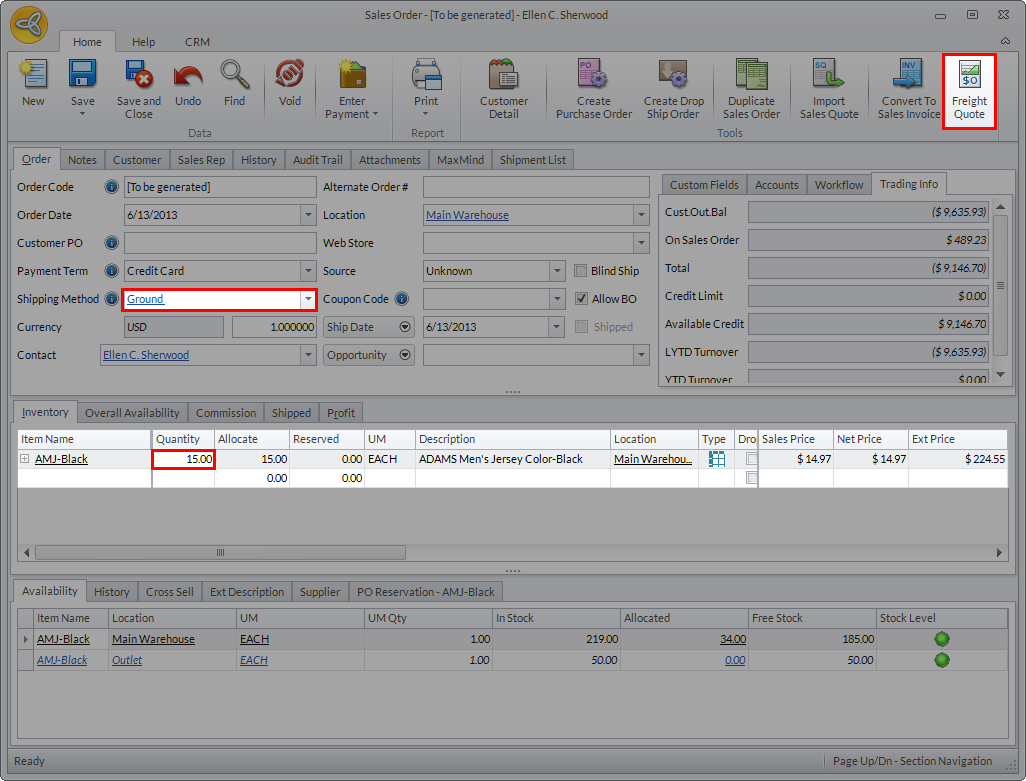
- Select the shipping method to use for the transaction. Make sure to select the shipping method with a weight threshold set.
- In the SO/SI form, indicate the item quantity in the Quantity field and click on the Freight Quote button to get the shipping rates.
Click Image to Enlarge
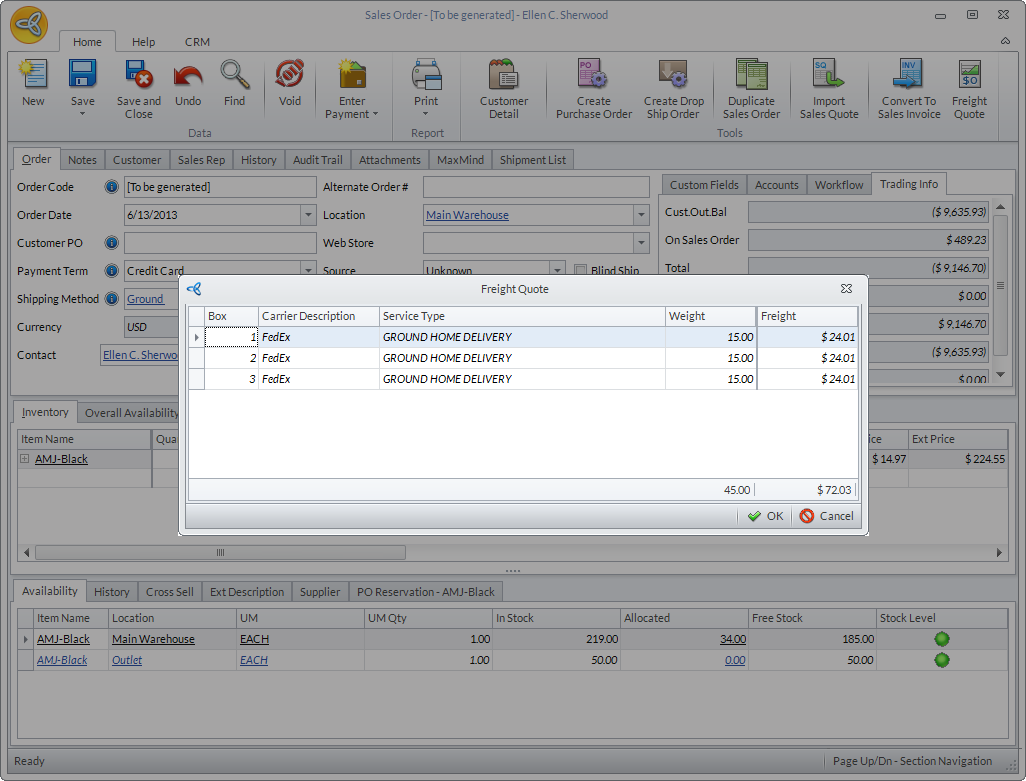
When you set a weight threshold, the system automatically splits the shipment transaction into a number of packages and divides the items according to the maximum weight limit set for the shipping method used. The shipping rates are also indicated for each of the package included in the shipment transaction.
Click Image to Enlarge
The Weight Threshold option is not applicable in the Shipment form.