
Retrieve Password in the Web Store
Customers can request the webstore to claim a new password if they have forgotten their current password. By entering their registered email address, they can recover access to their webstore profile.
Retrieve Password in the Webstore
To retrieve a password,
- If you are a new webstore customer , proceed to Step 2.
If you are the web admin of the webstore and would like to try recovering a password, run your webstore in your browser locally. In our case,
https://localhost/ConnectedBusiness
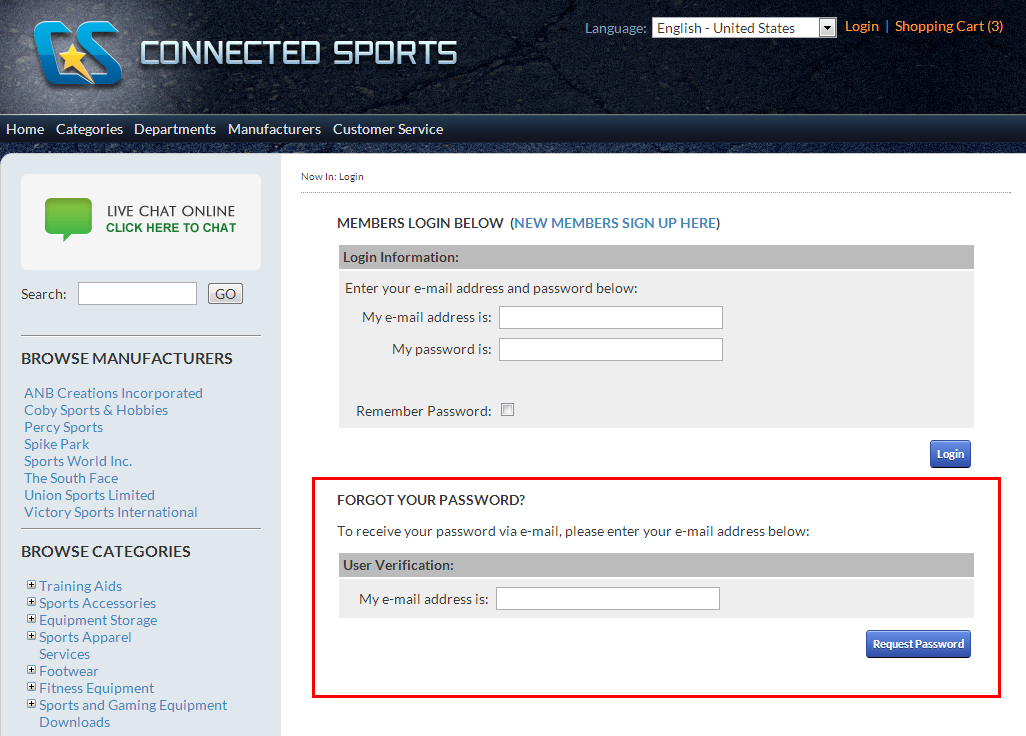
- Find the Log In link from the top right section of the webstore site. A Log-in screen will be displayed.

Click Image to Enlarge
- From the Forgot Your Password section, input your email address that you used to register to the webstore in the field provided. Click the Request Password button to complete the process. You will be emailed with your password promptly.
Click Image to Enlarge