
Reset Password
In managing customer accounts you will encounter problems from customers about their passwords. You can reset passwords of webstore customer accounts from the Contact tab of the Customer form.
To do so,
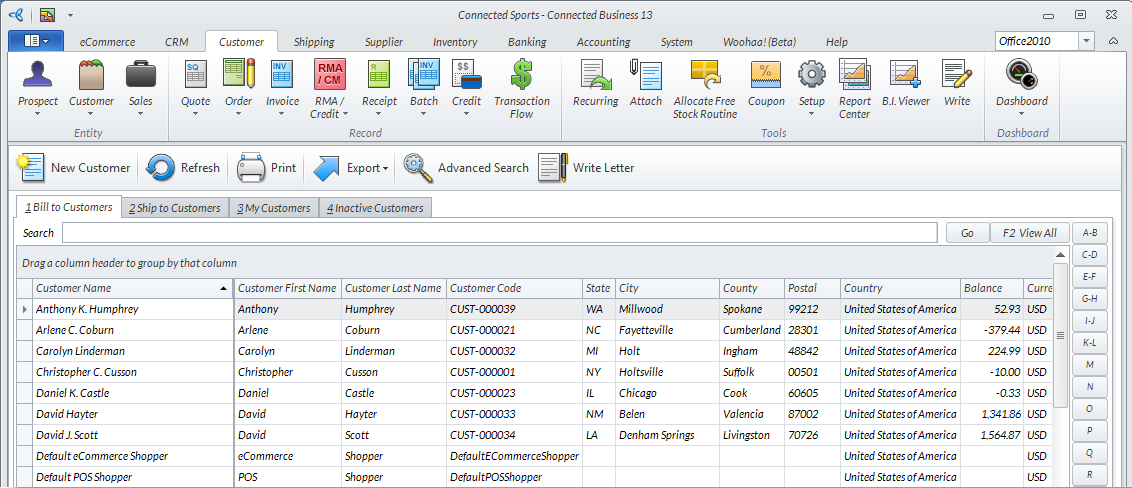
- From the Customer Module, go to Customer > Find Customer. The Customer list will be displayed.
Click Image to Enlarge
- Select a customer from the list. The corresponding Customer Form will be displayed.
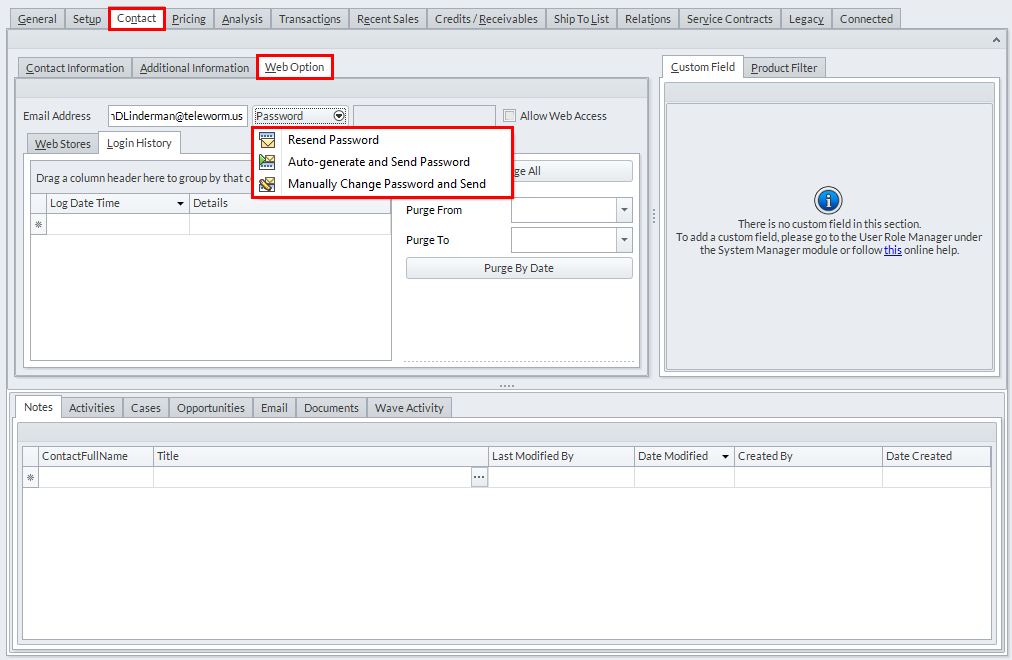
- Go to the Contact tab. Under the Web Option sub-tab, expand the Password dropdown menu to reset or modify the customer account's password.
Click Image to Enlarge
The available password dropdown options are as follows:
- Resend password
It will use the username email address and will send to the email address. - Autogenerate and send password
This will automatically generate password and will send a confirmation to the email address. - Manually change password and send
You manually change the password and then it will be sent to your email for confirmation.
- Resend password
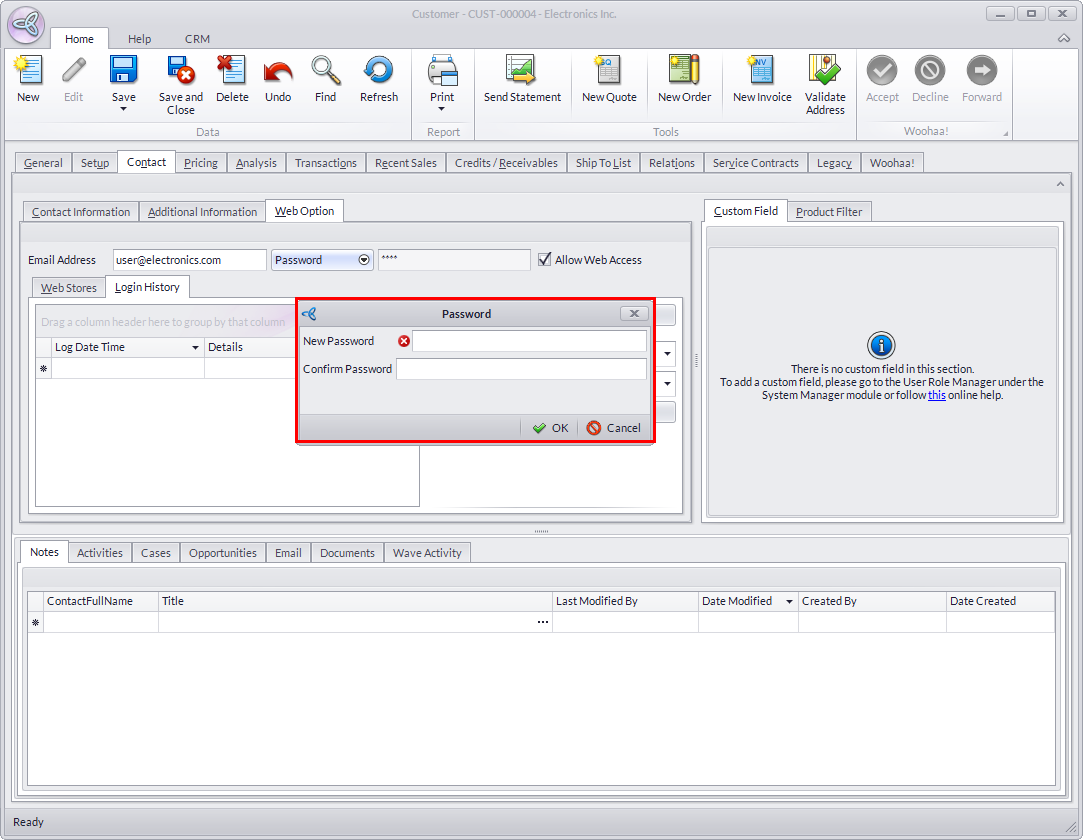
- Click Manually change password and send then enter and re-enter the new password in the resulting prompt.
Click Image to Enlarge
- Click OK from the dialog box, and Save and Close from the Customer form to save your modifications.