
Request Purchase Order in the Web Store
Purchase Orders from the web are created in the same way sales order are: items are being collected from the virtual shopping cart and then checked out. Only that no payment information is required, thus, no monetary transaction is made.

This type of Purchase Order is applicable in business to business transactions only.
To request a Purchase Order,
- Upon checking out, select PURCHASE ORDER from the Payment Info page, enter the PO number, and click Continue Checkout.
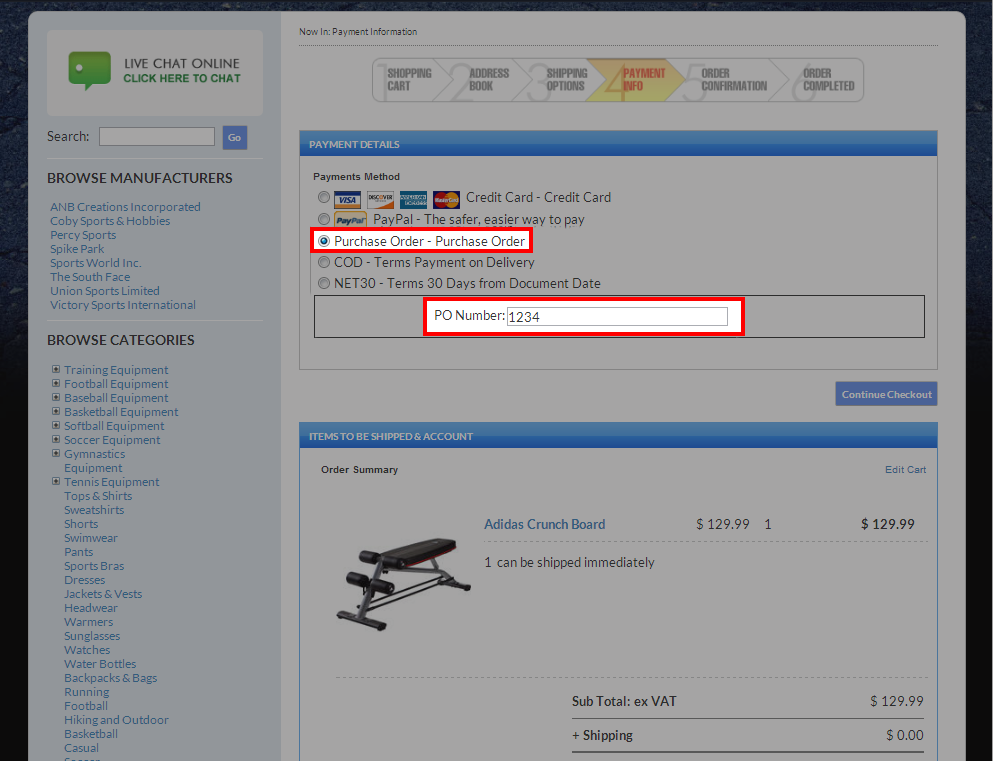
Click Image to Enlarge
- Place the order to complete the transaction. A confirmation message will be displayed indicating that the transaction is completed.. The purchase order will appear as a sales order in Connected Business.
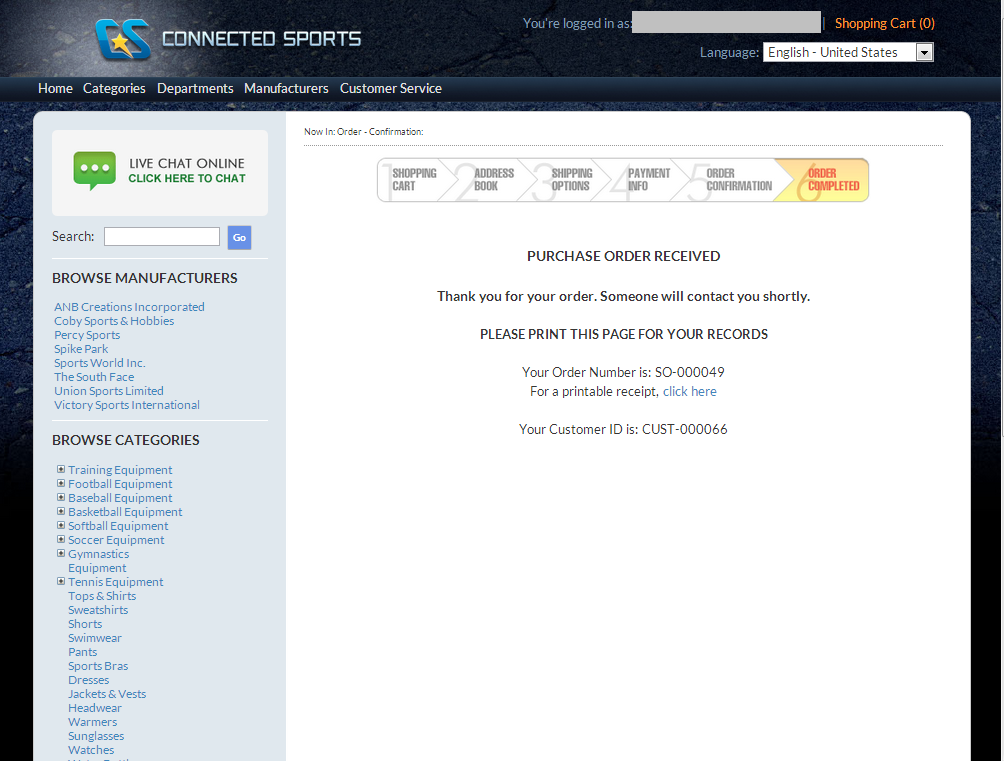
Click Image to Enlarge
- To track the web purchase order in Connected Business, go to Customer module > Order > Find Order and select the sales order for the web purchase order. The purchase order number is indicated in the Customer PO field of the Sales Order form. You can opt to create the purchase order.

Click Image to Enlarge