
Request Product Quote in the Web Store
Requests for product quotes are made in the same way as normal sales orders: items are being collected to the virtual shopping cart and then checked out. Only that this doesn’t prompt for any payment information. Thus, no monetary transaction is made.
To request a Product Quote,
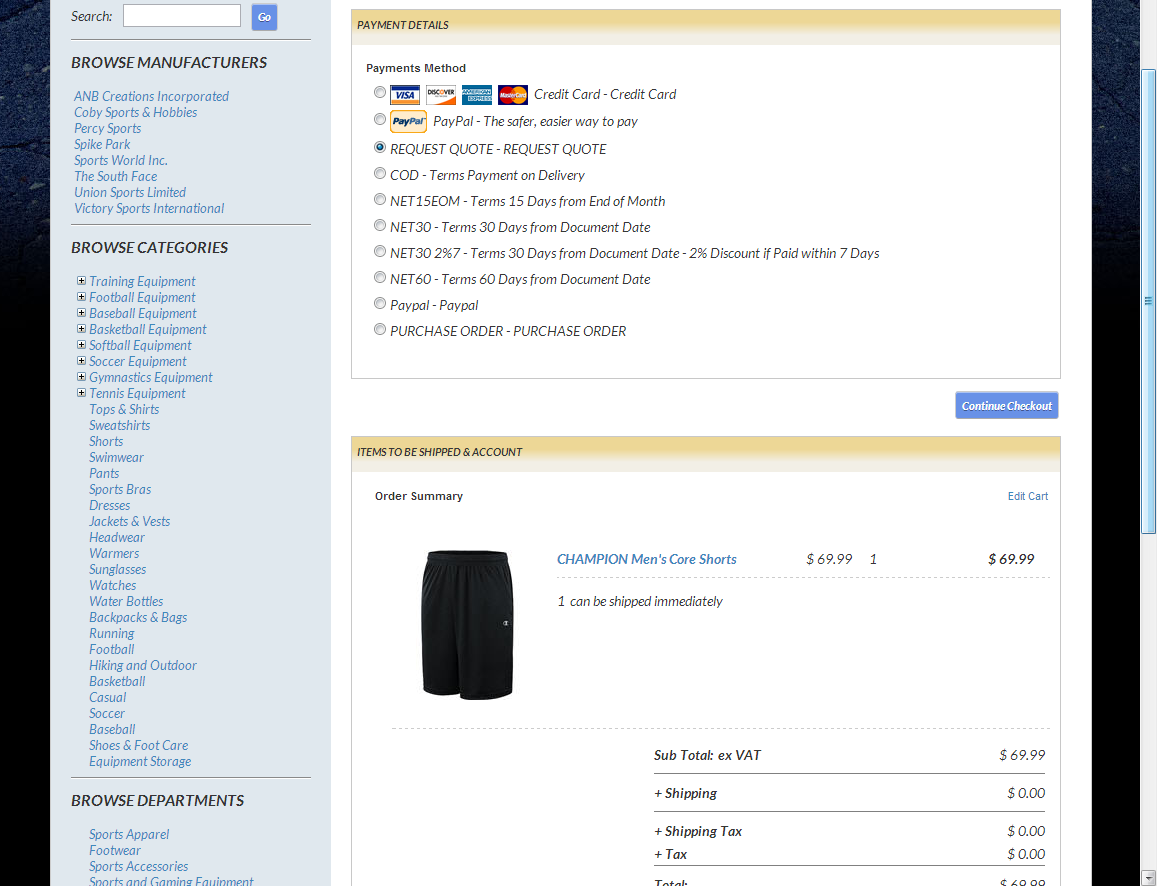
- When checking out an item from the webstore, in the payment information, select REQUEST QUOTE and click Continue Checkout. The Order Confirmation page will be displayed.
Click Image to Enlarge
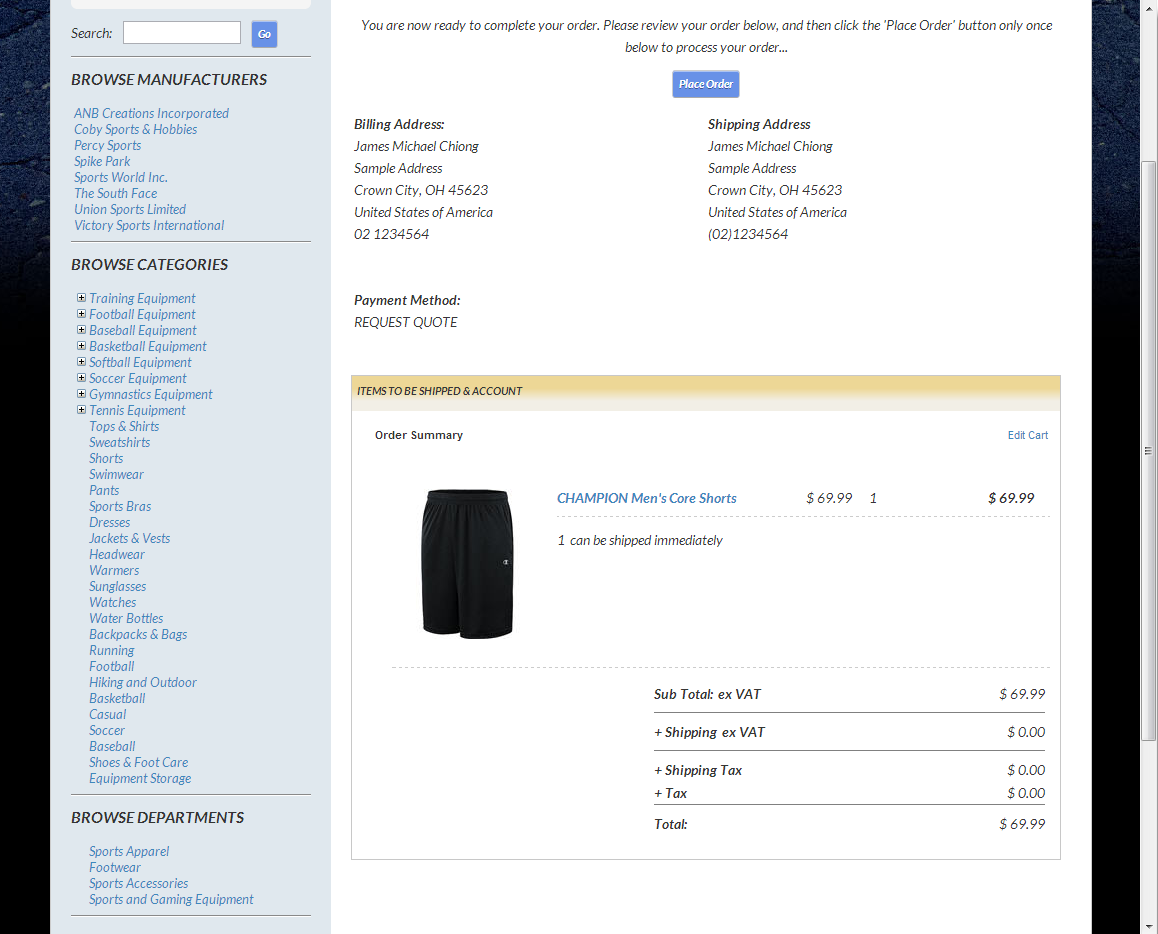
- Verify the order details then click Place Order to complete the transaction.
Click Image to Enlarge
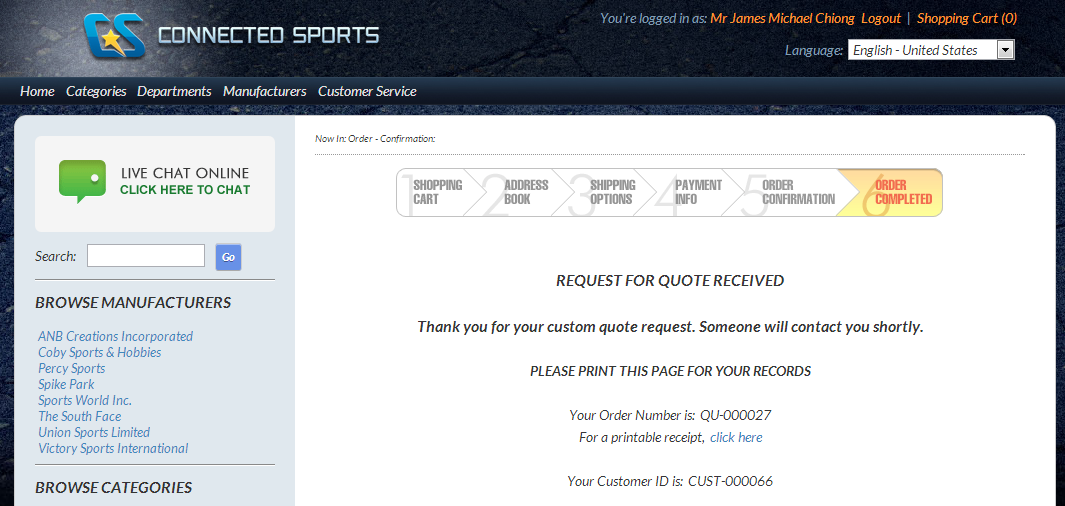
- A confirmation will be displayed confirming the quote has been received..
Click Image to Enlarge
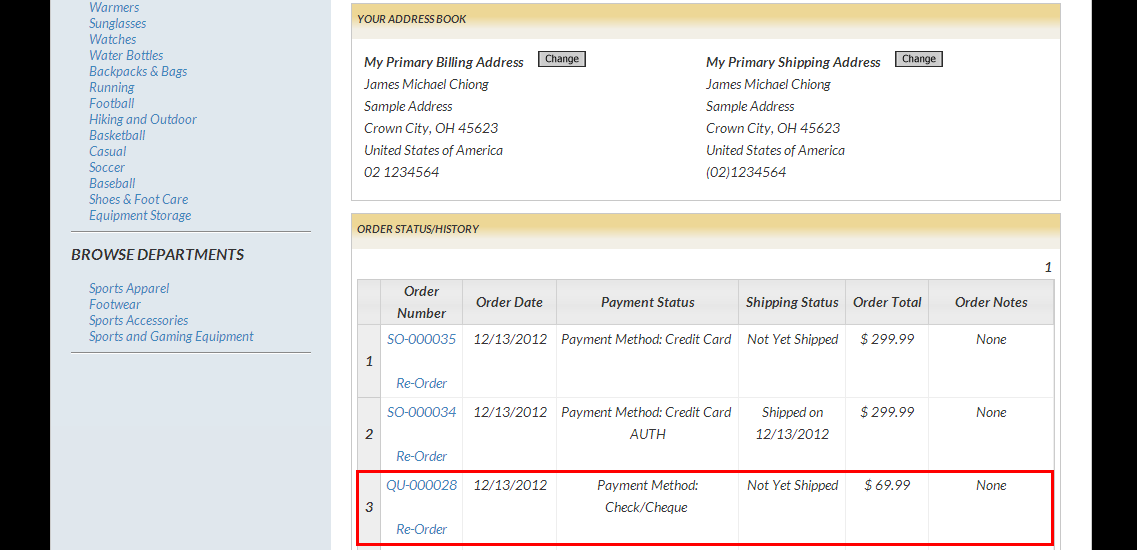
An entry about the order will also be added to the customer's Order History.
Click Image to Enlarge

Notice the document code displayed in the Order Completed page and customer's Order History have the "QU" prefix indicating the quote-type transaction.