Recurring Bank Payments/Receipts
|
Content
|
|---|
You can use the Recurring Transaction option to set up and process recurring bank payment / bank receipts. Regular or repeat orders are easily reprocessed through this option.
Steps
SET A RECUR SCHEDULE FOR THE BANK PAYMENT/RECEIPT
- Select Recurring Transactions button under the Tools menu of the Banking module. A search list with different tabs is displayed.
- Go to the Setup Recurring Transaction tab to view a list of open and closed bank payment / bank receipts that you can recur.
- Select a bank receipt or bank payment transaction in the list to display the Recurring Transactions form.

- Enter a Description for the recurring transaction.
- Check the Active checkbox to set the recur schedule to active status.
- Select the Interval of the recurrence. You can specify Recurrence Options for any interval you choose e.g. every first Monday of the month.
- You can specify the Effectivity or leave it as indefinite.

PROCESS THE RECURRING TRANSACTIONS
- Go to the Available Recurring Transactions tab. The recurring bank payment / bank receipt schedules list will display.
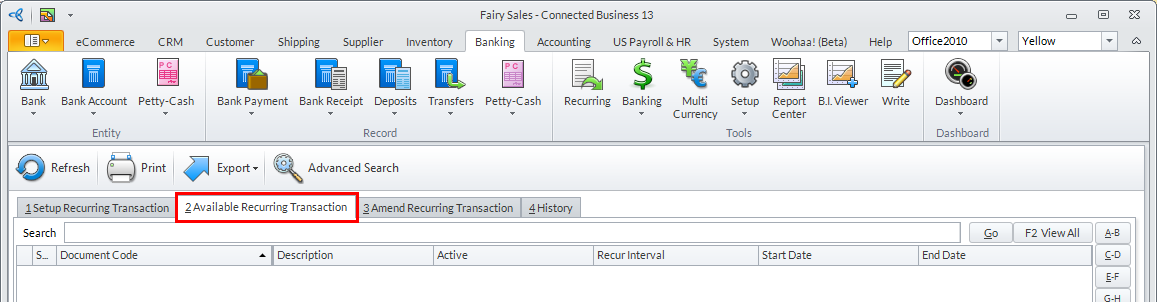
- Select the recurring document in the list. The Process Recurring Transaction Wizard will be displayed.
- Here are the steps to follow in the Process Recurring Transaction Wizard.
Step 1
Click Next button to start.
Step 2
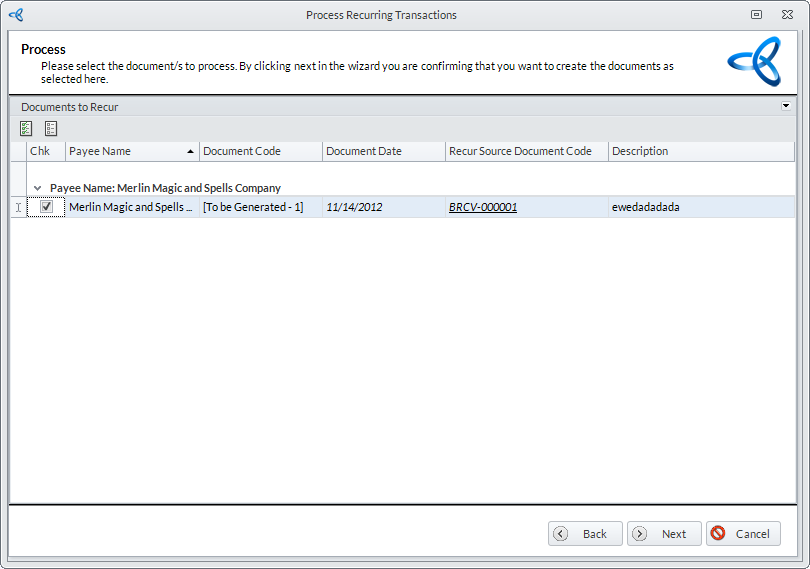
Select the documents to process. The bank payment / bank receipt documents are grouped by payee. Click Next button to continue.
Step 3
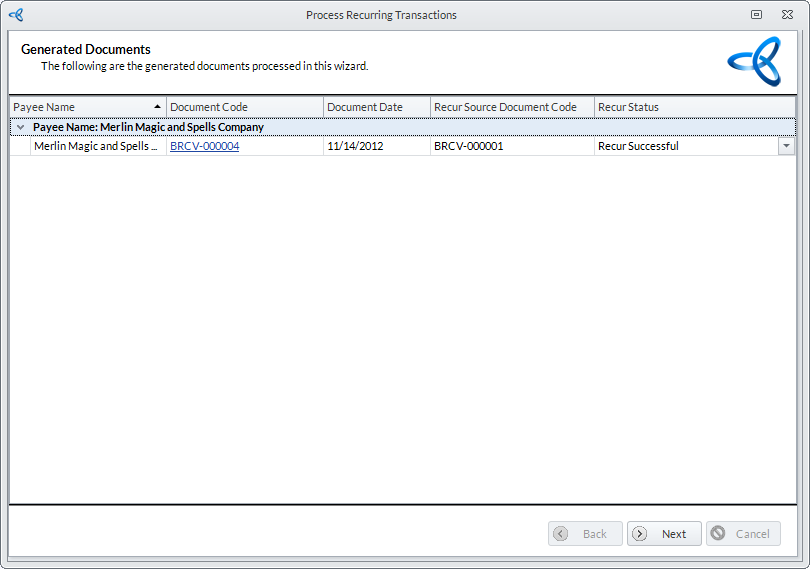
The progress of processing the bank payment / bank receipts will follow. The processed bank payment / bank receipts are displayed. You may drill down on the Document Code to view the bank payment / bank receipt document. Click Next button to continue.Step 4
Click Finish button to process and close the wizard. You may view the processed bank payment / bank receipts from Bank Payment > Find Bank Payment for bank payment records or bank receipts > Find Bank Receipts for bank receipt records.
CHANGE THE RECUR INTERVAL OF THE ORDER
- Go to the Amend Recurring Transactions tab.
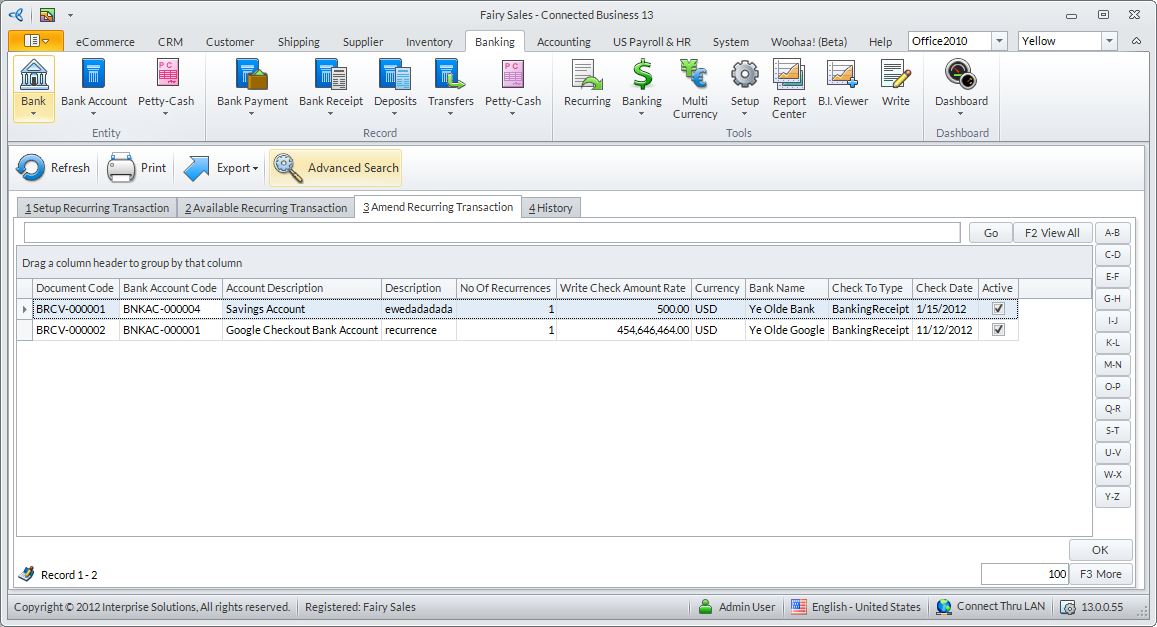
- Select the recurring order transaction from the list and you will be brought back to the Recur Options window to change the schedule of the recurring order.
VIEW A HISTORY OF PROCESSED RECURRING TRANSACTIONS
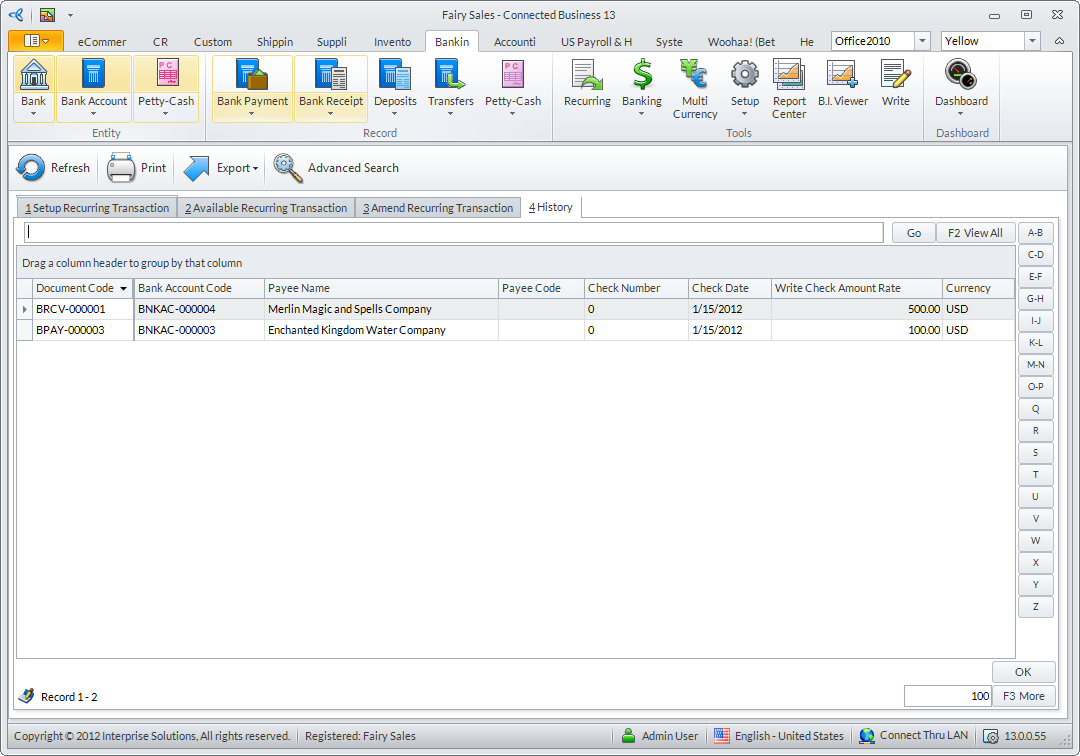
Click on the History tab to view a history or recently-processed recurring transactions.