
Process Quote Requests
Quote requests can become regular sales order once the customer decides to continue the purchase.
In this way the customer saves unnecessary effort to reorder again. In the part of the store admin the following steps should be carried out to process this.
To process a quote request,
- From the Customer Module > Quote > Find Quote/Proforma. The Sales Quotes list will be displayed.
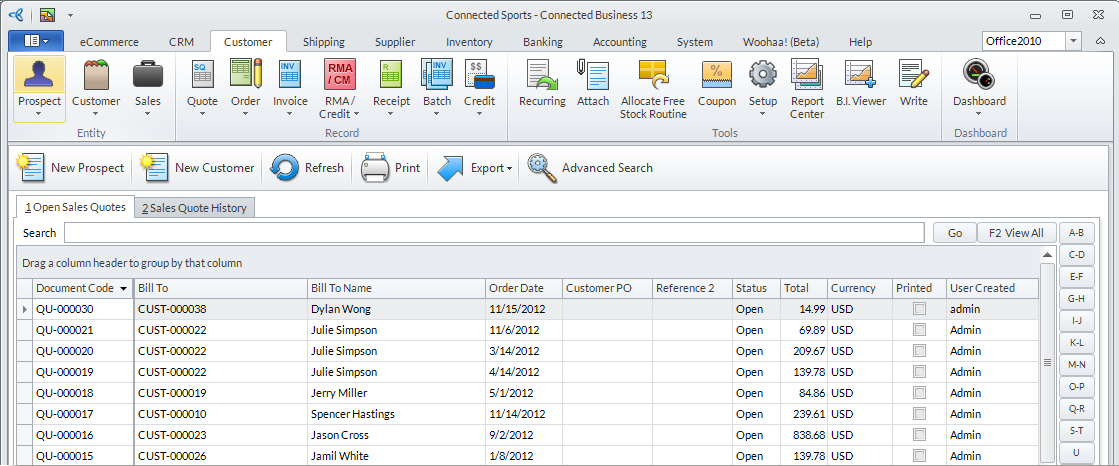
Click Image to Enlarge
- Select a sales quote to process. The Sales Quote form will be displayed.
- From the dropdown list of the Payment Term field, select the appropriate payment term from the list that will be displayed.
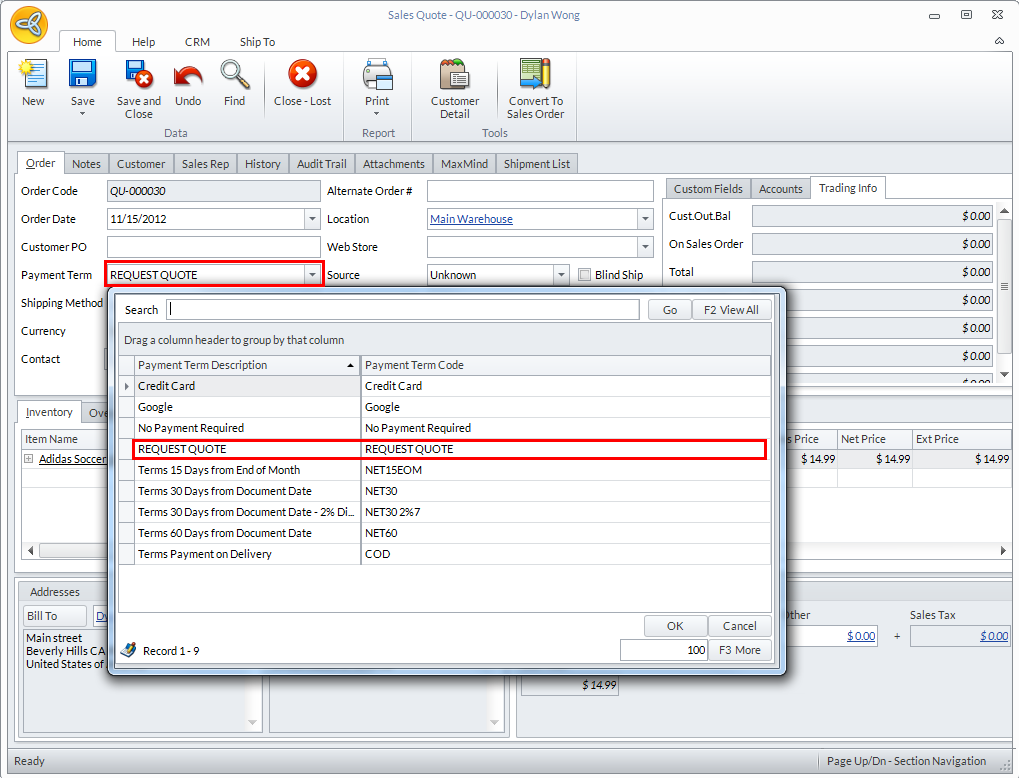
Click Image to Enlarge
- When you have modified or checked all the information in the form, click the Convert to Sales Order to turn the sales quote into a sales order.
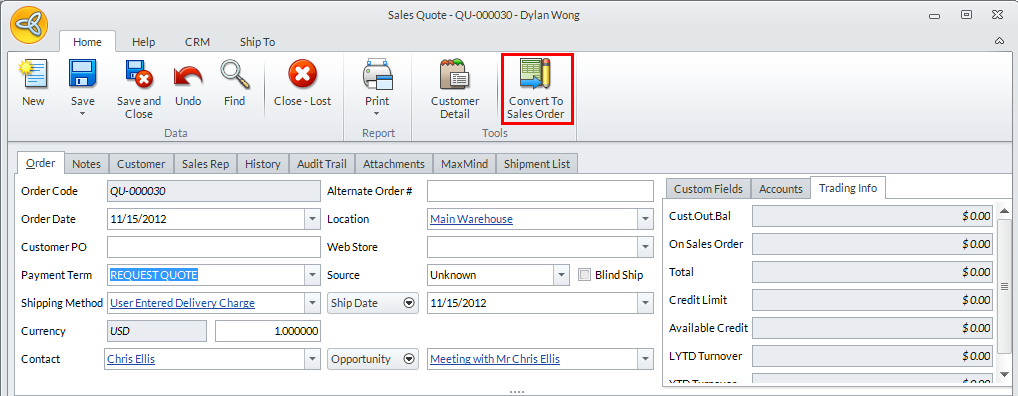
Click Image to Enlarge

To know how to process the Sales Order, please refer to the Process Sales Orders documentation.