
Process and Maintain Supplier Returns
This section discusses about creating a supplier entity from scratch as well as how to maintain your supplier records.
Steps
- From the Supplier module, select Return > New Return button. Aternately, you may select Return button from the Completed Goods received detail form.
- A search screen for New Return and active suppliers will appear.


Items cannot be returned if there is no available free stock, thus a pop-up message will then display. You cannot return a phased out or discontinued items.
- Select any active supplier on the list. Click OK.

Click Image to Enlarge
- On the Inventory item tab of the return form, select any items EXCEPT for kit and matrix items.
- Save the details before closing the form.
View Supplier Returns History
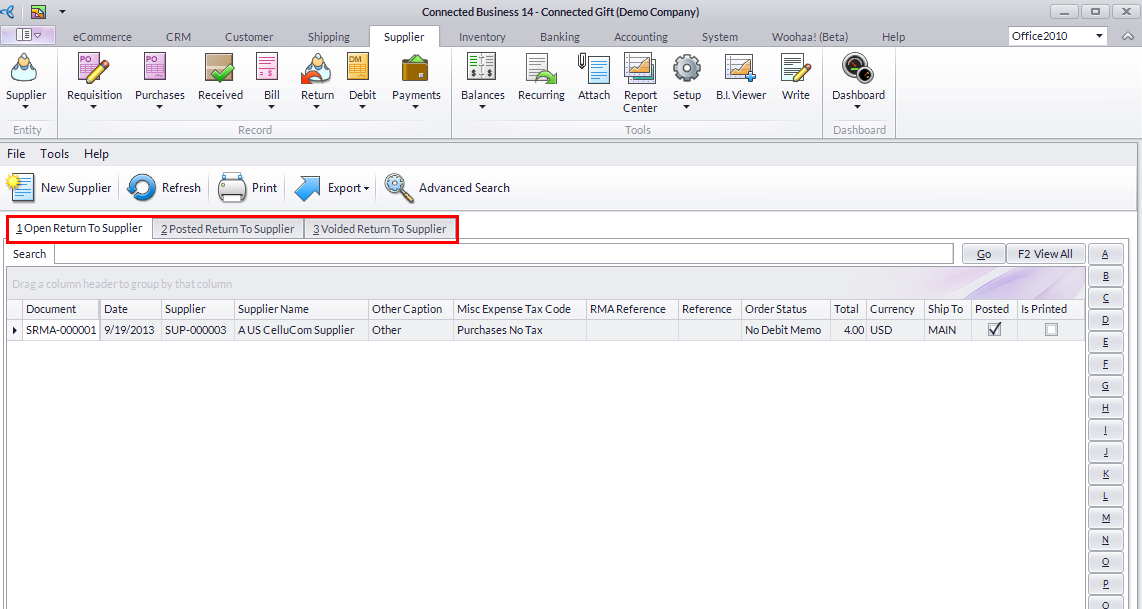
- From the Supplier module, select Return > Find Return. A search list of supplier returns will display.
Click Image to Enlarge
- Select a Supplier Return in the list to display the Supplier Return form. You can view tabs on:
- Open to Return Supplier - this lists all the return transactions.
- Posted Return to Supplier - this will display all the posted supplier return transactions.
- Voided Return to Supplier - lists all the voided supplier returns.
