
Pricing Section
Pricing tab is the part of the Customer Module where all pricing specifications are set or modified.
To do so,
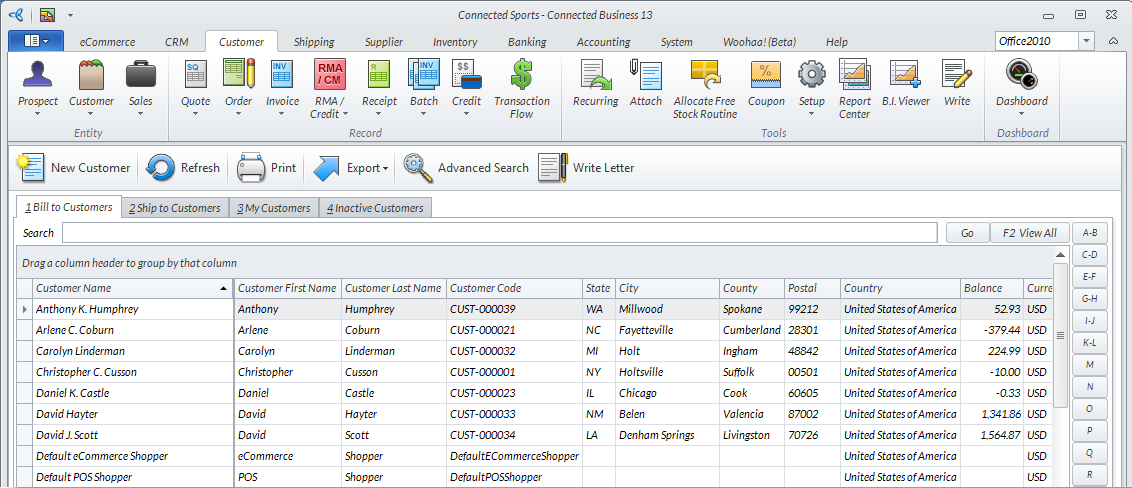
- From the Customer Module > Customer > Find Customer. The Customer list will be displayed.
Click Image to Enlarge
- Select a customer from the list. The corresponding Customer form will be displayed.
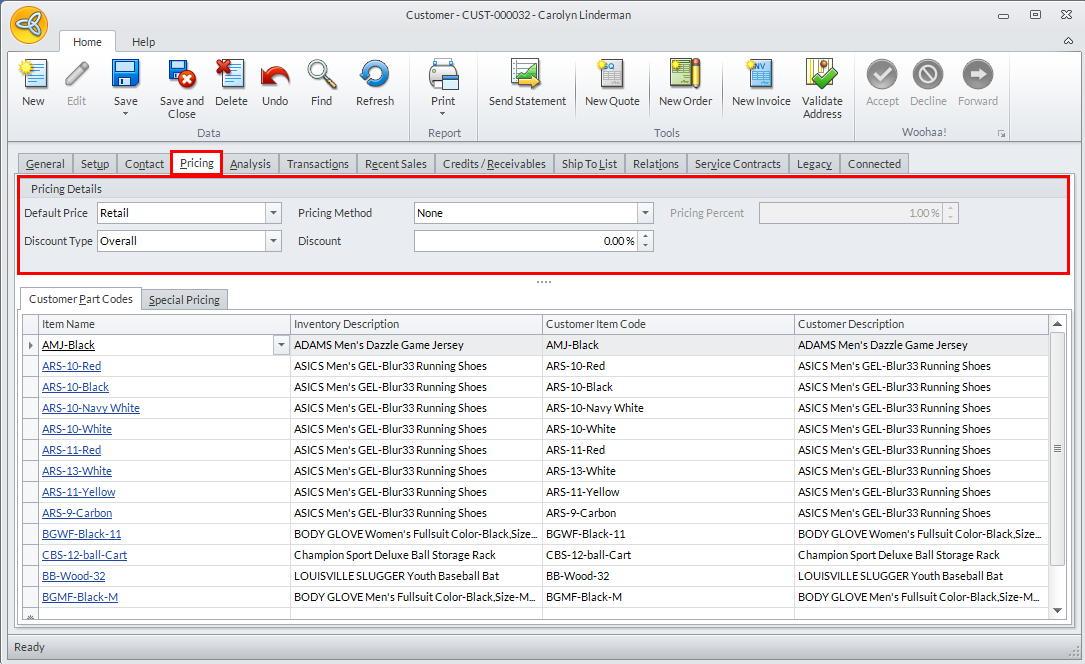
- Access the CRM tab from the ribbon menu bar, switch to the Pricing tab then enter or modify the fields under the Pricing Details section.
Click Image to Enlarge
The fields are as follows:
Pricing tab Fields
Fields
Value
Specifications
Default Price
Customer’s Default Price for this particular customer
Default value from Customer Class Template. Necessary changes can be made by choosing the appropriate Default Price from the selection drop down box.
Discount type
Customer’s Default Discount Type for this particular customer
Default value from Customer Class Template. Necessary changes can be made by choosing the appropriate Discount Type from the selection drop down box.
Pricing Method
Customer’s Default Pricing Method for this particular customer
Default value from Customer Class Template. Necessary changes can be made by choosing the appropriate Pricing Method from the selection drop down box.
Discount
Percentage
Customer’s discount given by the store owner
Pricing Percent
Percentage
Customer’s pricing given by the store owner
- Click Save and Close from the Customer form to save your modifications.