
Modify Session Expiration of the Admin Site
Spending more time on the admin site, you will notice that extended periods of time will trigger your session to expire. You can change the time needed to trigger session expiration from the Web.config file.
To do so,
- From your computer, look for the Web.config file of your Connected Business eCommerce webstore.
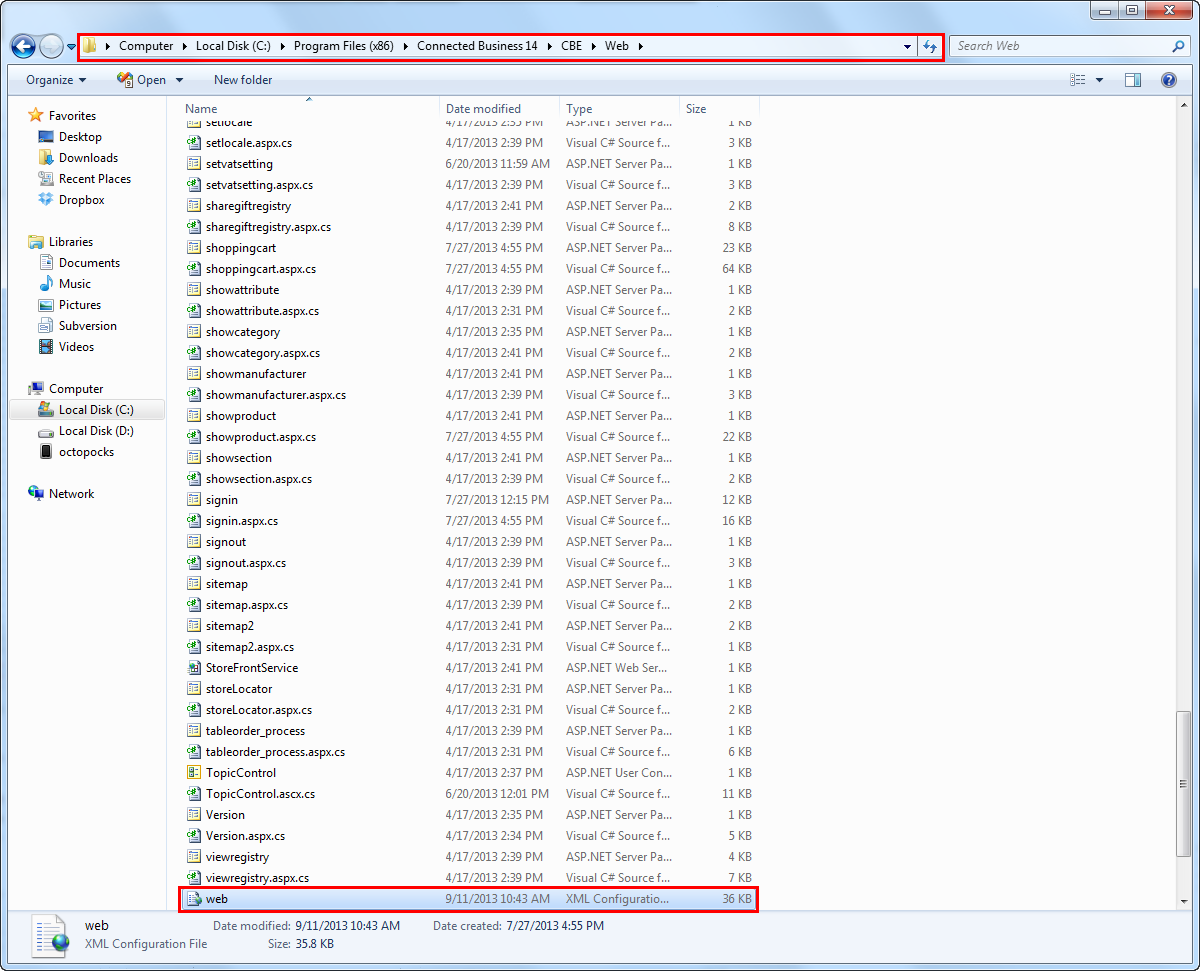
Click Image to Enlarge
- Right-click on the web.config file and open with Notepad.
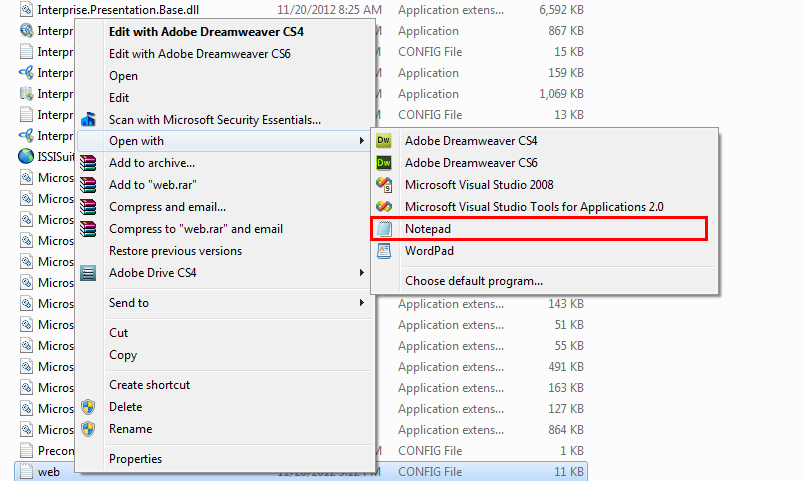
Click Image to Enlarge
- The web.config properties will be displayed in the Notepad application. Press Ctrl+F and key in "timeout" as search keyword to look for the timeout property of your webstore.
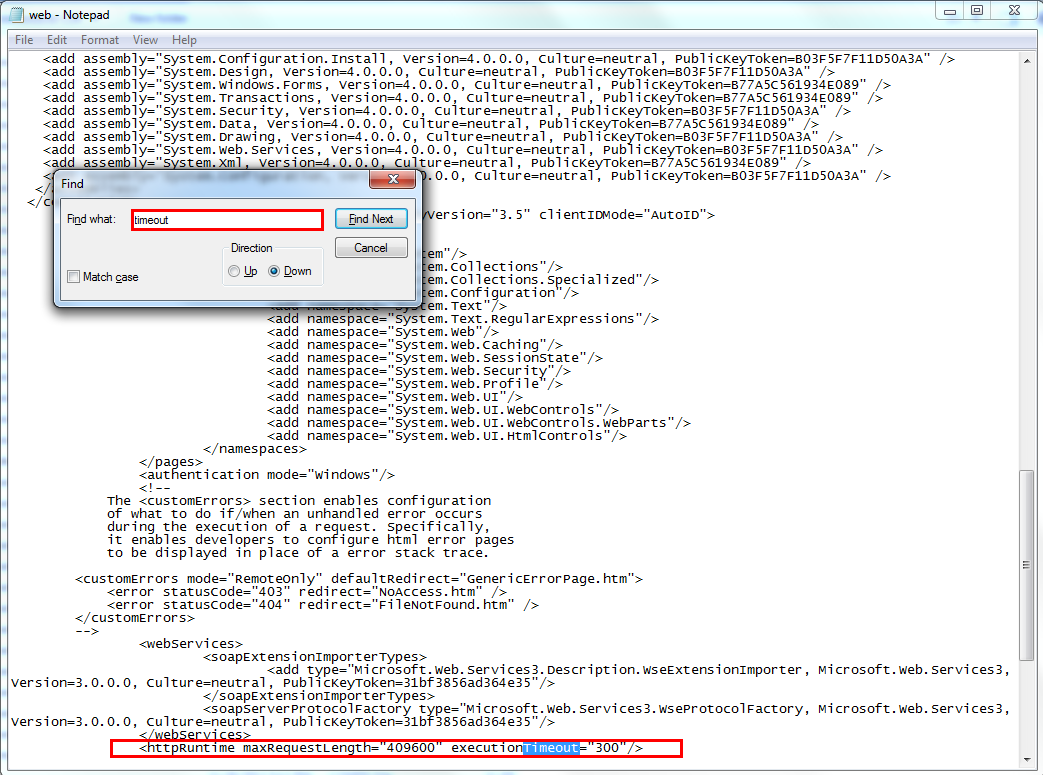
Click Image to Enlarge
- Modify the timeout property value amount as needed. Save the file to apply changes.

The session expiration timeout property in the web.config file is expressed in minutes.