
Modify Properties Of Existing Stored Procedures
Learn how to modify existing stored procedure by following these steps:
Steps
- Go to the System Manager module.
- Select Customize > Data Dictionary button from the menu. The Data Dictionary form will display.
- The Database Objects List on the left lists all tables, views and stored procedures (from your existing system views and tables as well as custom views and tables created in the data dictionary).
- To modify an existing stored procedure,
- Select the stored procedure under the Stored Procedures folder in the Data Dictionary Objects List. The stored procedures are listed in alphabetical order. You can search for the store procedure in the list by typing in the first few letters of the stored procedure name in the System Stored Procedure folder.
- In the Script tab, modify the properties of the selected stored procedure.
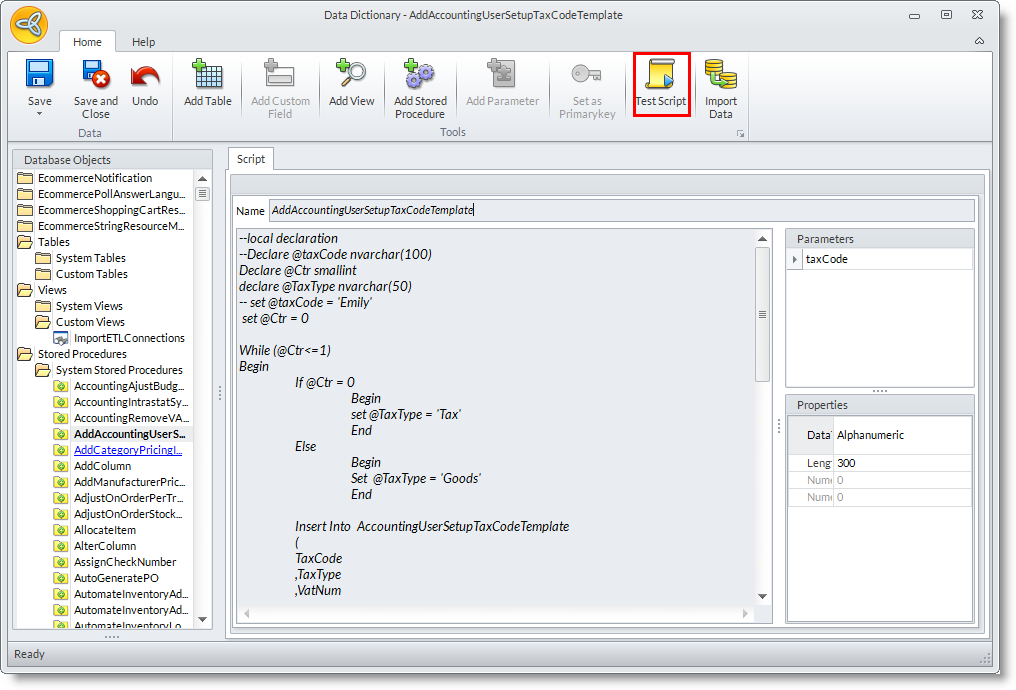
- Click on the Test Script button to exceute the command in the Connected Business database.
