
Manage Back Orders
The Allow Back Order option, available in Supplier and Purchase Order forms, enables you to create back order or individual Purchase Orders created for a particular supplier. When this option is checked on any Supplier form, it will automatically apply on the Purchase Order form for the selected supplier.
Allow Back Order Option in the Supplier form
To do this,
- From the Supplier module, click Supplier ► Find Supplier. Select an active Supplier from the Supplier Details tab.
- On the Supplier form, tick the Allow Back Order checkbox.

When you create purchase orders for the selected supplier that allows back order, the checkbox will be automatically enabled on the purchase order.
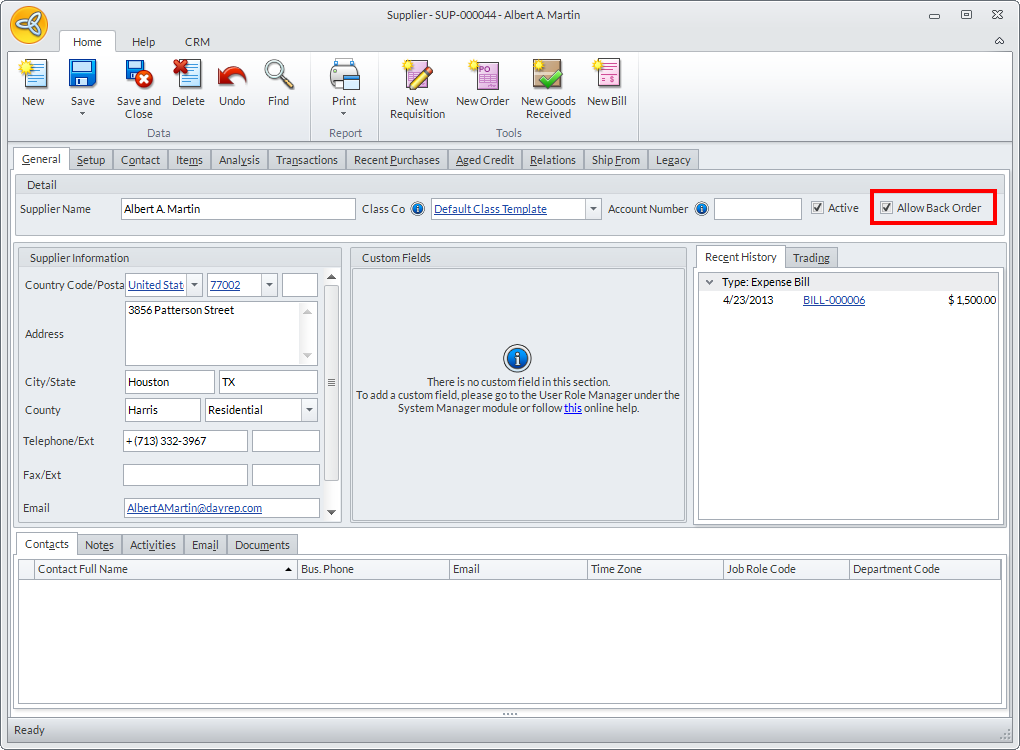
Click Image to Enlarge
Allow Back Order Option in the Purchase Order form
To do this,
- Go to Supplier module ► Purchases ► New Purchases. Select an active supplier on the list.
- On the Purchase Order form, tick the Allow Back Order checkbox.

Click Image to Enlarge
- Click Save and Close.
In Connected Business 14, you can create a Goods Received form when you receive the items from the supplier. If the quantity is fewer than what is indicated in the purchase order form, the Purchase Order will remain open and will be labeled as partially filled. You can create another Goods Received form using the Purchase Order once the back order arrives.
To learn more about this process, consult our documentation on How to Process Partially Fulfilled Orders.
Disable "Allow Back Order" Option
Untick the Allow Back Order option in the selected Supplier form or on the Purchase Order form.
When Allow Back Order option is disabled on both Supplier and/or Purchase Order forms, any modifications on the quantity of items received on the Goods Received form e.g. less than or equal to the outstanding quantity from the purchase order will automatically considered as completed by the system.
No more pop-up forms that will ask for any confirmation. Thus, you will have no partial purchase orders in your purchase order records.

Click Image to Enlarge