
Maintain Supplier Debits and Credits
This section will discuss on how to maintain supplier debits and credits in Connected Business. You may view the records on who are given refund checks, view history of the supplier debit memos and credit memos as well as set the set the debit and credit memo on hold.
Debit and credit memo can be voided as long as no allocations has been made. Otherwise, you cannot void the debit or credit memo.
Steps
VIEW HISTORY OF SUPPLIER DEBIT MEMO AND CREDIT MEMOS
- From the Supplier Module, select Debit Memo > Find Debit Memo. The search screen of debit memos and credit memos will display.
- Select a debit memo or credit memo in the list to display the Debit Memo form.

SET THE DEBIT MEMO OR CREDIT MEMO DOCUMENT ON HOLD
You can set the debit memo / credit memo document on hold through the:
A. Debit Memo / Credit Memo form
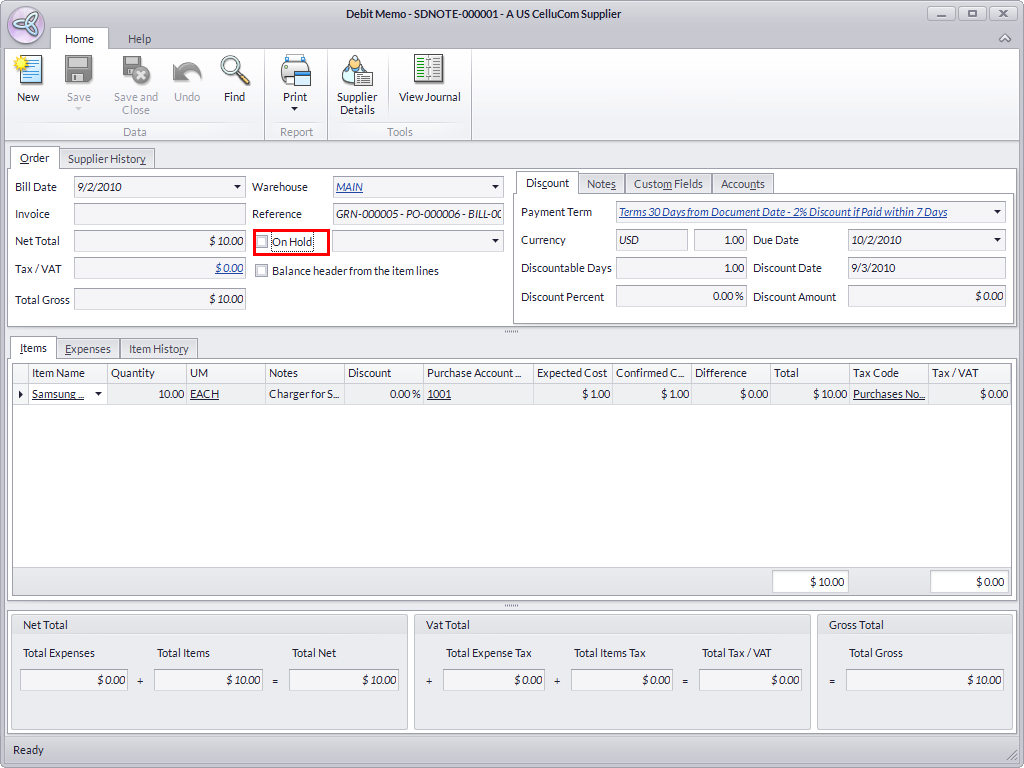
- In the Order tab of the Debit Memo form, tick the On Hold checkbox.
- Then enter notes in the Reason field.
- Save the details before closing the form.
B. Supplier detail form
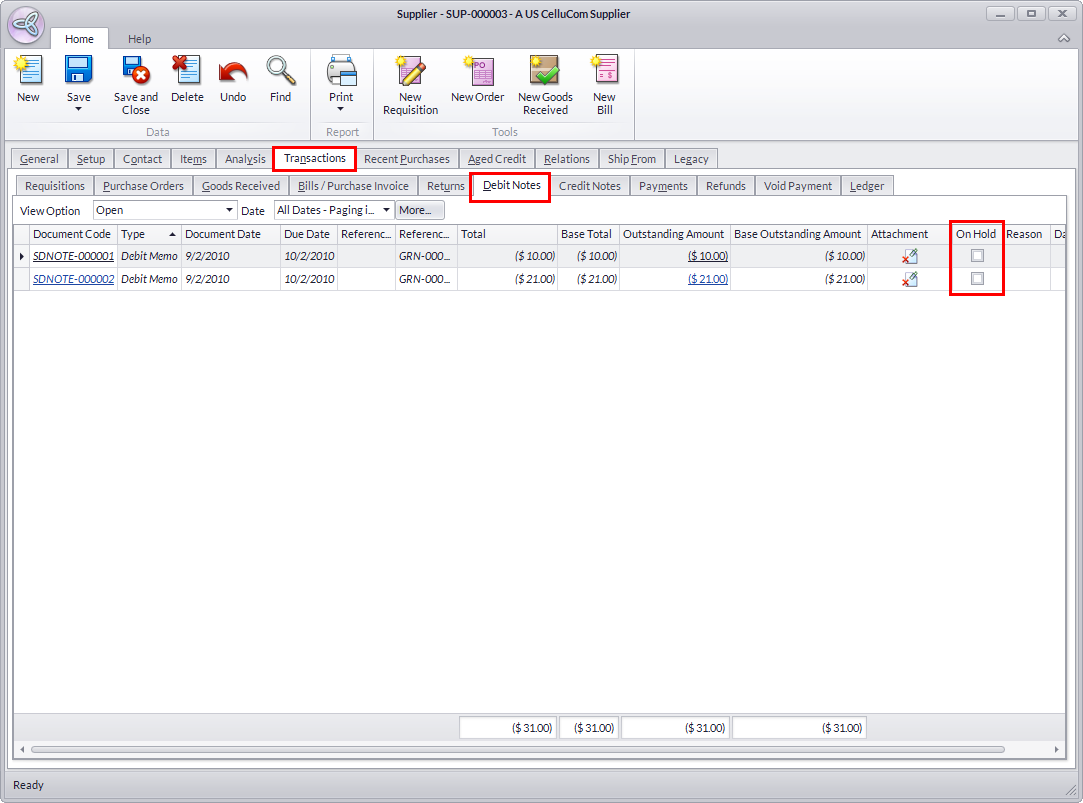
- Select Find Supplier under the Supplier drop down list. The supplier search screen will display.
- Select the supplier in the list to display the Supplier detail form.
- Click on the Transactions tab.
- Click on the Debit Memo tab to view the debit memo and credit memo documents of the supplier.
- Select the debit memo or credit memo in the list to put on hold and tick the adjoining checkbox.
- Enter your notes in the Reason column.
- Save the details before closing the form.
VIEW ALLOCATION OF SUPPLIER DEBITS AND CREDITS
- From the Supplier Module, select Payment > Find Payment. A search screen of supplier payments and posted allocations is displayed.
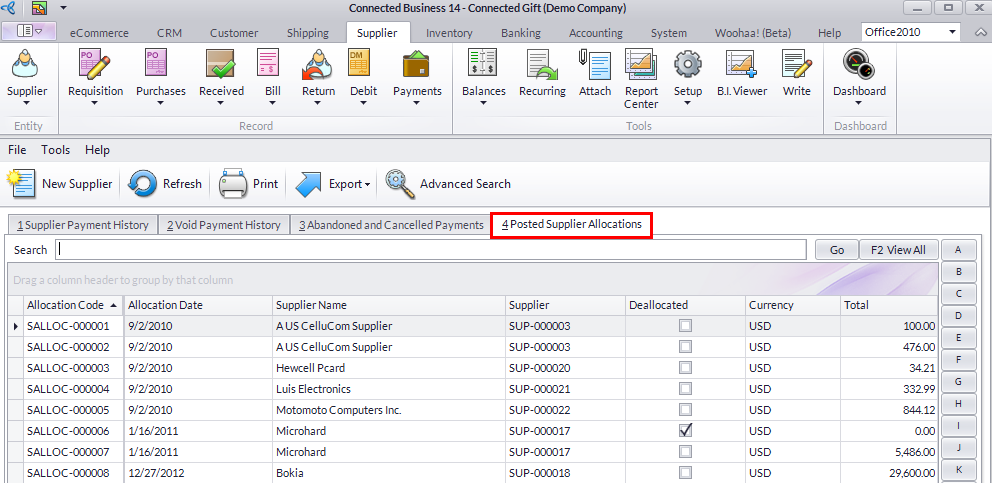
- You will find the document allocations in the Posted Allocations tab.

You may record a refund check if in case the supplier had agreed upon giving you a refund check. You can record the refund instead of raising a debit note for the supplier.