
Maintain All Accounts
|
Content
|
|---|
The User Account option in the System Manager is provided for the admin user (or any one who has enough access rights). The User Account menu item allows you to create and modify user accounts.
The My Account option is provided for the user currently logged in to Connected Business to maintain his account information and preferences to Connected Business. The user may modify his account information excluding his assigned user role.
Maintain User Accounts
- From the System Manager module > Accounts > User Accounts.

- The User Accounts list screen will be displayed.
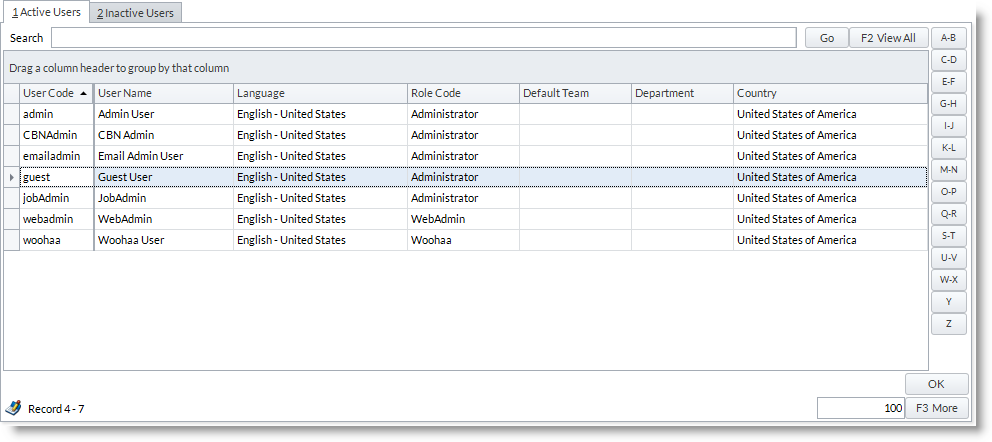
Select the account you want to view or modify to display the User Account form - Modify the necessary information from the General tab. View emails and location logs through the Email and Signed-In Location tabs.
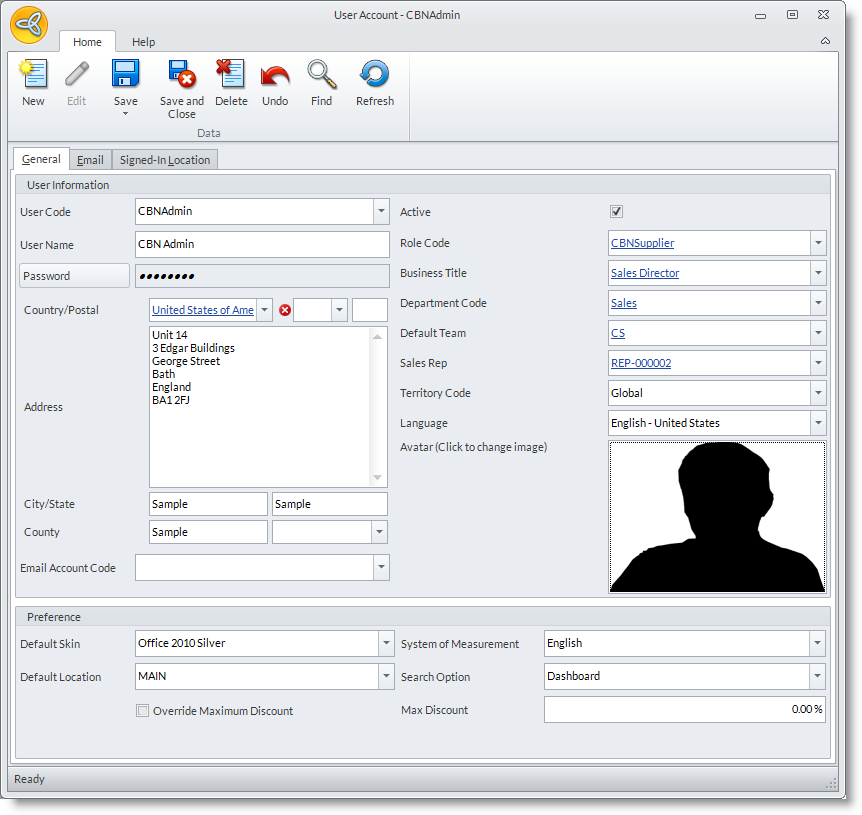

See More: Manage Emails | Set-up User Account Information

Maintain My Accounts
- From the System Manager Module > Accounts > My Account.

- The User Account form for your account will be displayed. Modify the necessary information from the General Tab; view the details you need from the Email and Signed-in Location tabs.
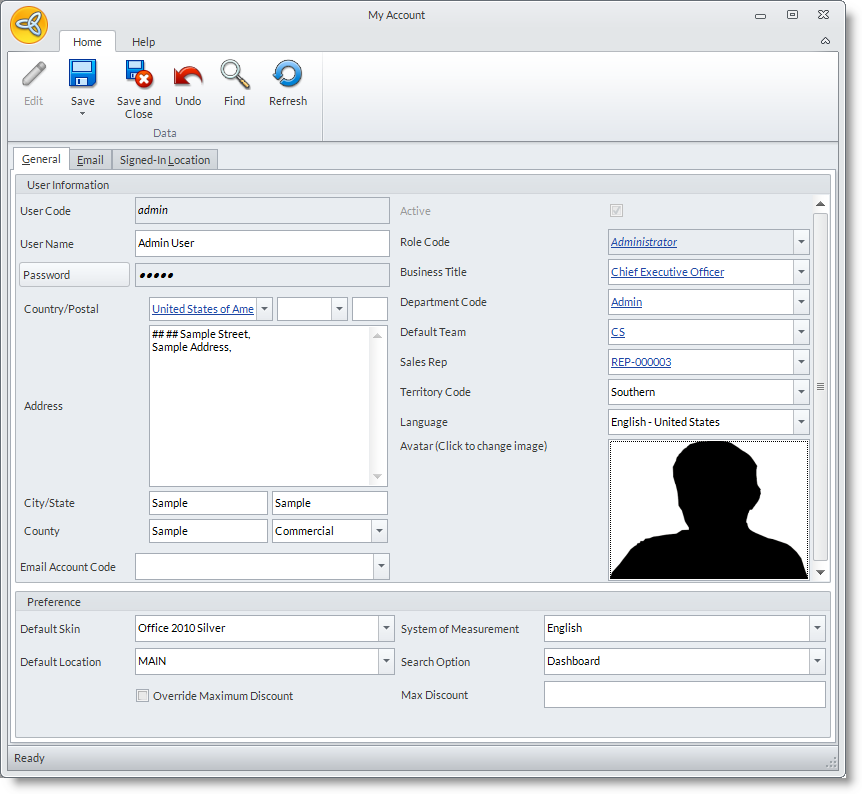
See More: Manage Emails | Set-up User Account Information