
Get SSL Certification
SSL (Secure Sockets Layer ) is a protocol that ensures secure connection between the web and web server. It allows confidential information such as credit card info, data transfer, logins, etc. to be transmitted securely online.
To establish site credibility and security, you must have an SSL certificate installed in the web server. An SSL certificate creates a secure connection between the website and your customer’s browser ensuring all the data transmitted in between remains private and secure, It also prevents hackers from stealing private information such as credit card numbers, names, account logins, etc. Most businesses use SSL Certificates to secure their websites , allowing customers to place trust in them.
Generate Certificate Signing Request (CSR)
Certificate authorities need a Certificate Signing Request (CSR) to create SSL certificates. A CSR is a server-generated block of encrypted text which contains information that will be included in your certificate such as your common name,organization name, locality, and country. It also contains the public and private key which are created at the same time the CSR is created.
To generate a CSR,
- Open the Microsoft Internet Information Services (IIS). Go to Start > Run and enter inetmgr. The IIS Manager window will be displayed.
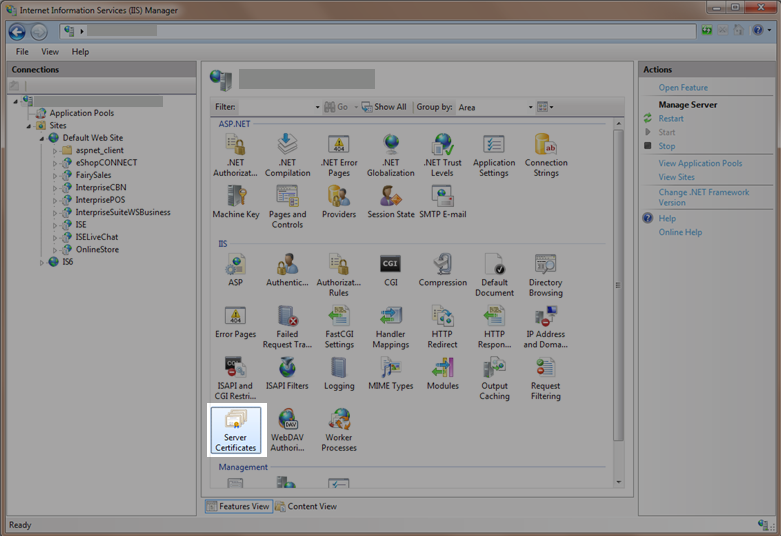
- Click on the Server Name and from the menus displayed, select Server Certificate icon. The Server Certificates page will be displayed with all the existing certificates on the server.
Click Image to Enlarge
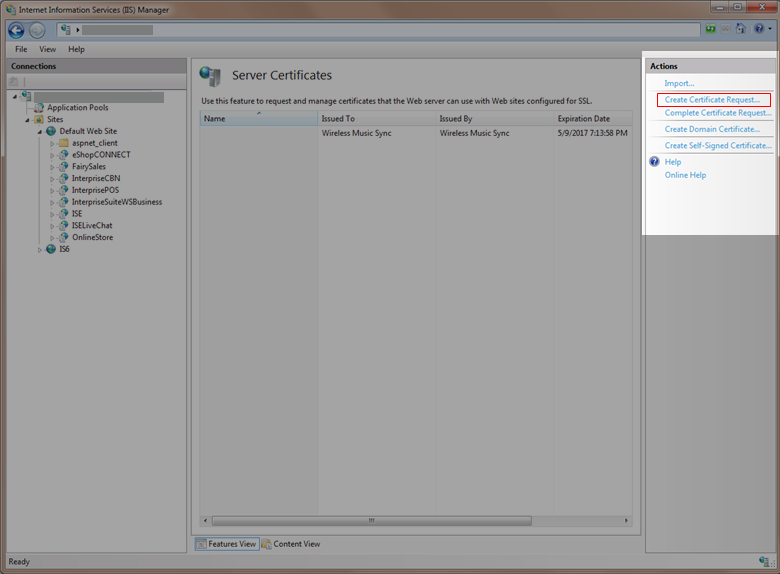
- In the Actions section, select Create Certificate Request.
Click Image to Enlarge
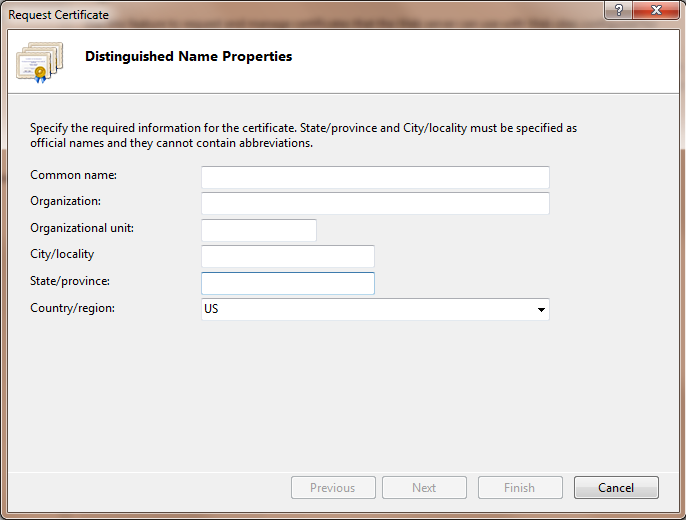
- Enter the information for your certificate. Note that all fields are required. The Common Name is the address which users type when they access the website (www.yourwebsite.com). After filling all the required fields, click Next to continue.
Click Image to Enlarge
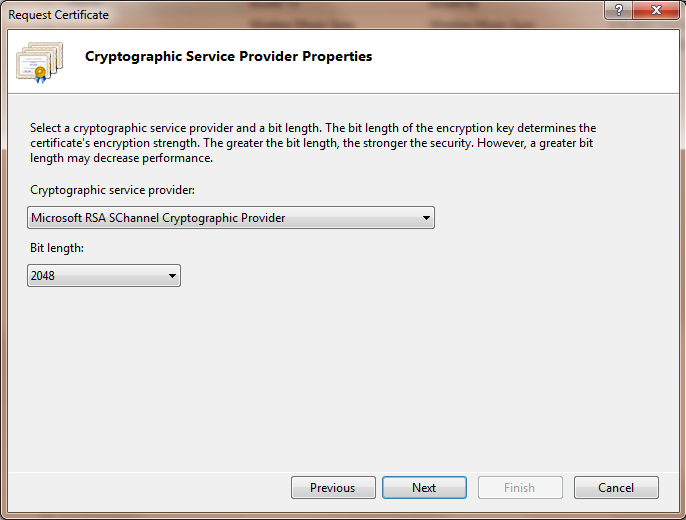
- Select the Cryptographic service provider and the bit length (2048 bit or higher is recommended). Click Next.
Click Image to Enlarge
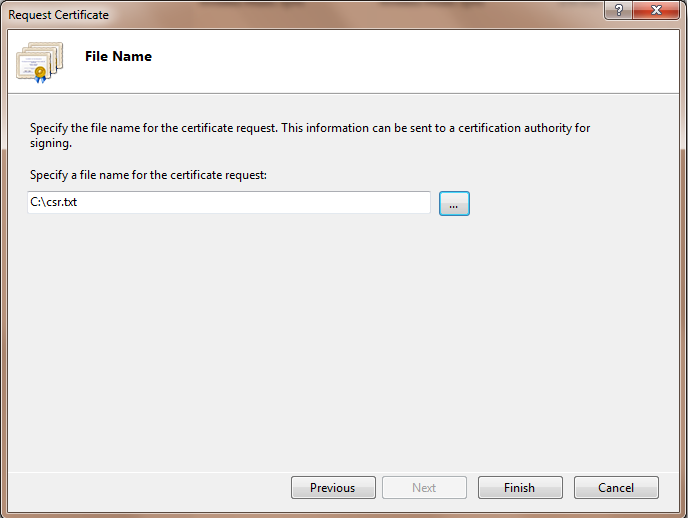
- Click the ellipsis button to select a location where you want to save the csr file or just enter the location path directly. Click Finish.
Click Image to Enlarge

Install SSL Certificate
To install the SSL Certificate,
- Open the CSR file and submit it your preferred SSL certification authority.
- Once your information is validated, the SSL certification authority will send you the certificate.
- Copy the certificate somewhere in the server.
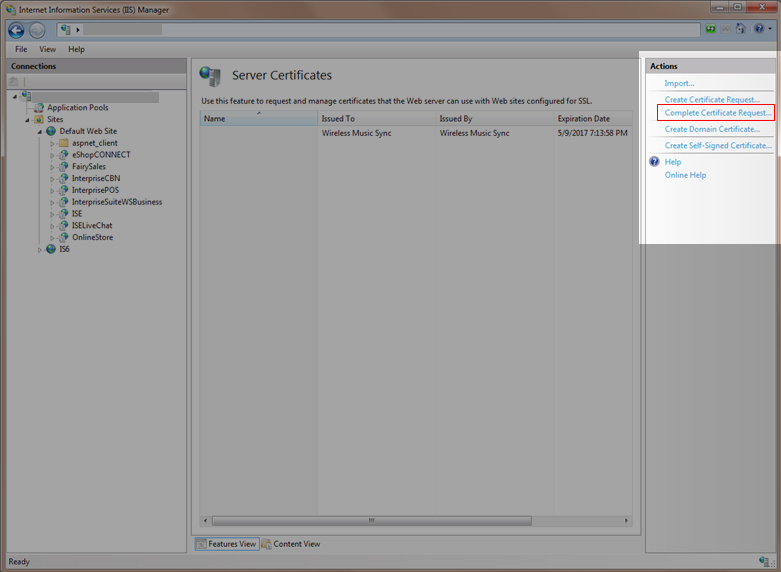
- Open the IIS Manager and go to the Server Certificates page. In the Actions section, click Complete Certificate Request.
Click Image to Enlarge
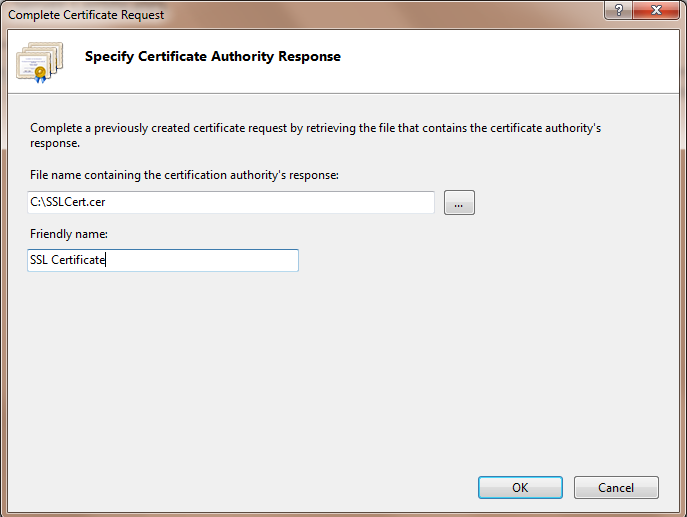
- Enter the filename containing the SSL certification or click the ellipsis button to locate the SSL Certification.
Click Image to Enlarge
- You can enter a friendly name for the certificate to keep track of this in the server. Click OK once done.
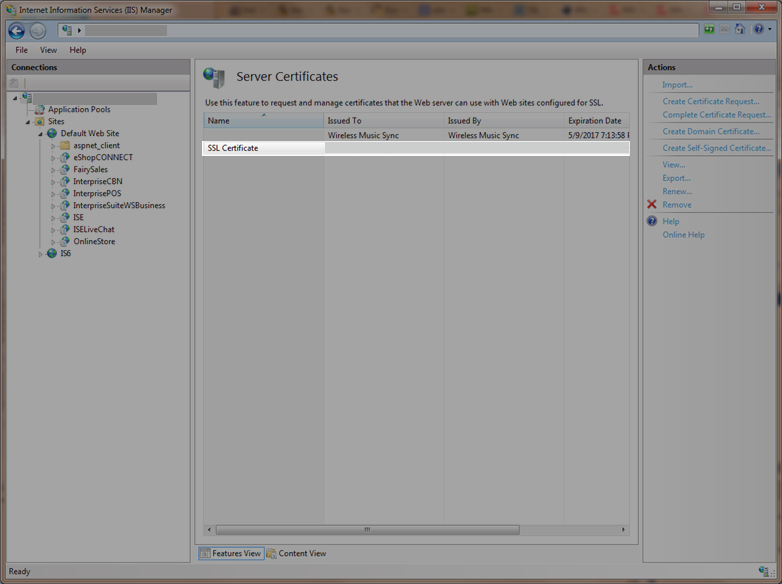
- You will see the newly installed SSL certificate in the list.
Click Image to Enlarge