
Enable Product Availability Notification
Having product availability notifications requires you to first access the eCommerce Application Configuration in order to enable the feature.
To do so,
- From the eCommerce Module > Setup > Application Configuration.
- The AppConfig form will be displayed. Key in "notify" in the search bar to display results related to webstore item notifications.
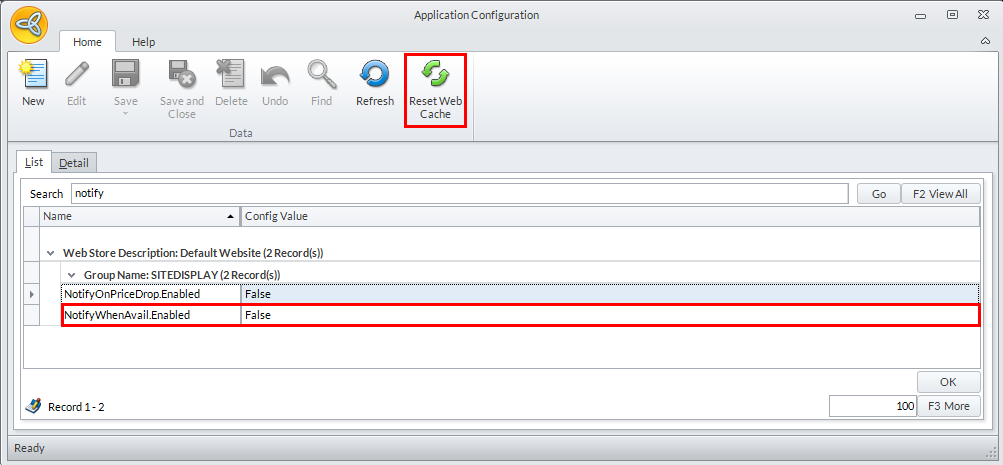
Click Image to Enlarge
- Double-click the NotifyWhenAvail.Enabled parameter and modify its Config Value to True to enable product availability notification in the webstore.
- Click Reset Cache and afterwards, Save and Close to apply your changes.
- You will find in your webstore that items that are out of stock will have a message that says "You will be notified when this product is back in stock".