
Create News
Connected Business allows web admins to place news articles as a part of their webstores.
To do so,
- From the eCommerce module, go to News > New News. The News form will be displayed.
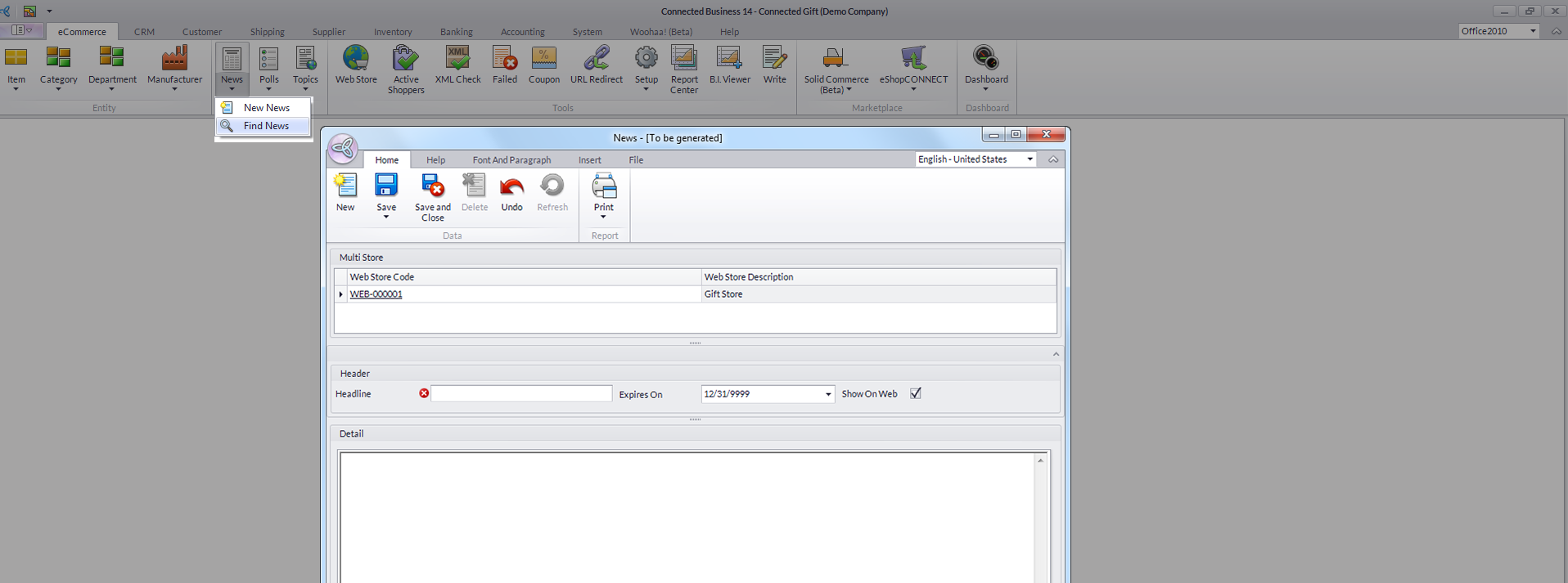
Click Image to Enlarge

If you have multiple webstores, make sure that the webstore selected is the one appropriate for the news you are to publish.
- Enter the news Headline and Expires On date in their corresponding fields, tick the Show on Web checkbox, then write the news content in the Detail section.
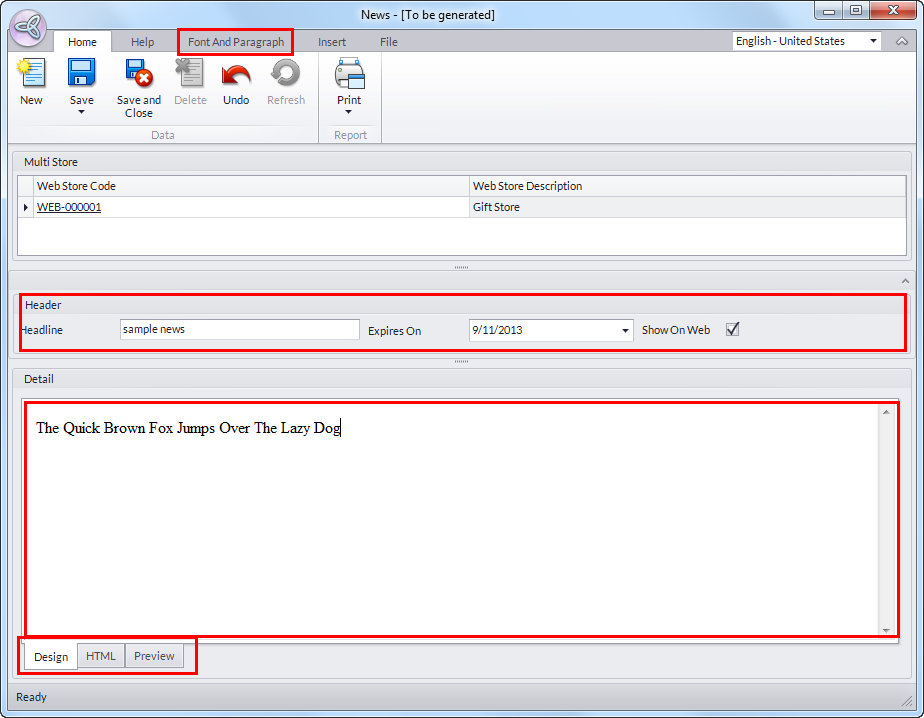
Click Image to Enlarge
You can format your news content via the Font and Paragraph tab from the menu bar as well as the Design and HTML tabs in the Detail section.
- Click Save and Close to apply your changes and publish your news on your webstore.
News item links will be displayed in the webstore. Click on these to view the entire news article.
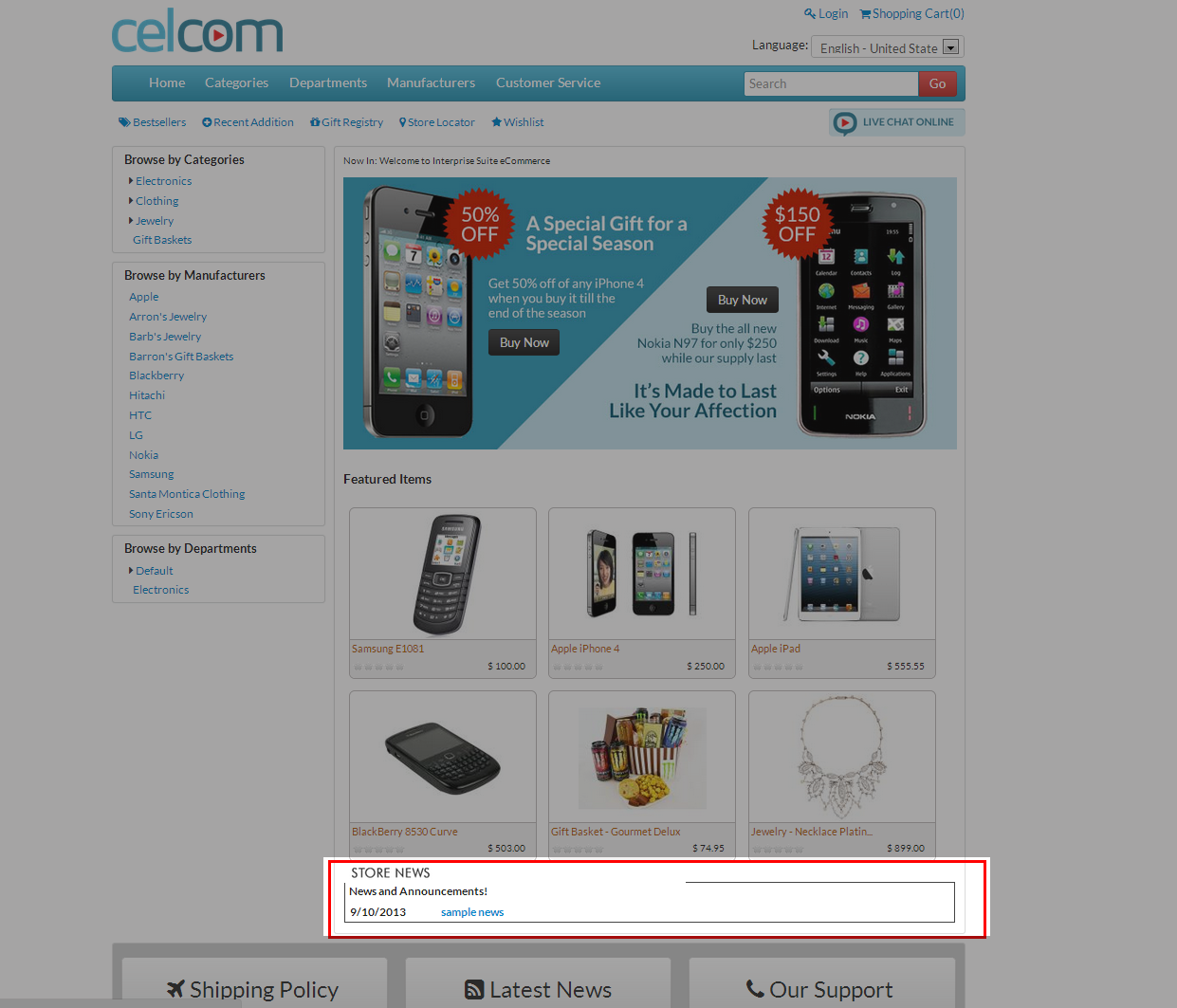
Click Image to Enlarge
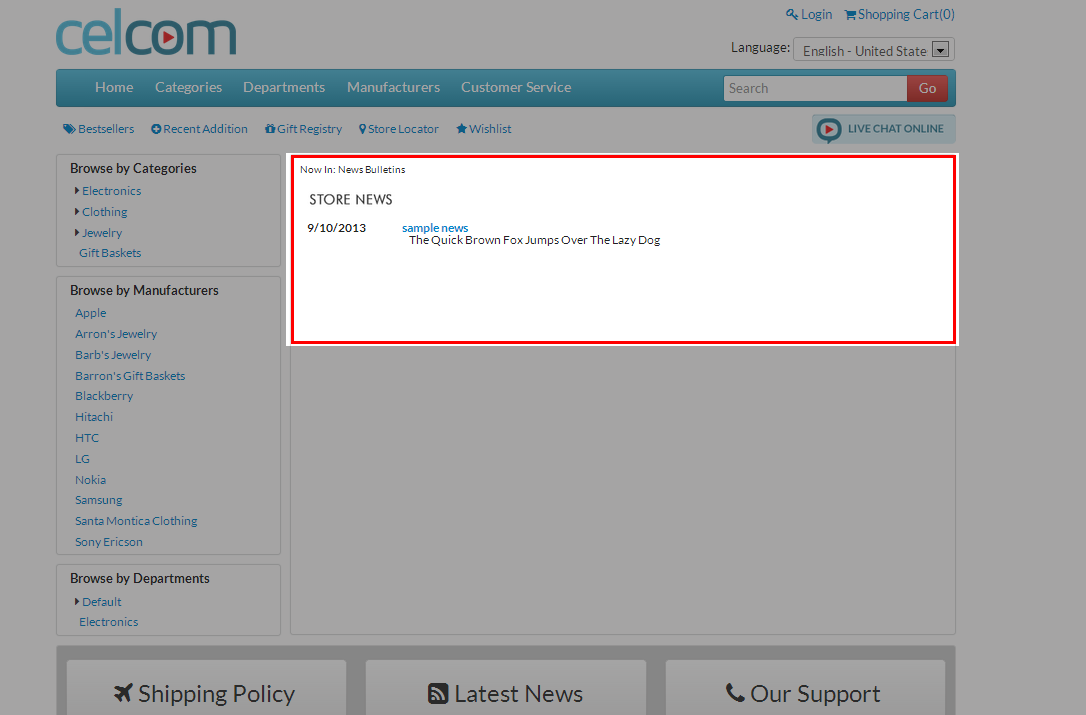
Click Image to Enlarge