
Create Matrix Attributes
This article will demonstrate how to create matrix attributes in Connected Business. Attributes are a set of values used to define or describe item properties in Connected Business.
To create matrix attributes,
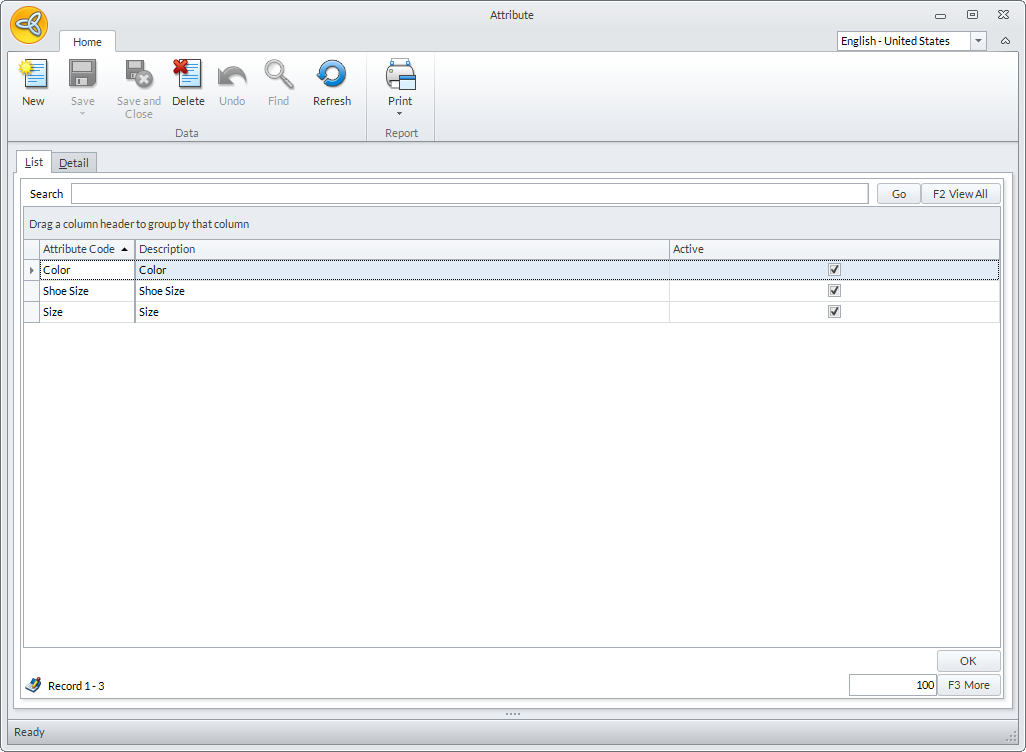
- Go to Inventory module > Setup > Matrix Attribute. The Attribute form will be displayed.
Click Image to Enlarge
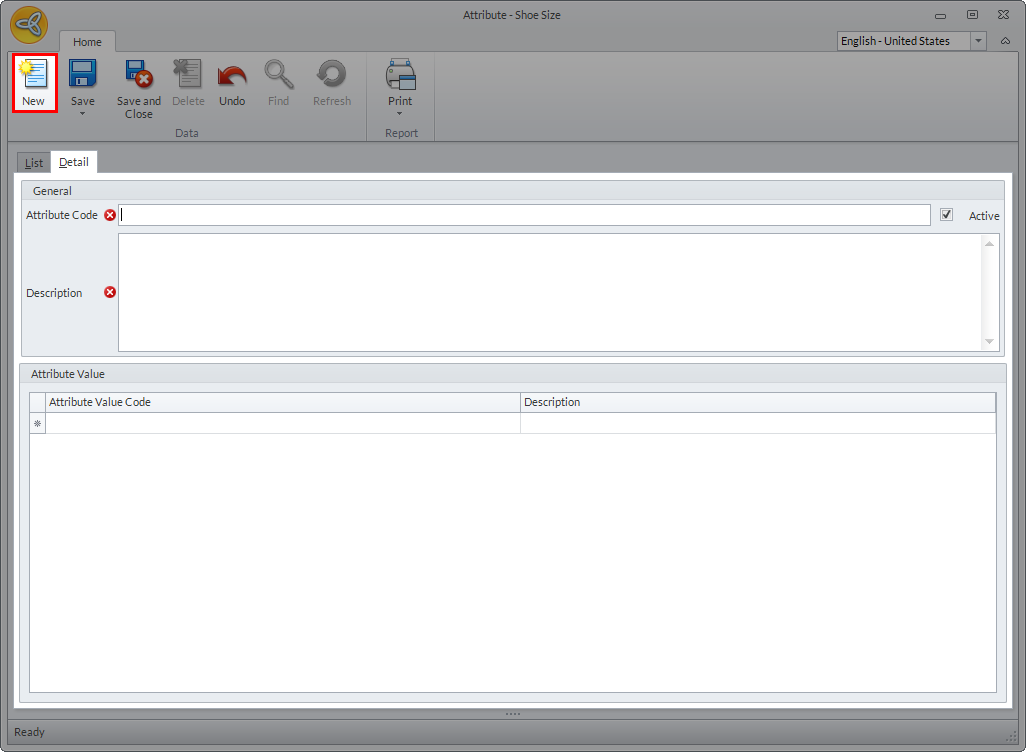
- Click New. The Detail section of the Attribute form will be displayed.
Click Image to Enlarge

The attribute is automatically set to Active by default.
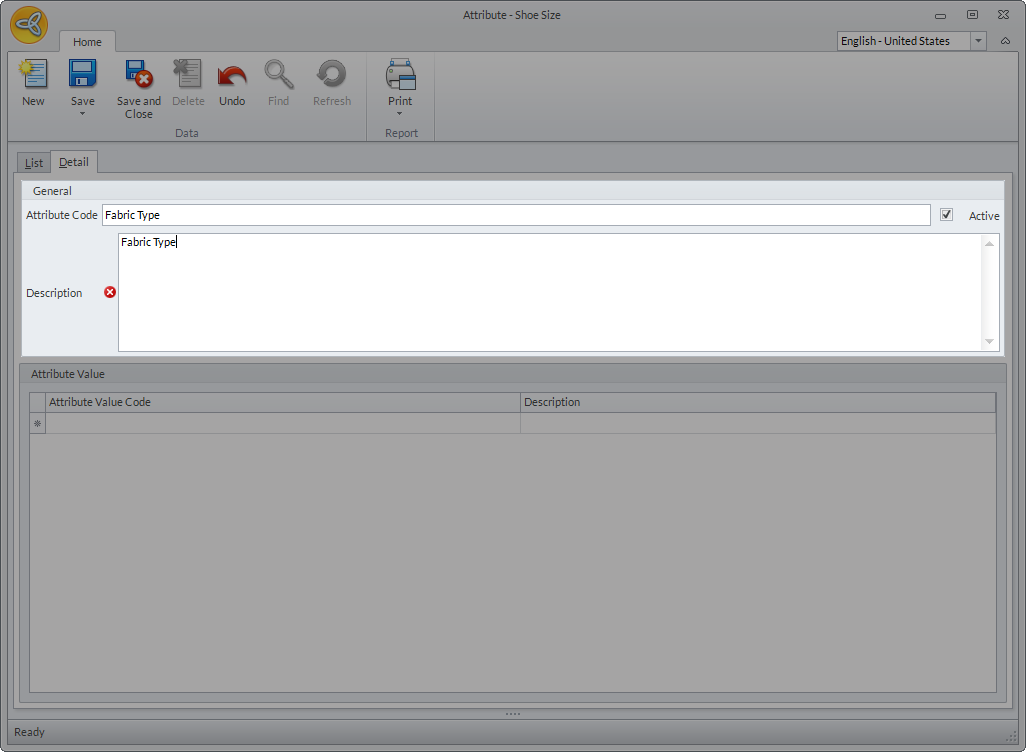
- In the General section, enter the details for the Attribute Code and Description.
Click Image to Enlarge
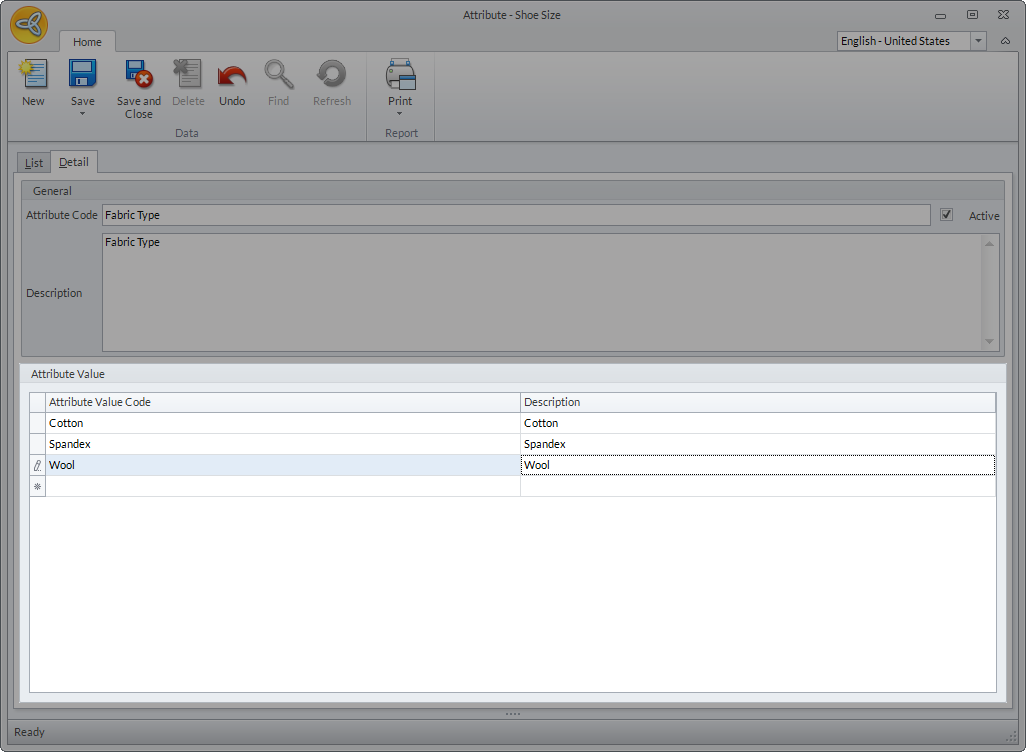
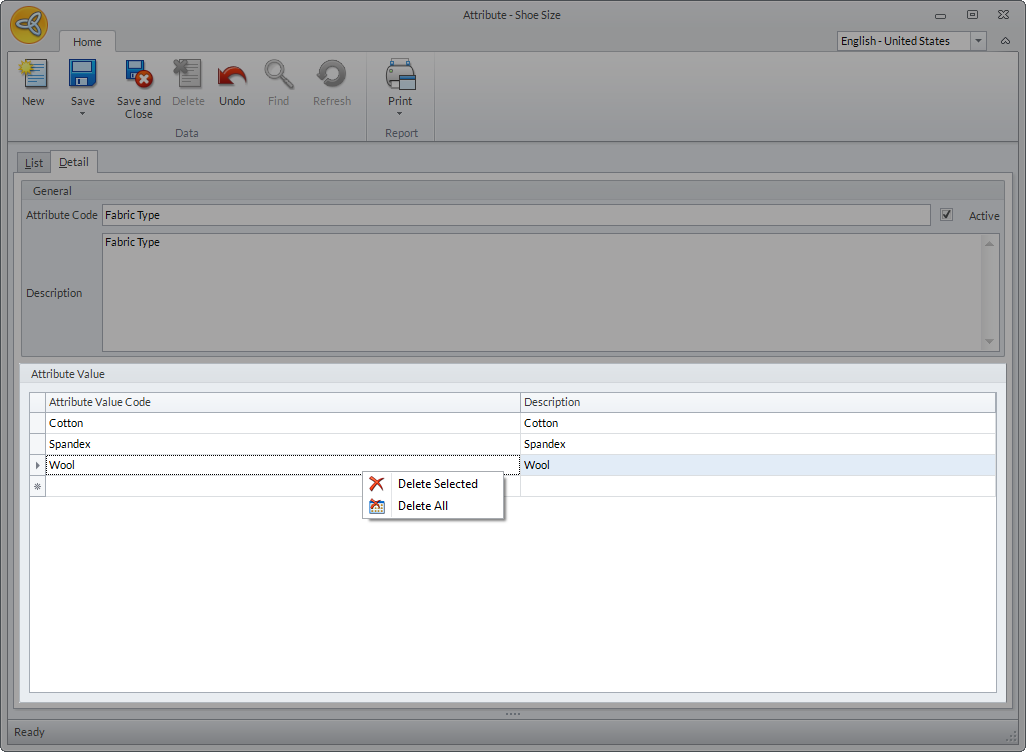
- In the Attribute Value section, enter the values for the attribute.
Click Image to Enlarge
If you want to remove a specific attribute value, right click on the attribute name then select Delete Selected or if you want to remove all attribute values, select Delete All.
Click Image to Enlarge
- Click Save or Save and Close to save the new attribute.