
Content Editor
The Content Editor feature allows you to automatically change the look and feel of your website without needing to learn a line of code. It is a cross-browser and cross-platform application that does not require additional program installation.
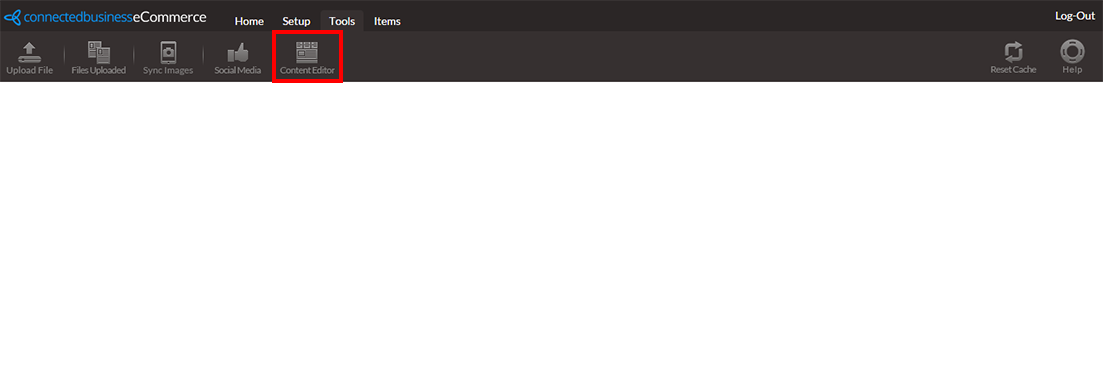
To access the content editor, go to Web Admin Panel > Tools. Click on the Content Editor button located in the menu bar.
Click Image to Enlarge
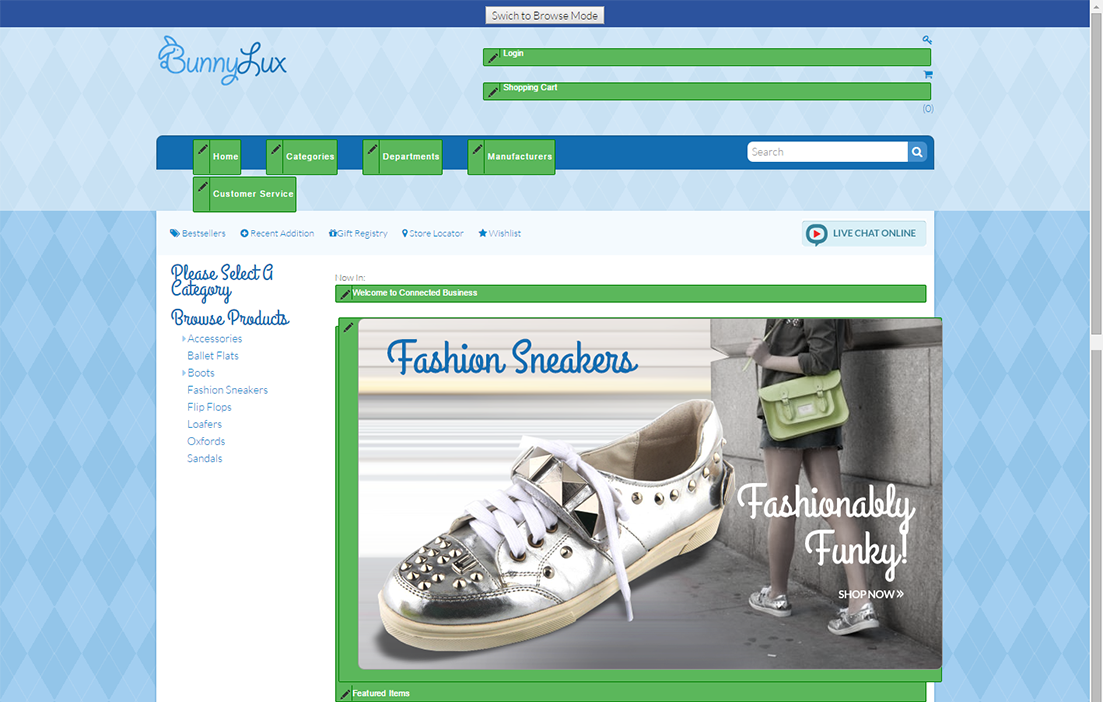
The action will open a new tab that displays your web store in Design Mode. Elements that can be edited using the content editor are marked by a pen icon.
Click Image to Enlarge
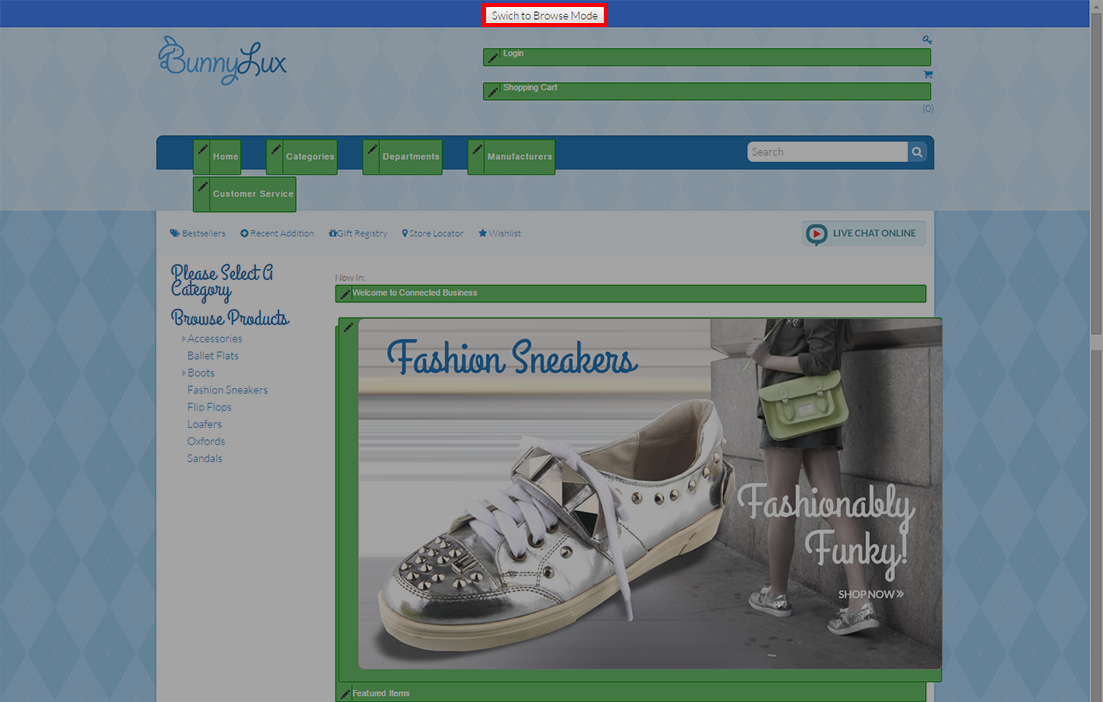
You can also toggle between Browse Mode and Design Mode to view edits. To do this, click on the button located at the top of the display screen.
Click Image to Enlarge
Edit Promotional Banner
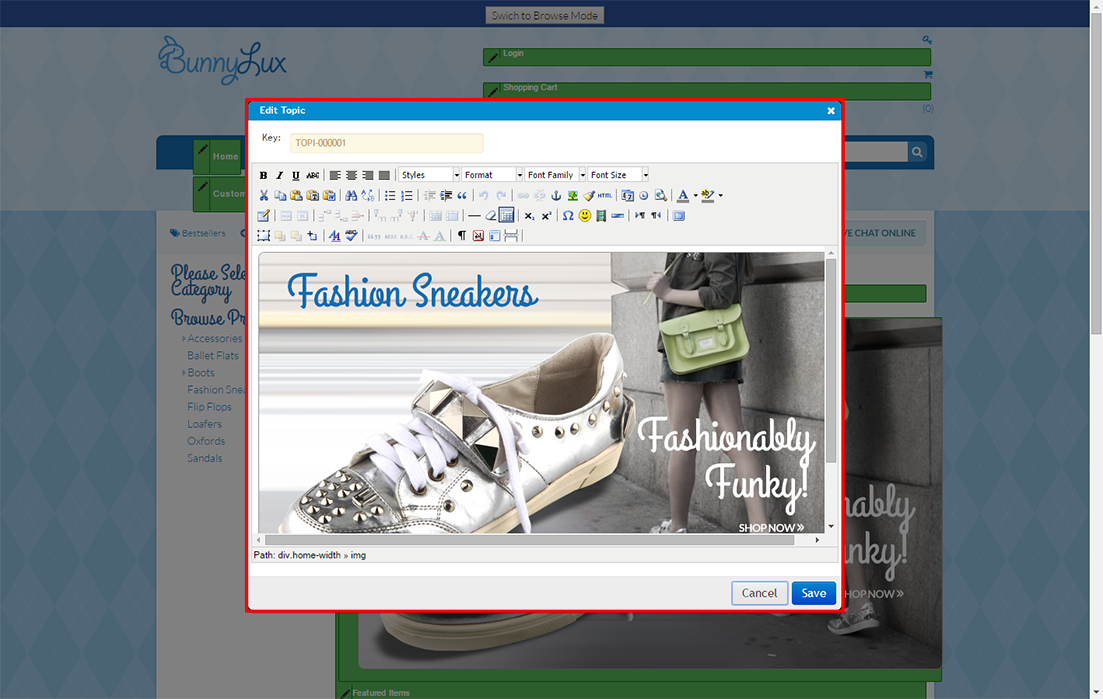
You can update the front page for seasonal sales and promotional events using a wide array of web editing tools. Click on the pen icon for the banner to launch the layout editor.
Click Image to Enlarge
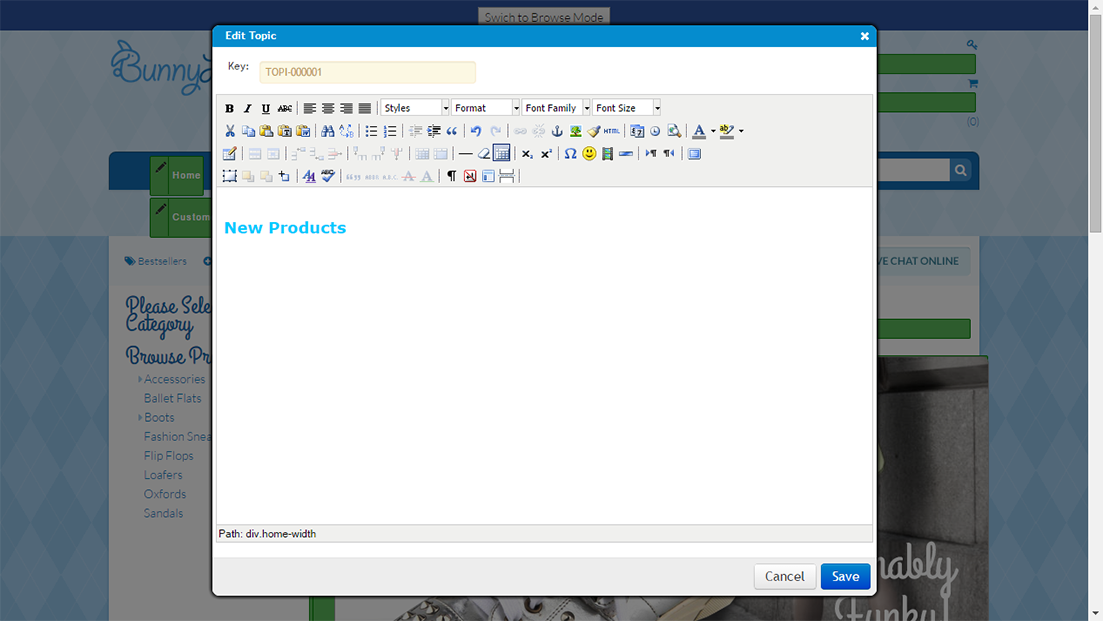
The banner editor allows you to change text format, size, font, and other elements to customize your front page content.
You can upload a pre-designed image by clicking on the image button found in the menu.
Click Image to Enlarge
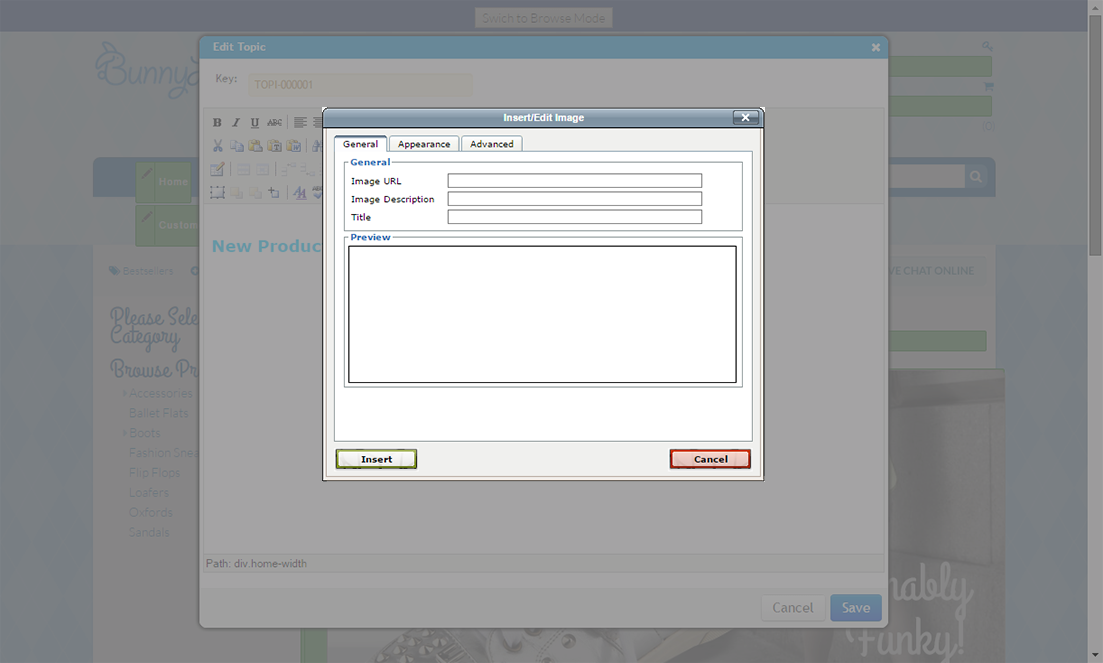
A new dialog box will appear. On the General tab, paste the web location of your image into the field labeled Image URL. You also have the option to include an image description and title for the image.
Click Image to Enlarge
The preview window shows how the image will be displayed on your site.

You can upload images to your web store by using an FTP client of your choice or by going to the web admin panel and clicking Tools > Upload File.
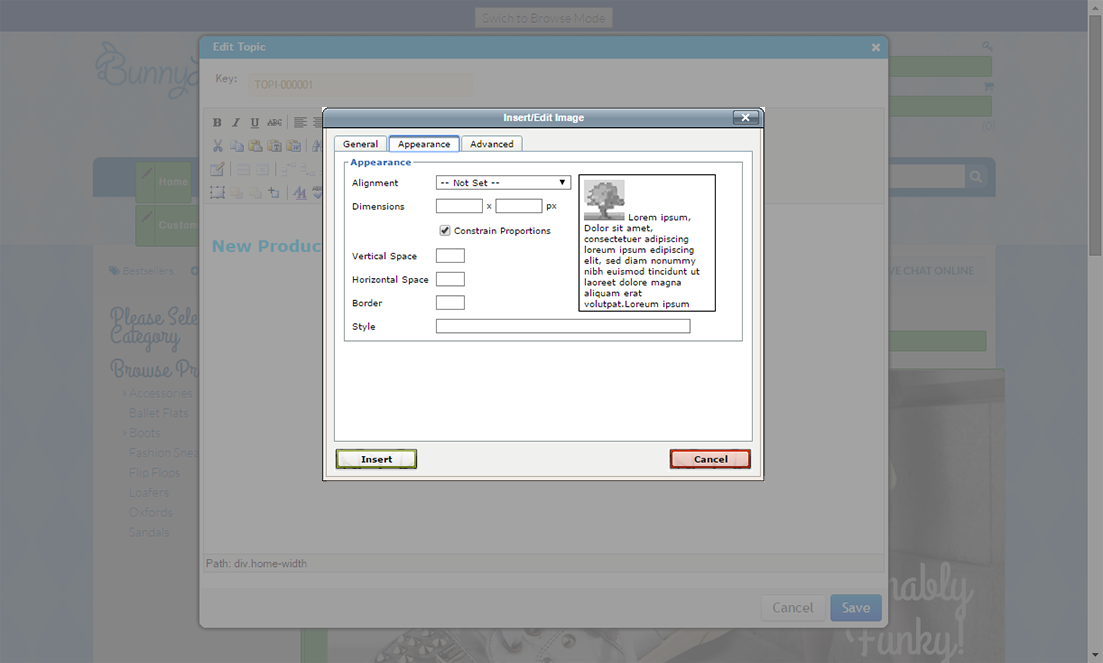
The Appearance tab allows you to control the size and layout of your image as it appears on the splash page. This tab is especially helpful if you are combining text with images for your front page promotions.
Click Image to Enlarge
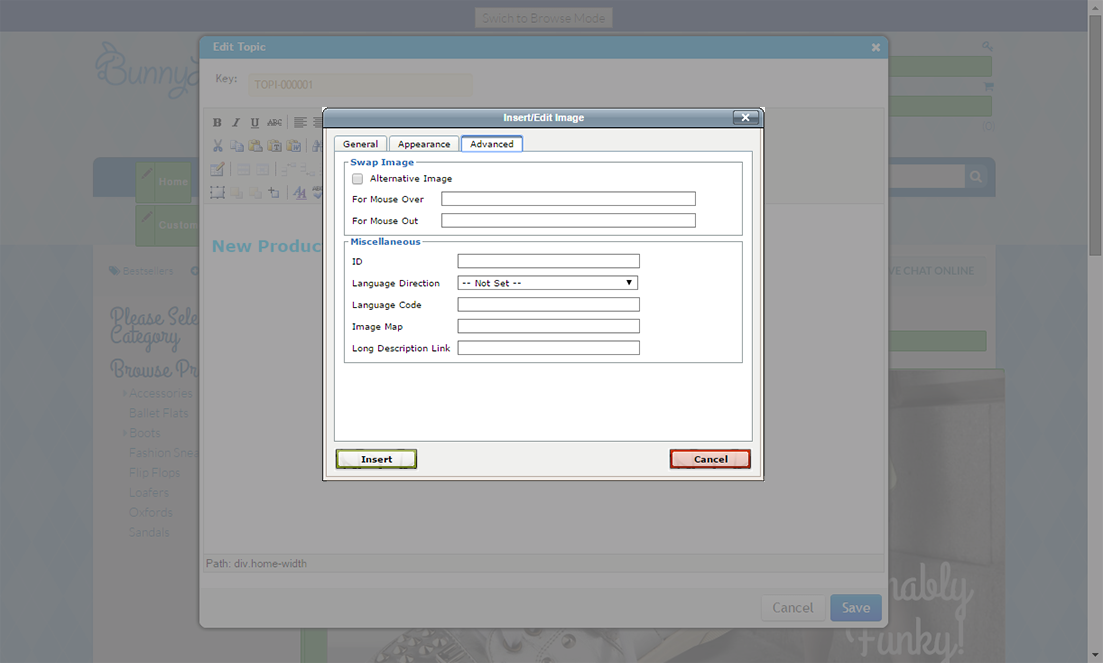
The Advanced tab includes customization options for alternate images, mouse over controls, specialized languages and more.
Click Image to Enlarge