
Configure Inventory Module Preferences
Inventory Module Preferences allows you to set up defaults for the Inventory module tasks such as default warehouse to use.
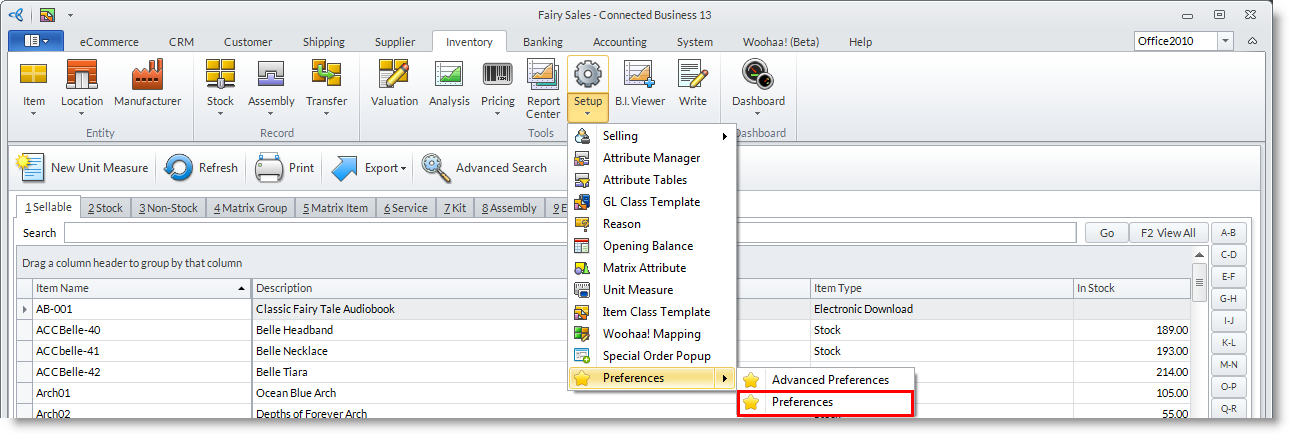
From the Inventory Module > Setup > Preferences, the Inventory Preference form will be displayed
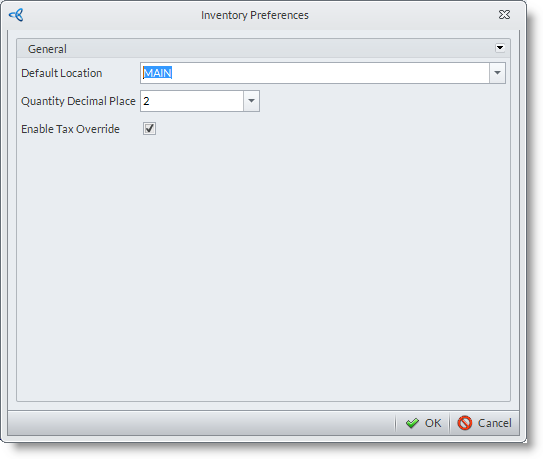
From the General tab:
Default values for new inventory items and inventory module tasks such as stock transfers, stock takes etc.
- Default Warehouse
You may select a default warehouse to use in new inventory module tasks such as stock transfers and internal movements.
See Also: Location - Quantity Decimal Place
You may set decimal places to apply to quantity values. - Enable Tax Override
When checked, the system will implement tax override across the system. Otherwise, it will get tax code form customer option.
