Batch Post Journal Entries
Overview
The accounts are updated on a batch basis through the Batch Posting Routine. The Batch Posting Wizard posts only journals from the current period and holds all transactions dated ahead of the current period in the Unposted file. Having an unposted file allows you to complete the ledger routines for a period and allows you to change periods when needed. You may use the Process Month End Routine to go through the steps you expect to accomplish before batch posting or closing the current period.
All batch postings are created PDF documents and stored in the system for auditing purposes.
Steps
- From the Accounting module, select Batch Post. The Batch Posting Wizard will display.

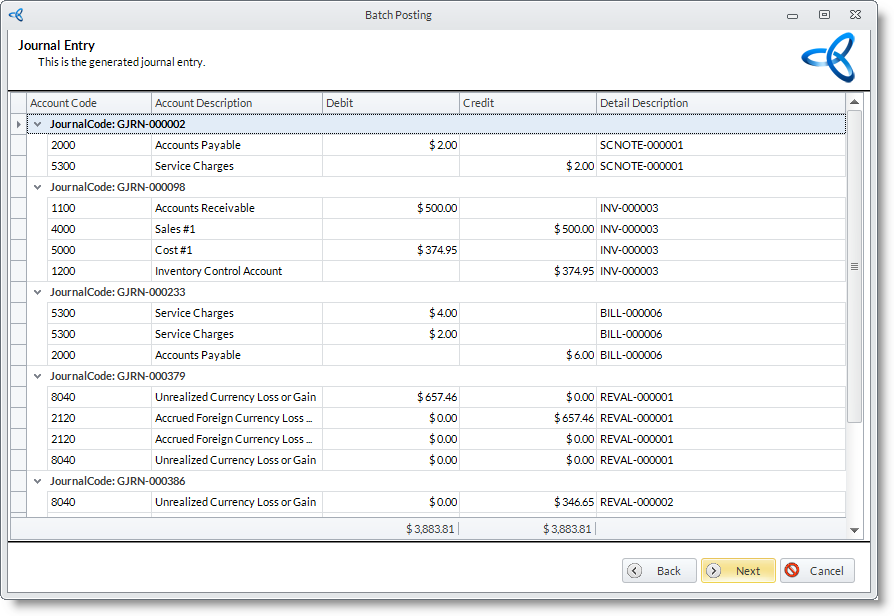
Here are the steps to the Batch Posting Wizard:
Step 1
Click Next button to start.
Step 2
The preview of the period to be posted is shown. Click Next to continue.

Step 3
Click Finish button to post the journals to the General Ledger. After a successful posting of transactions, the batch post is automatically logged for security purposes. You have the option to view and print the Batch Posting Log.