
Apply Debit Memo / Credit Memo
This section will discuss on how to apply debit memo or credit memo against the supplier outstanding balances.
Steps
- From the Supplier module, create a new debit memo by selecting Payment > New Payment. Select a supplier in the list to display the Payment form.

- Go to the Allocate tab. You will find the supplier debit memo and credit memo in this tab.
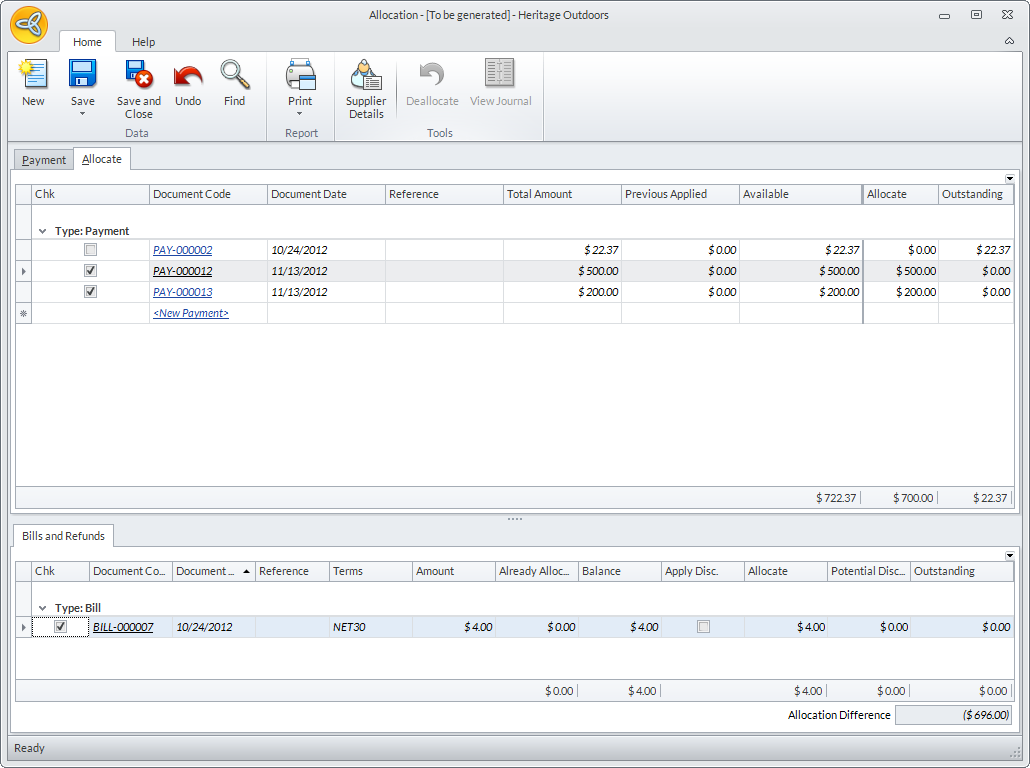
- Select the debit memo / credit memo in the list.
- Select the outstanding balance document in the Bills and Refunds tab.
- Click on the Save option from the Allocate tab to save the allocation. You will be prompted of any gain or loss.

Note that there should be no allocation difference in order to save the allocation. You can amend the value in the Allocate column in the Allocate tab. Or, select another document in the Allocate tab.
