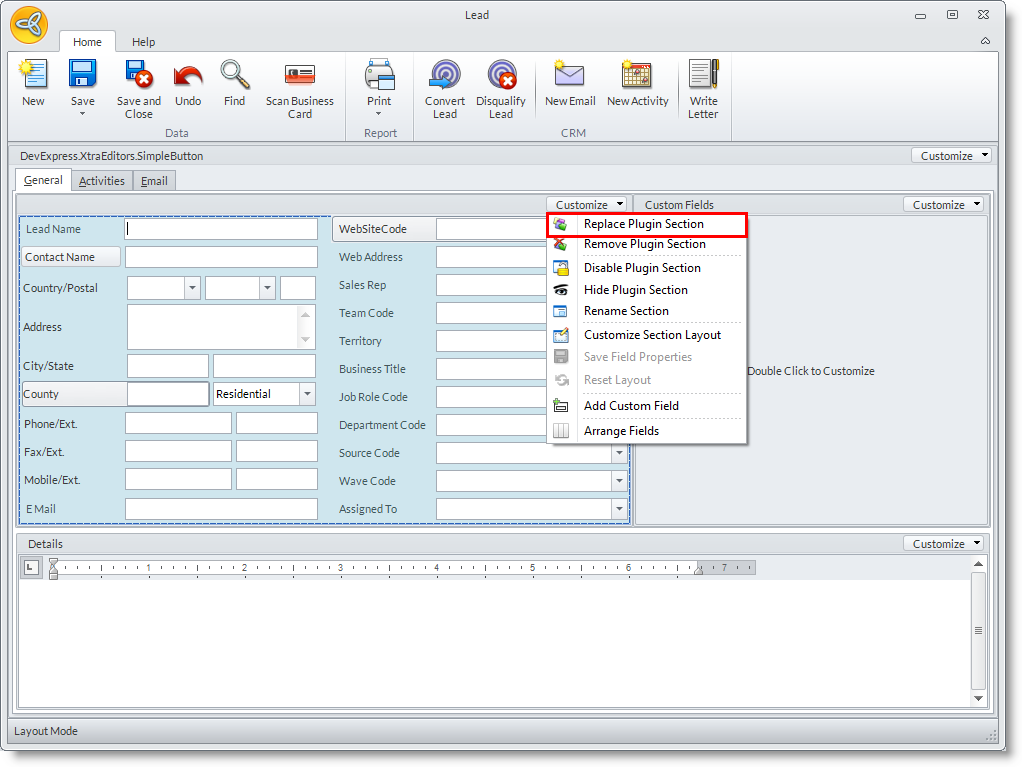
Add Plug-ins In The Form Section
|
Content
|
|---|
You can add custom plug-ins to your Connected Business forms to further customize the forms to your preferences. You can do this from the System Manager Module
Add Plug-ins to Your Forms
- From the System Manager module > Customize > Role.
The User Rolelist form will be displayed.

- You can customize the forms for specific user roles logged in to Connected Business by selecting your preferred user role from the User Role list form. The User Role form will be displayed. From here you can choose what module you wish to modify its forms. Double-click on a module to open the User Role layout form.

- There will be many forms from the Detail tab to select from.
Highlight one item from the Detail tab and click Assign Plug-in from the menu bar..
From here a list form of your installed plug-ins will be displayed. You can search and select for the appropriate plug-in to assign in your selected form.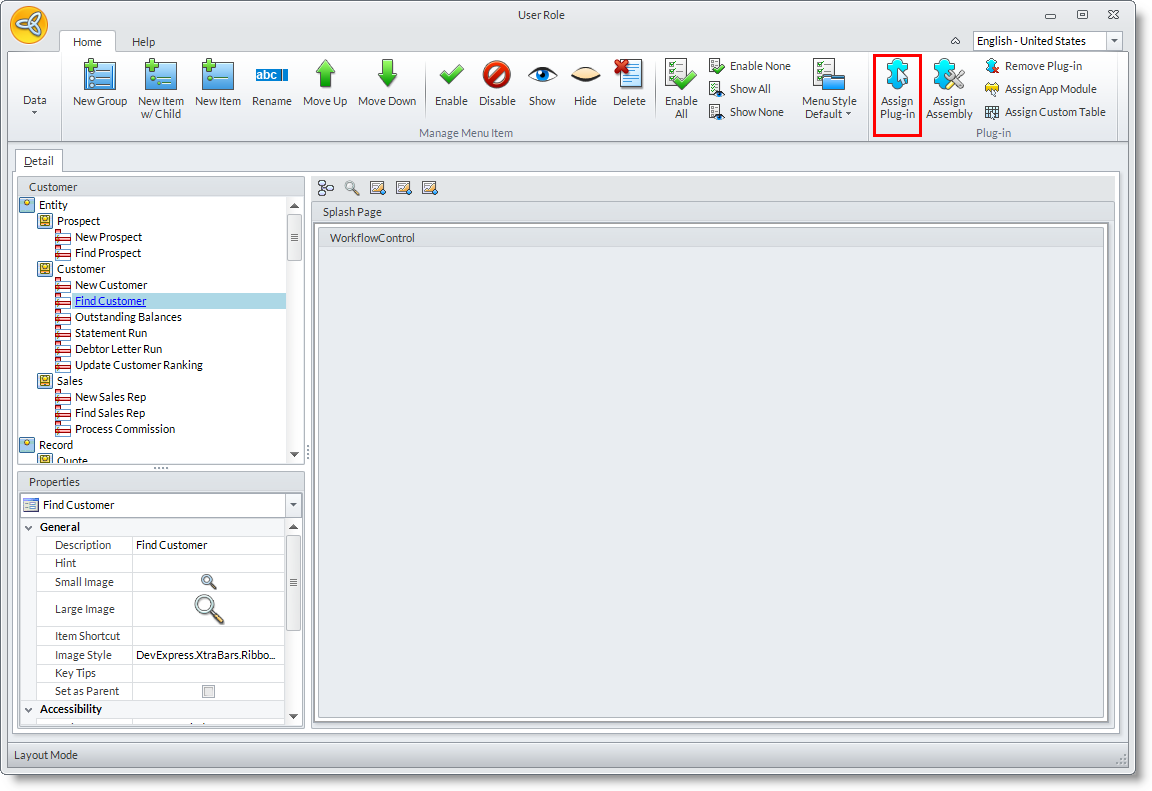
See More: Define Access of User Roles to Module Plug-ins

Remove Plug-in
- From the System Manager module > Customize > Role.
The User Rolelist form will be displayed. - The User Role form will be displayed. From here you can choose what module you wish to modify its forms. Double-click on a module to open the User Role layout form.
- There will be many forms from the Detail tab to select from. Highlight one item from the Detail tab and click Remove Plug-in from the menu bar. .
From here you will be prompted to confirm your option to remove the plug-in. Confirm by clicking Yes on the dialog box.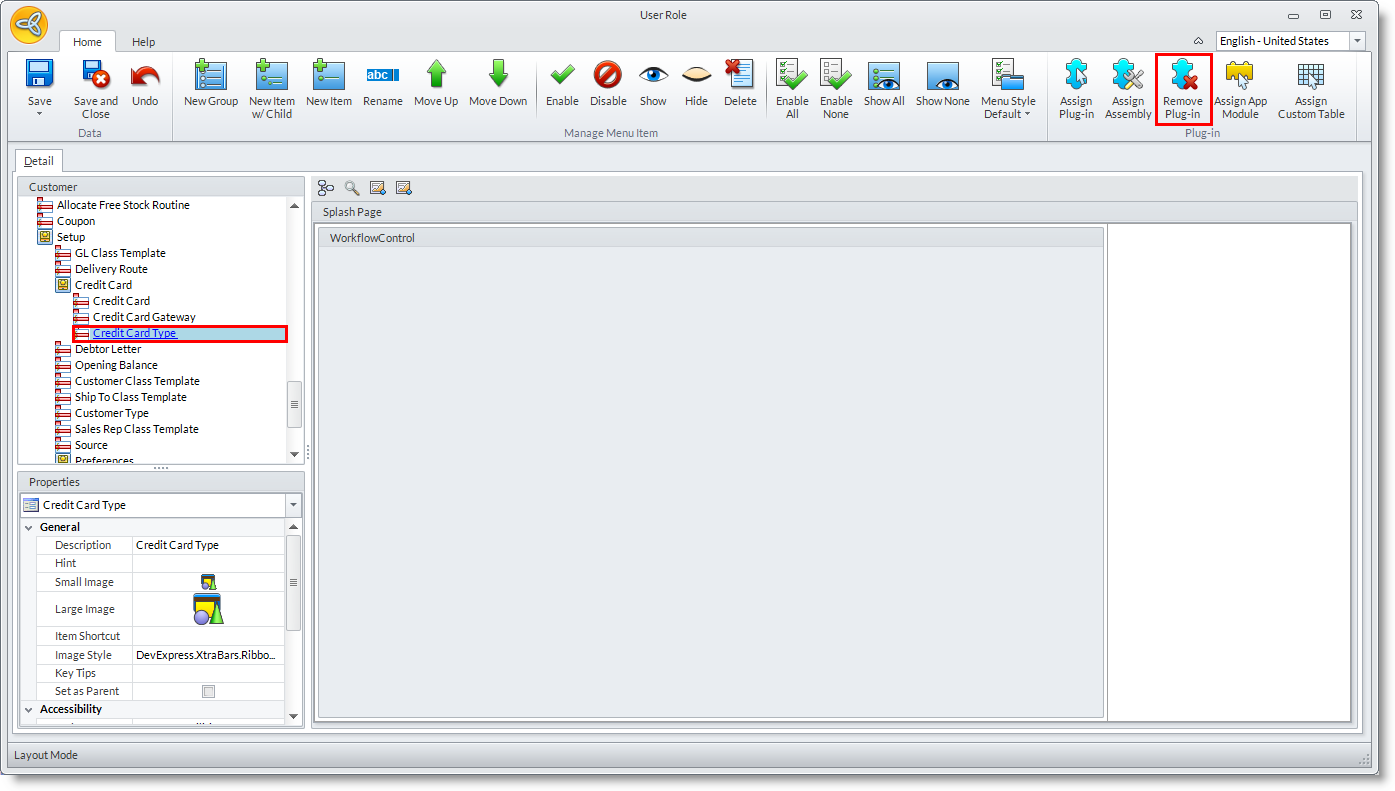
Remove Plug-in Section

Only custom plug-ins can be removed from the User Role layout form
- From the System Manager module > Customize > Role.
The User Rolelist form will be displayed. - The User Role form will be displayed. From here you can choose what module you wish to modify its forms. Double-click on a module to open the User Role layout form.
- There will be many forms from the Detail tab to select from. Double-click on one item for you to edit specific sections.
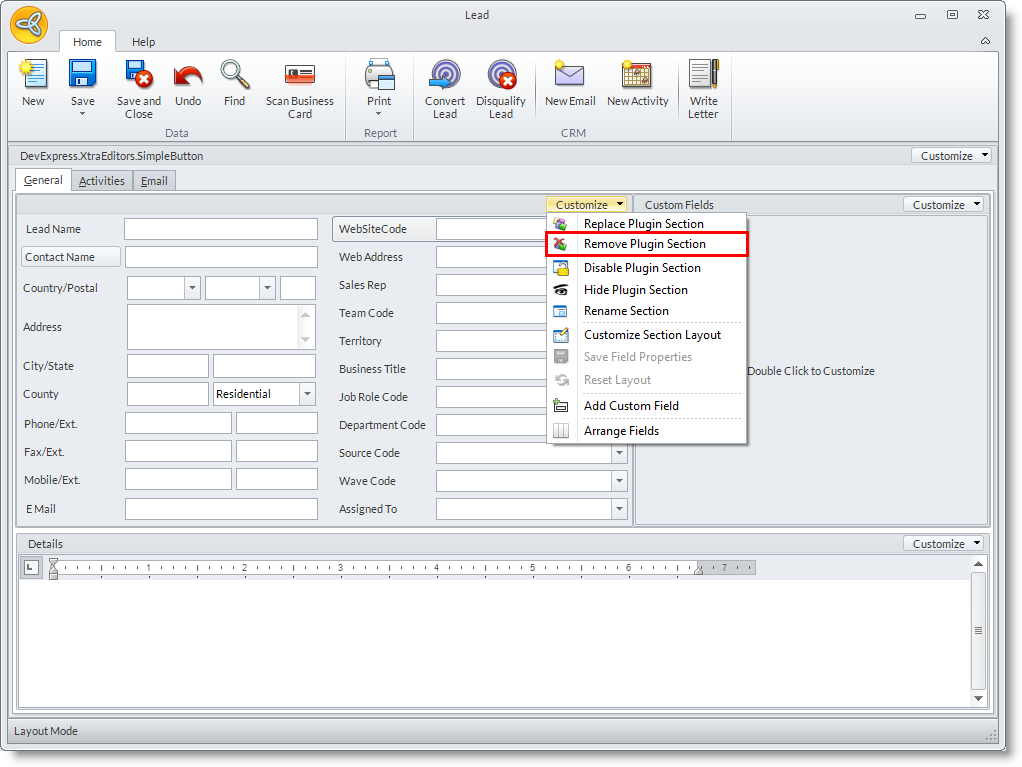
From here you may click the Customize dropdown list and select Remove Plugin Section.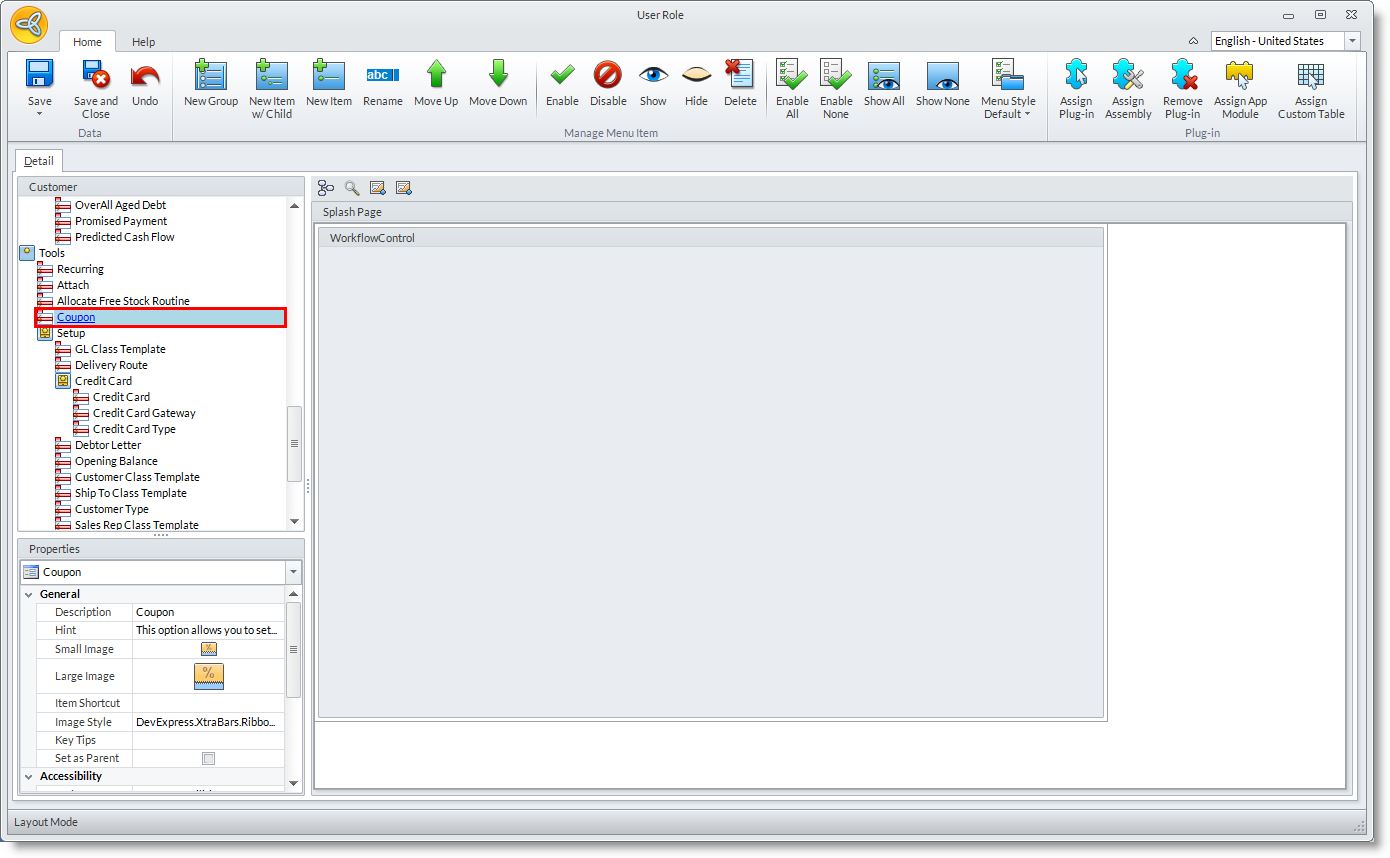
Replace Plug-in Section
- From the System Manager module > Customize > Role.
The User Rolelist form will be displayed. - The User Role form will be displayed. From here you can choose what module you wish to modify its forms. Double-click on a module to open the User Role layout form.
- There will be many forms from the Detail tab to select from. Double-click on one item for you to edit specific sections.
From here you may click the Customize dropdown list and select Replace Plugin Section.