
Online Store Ordering Process
Upon successfully registering, a customer can then browse the webstore catalog for items to purchase.
This article will discuss how to place an online order.
To order from the webstore,
- Log-in to your webstore account, select an item/s to purchase and options to click Add to Cart.
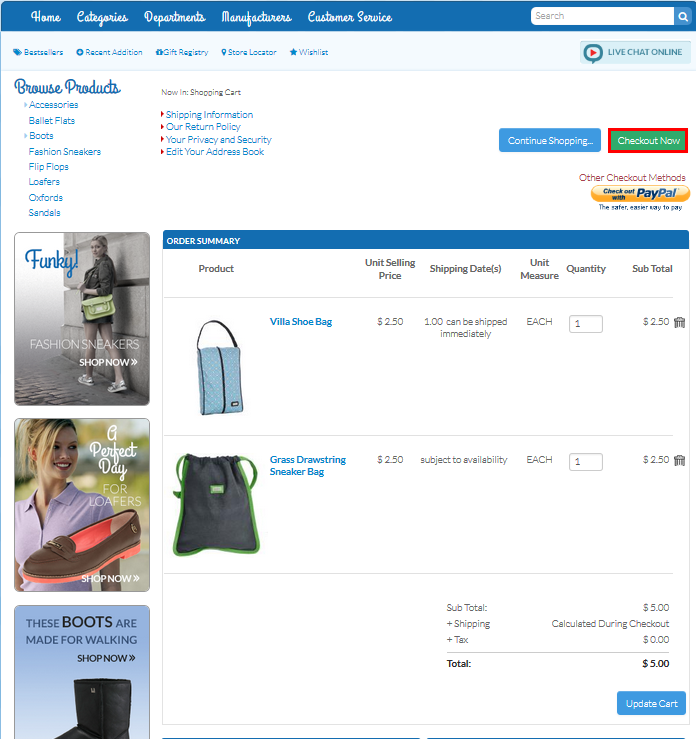
- When satisfied with your order, click Checkout Now. The Shipping Options page will be displayed.
Click Image to Enlarge
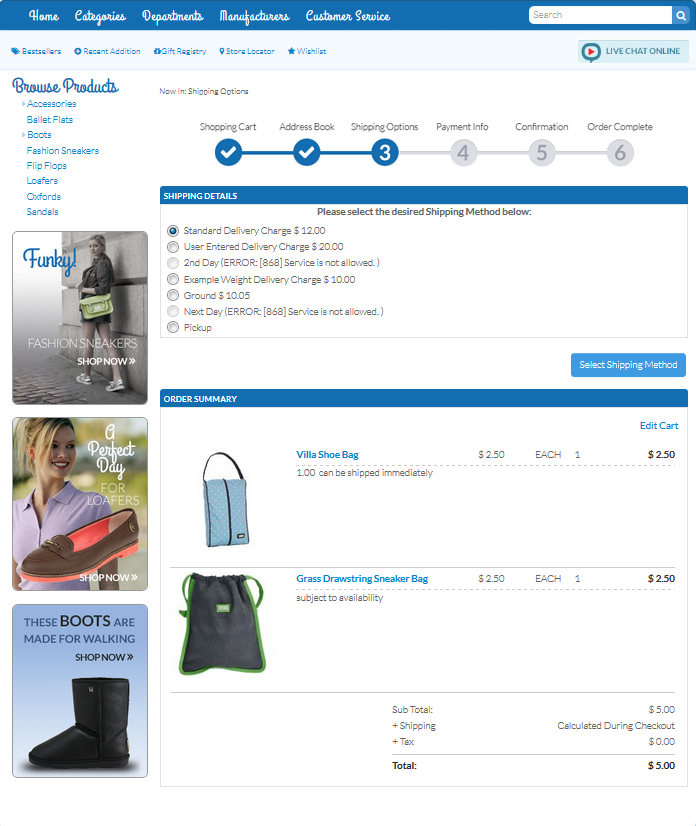
- Set the Shipping Method then click Select Shipping Method. The Payment Info page will be displayed.
Click Image to Enlarge
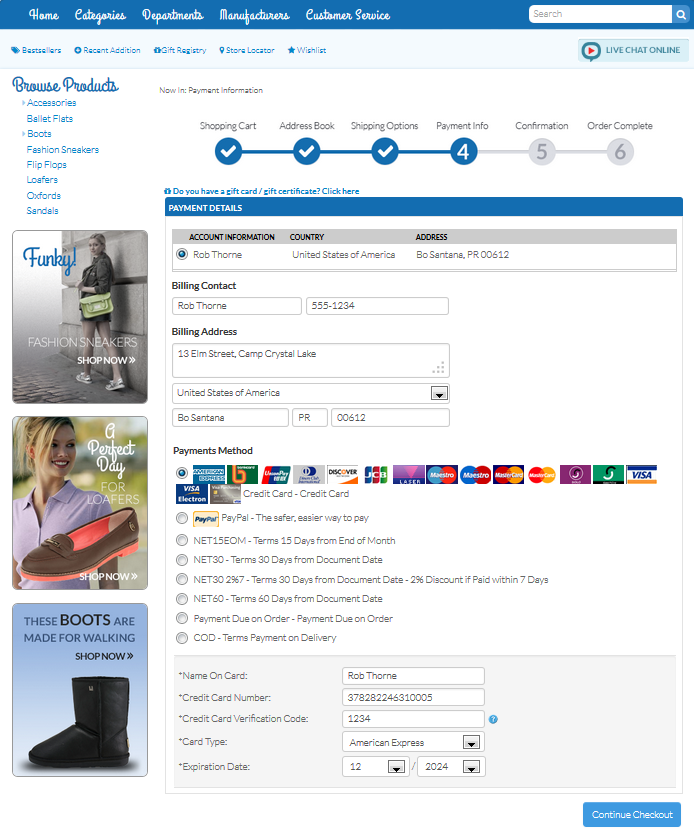
- Select the Payment Method and provide the necessary information then continue the checkout. You will be directed to the Confirmation page.
Click Image to Enlarge
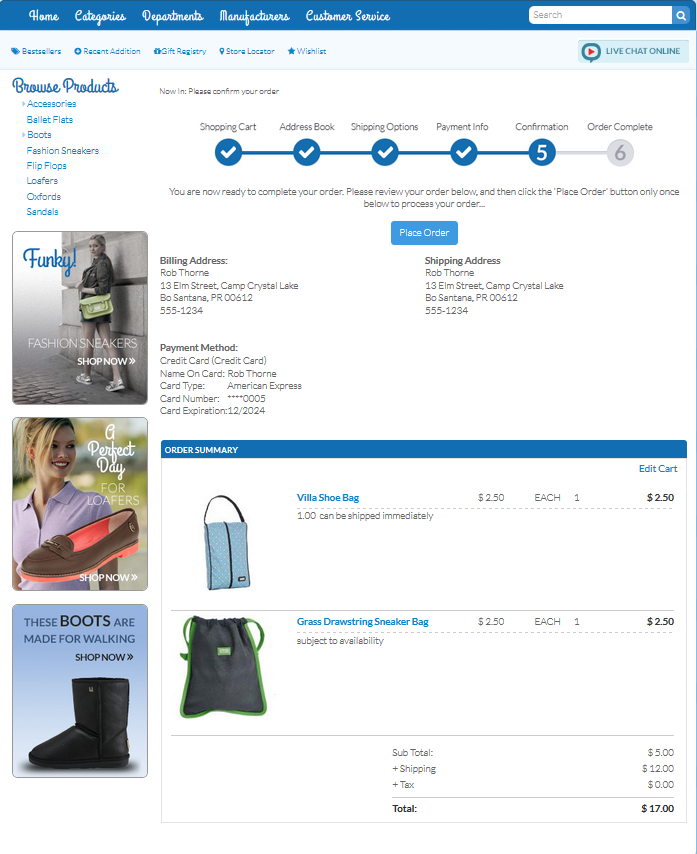
- Review the order details then click Place Order.
Click Image to Enlarge
A confirmation of your order being placed will be displayed.
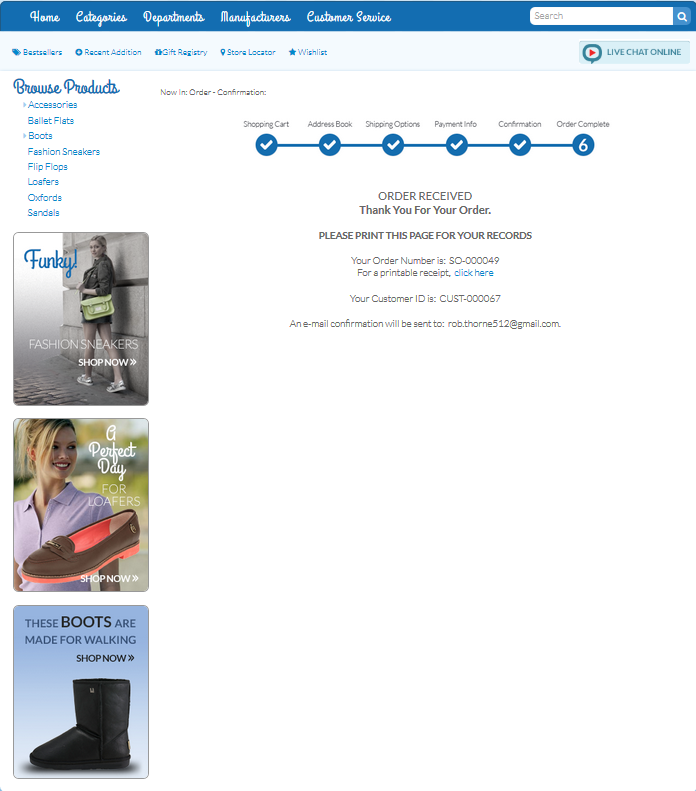
Click Image to Enlarge
An entry about the order will be added to the customer's Order History.
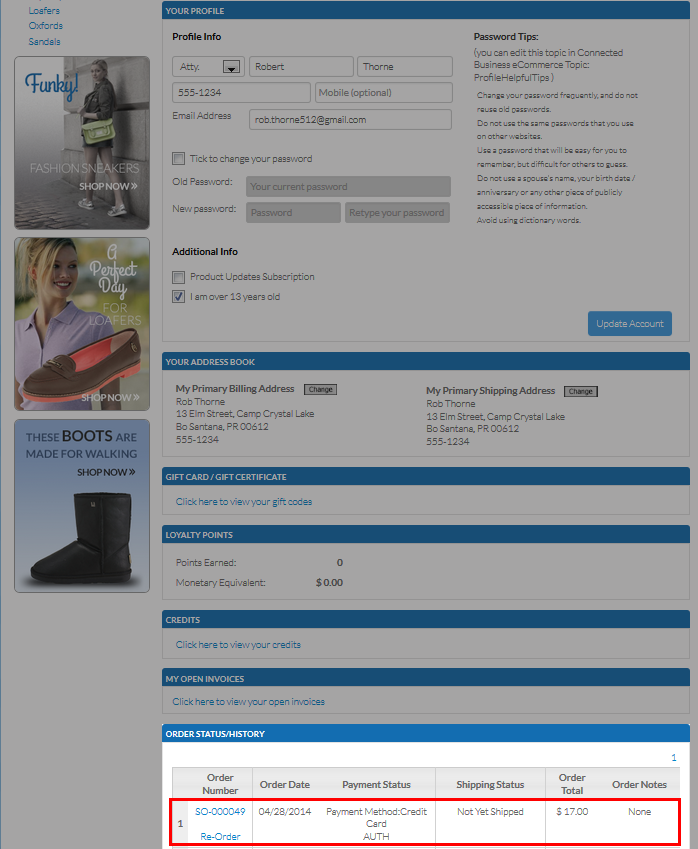
Click Image to Enlarge

To know about other methods to order and checkout items, please refer to the Google Checkout Payment and Paypal Express Checkout Payment online documentations.