
Assign Business Intelligence to Module
The newly created Business Intelligence can be assigned to a specific module or modules which can be viewed through the Business Intelligence Viewer.
- From the System Manager Module > Customize > Role.
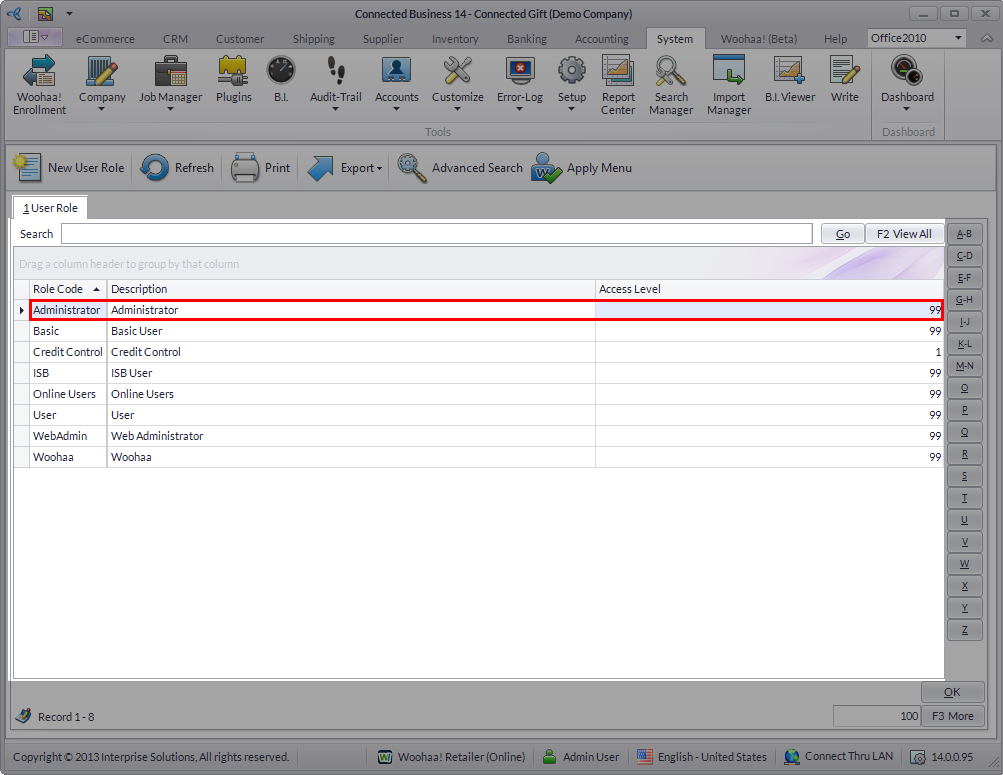
- The User Role List screen will be displayed. Select the account you want to assign the business intelligence to, e.g. Admin.
Click Image to Enlarge
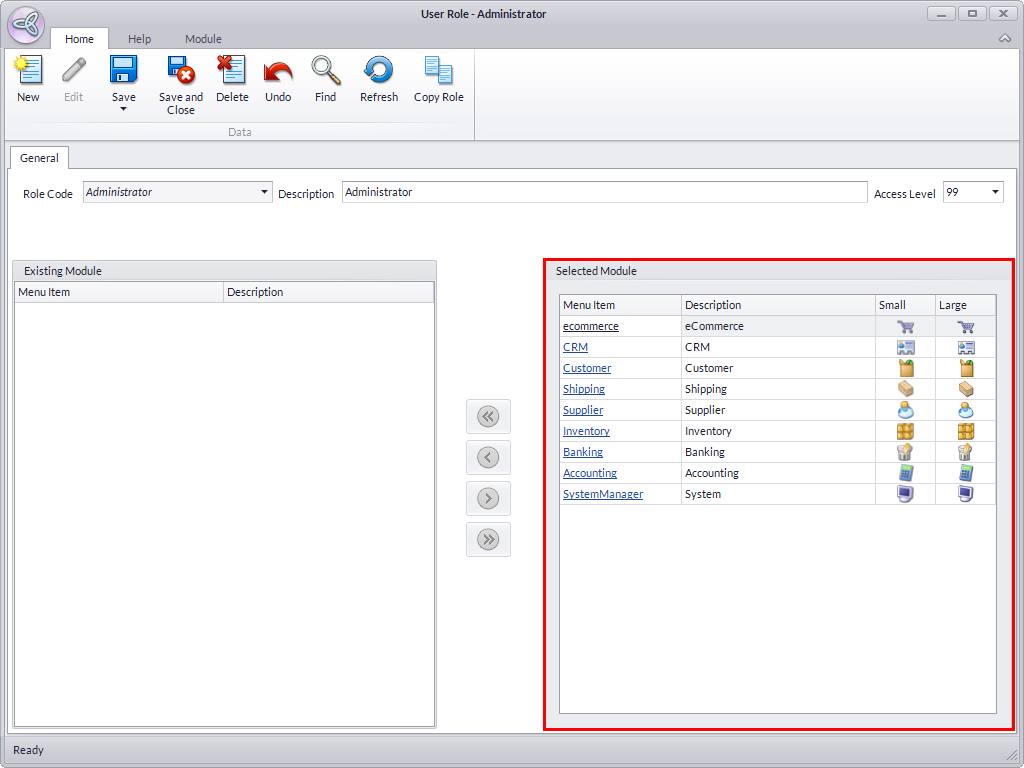
- From the User Role screen of the account you have chosen, select the Connected Business module you want to assign the business intelligence to.
Click Image to Enlarge
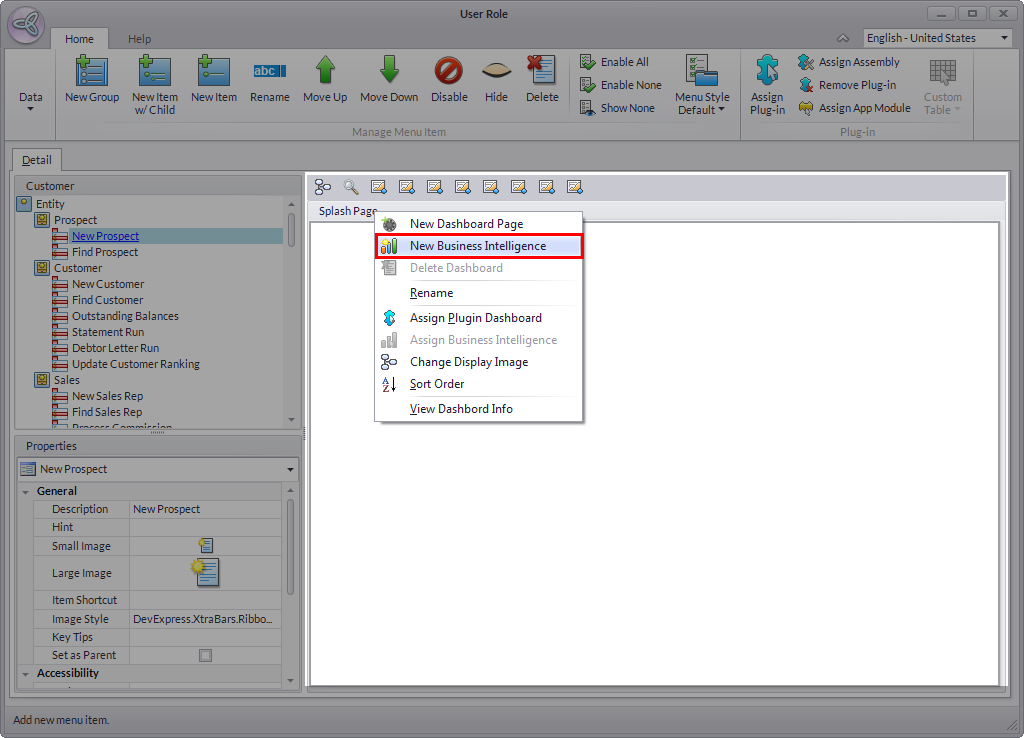
- On the User Role form of the module you have selected,right-click on the area beside the dashboard controls. Click New Business Intelligence.
Click Image to Enlarge
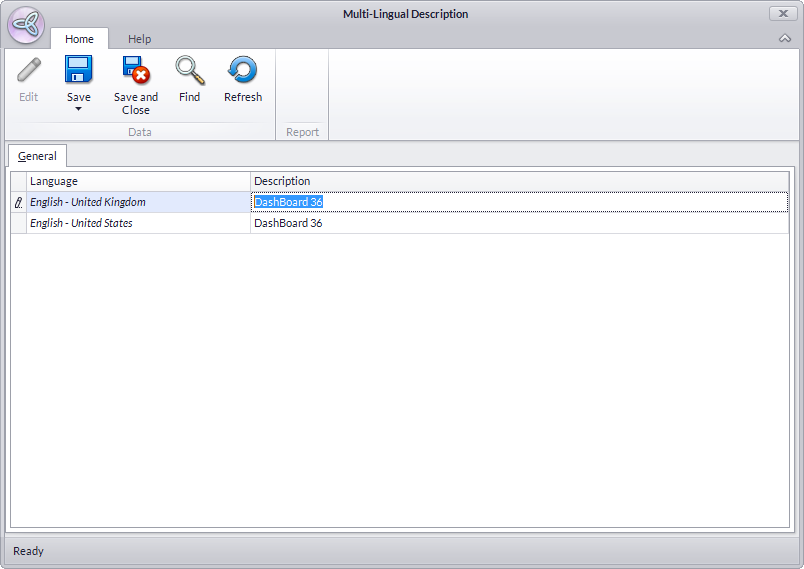
- The Multi-lingual Description screen will be displayed. Input the New Dashboard name and the description for the new business intelligence. Click Save and Close when done.
Click Image to Enlarge
- Right-click on the New Dashboard icon you have just created and select Assign Business Intelligence
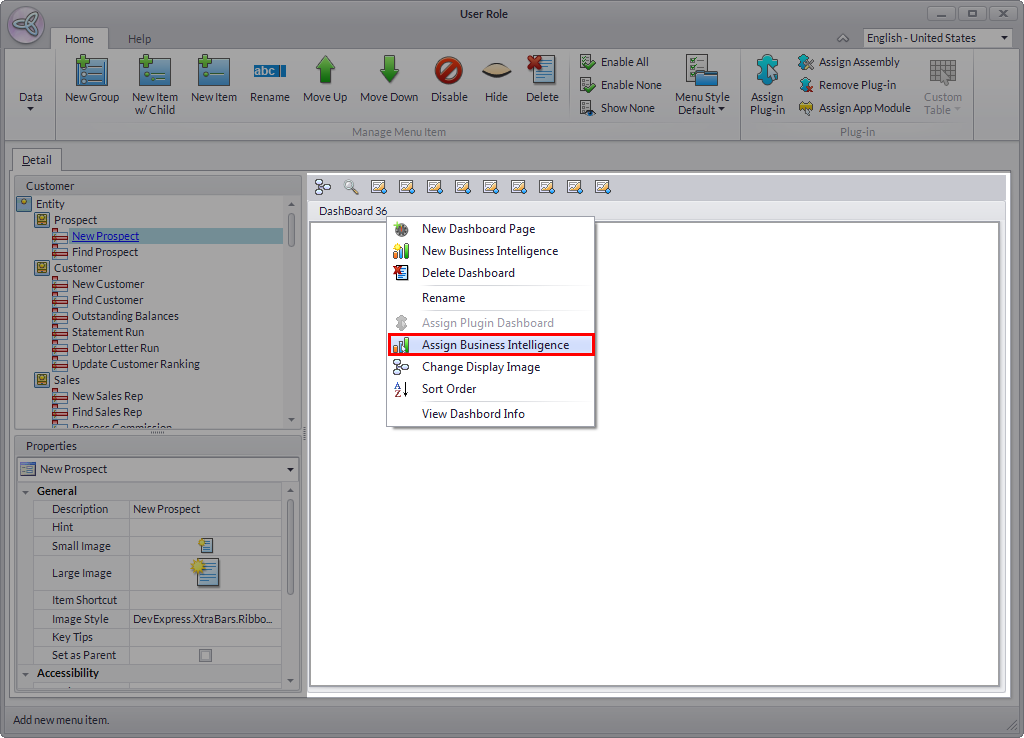
Click Image to Enlarge
- Select the Business Intelligence you have just created and once done, click Save and Close from the menu bar.
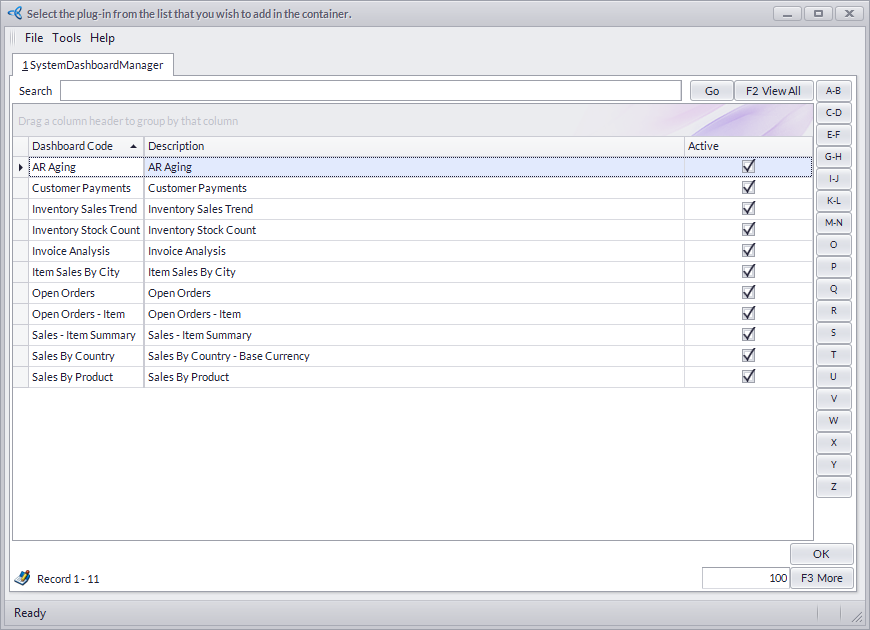
Click Image to Enlarge
- To view the Business intelligence you have assigned to your preferred module, go to that module and select B.I Viewer. The Business intelligence you have assigned should be displayed.
